Showing posts from Development category
Angular 19:New Features to Know
With each release of Angular there are enhancements in the performance and developer experience. Let us see what all new features and enhancements made in Angular 19. Incremental Hydration Incremental hydration is a performance optimization technique for Angular applications that enables selective hydration of content as needed, rather than hydrating the entire application upfront. This approach results in smaller initial bundles, improving load times and reducing layout shifts, thereby enhancing the user experience. In traditional hydration, all content is hydrated at once, which can lead to longer load times and higher First Input Delay (FID). With incremental hydration, only specific sections of the app are hydrated when required, reducing the initial load and making the app feel more responsive. For example, content above the fold can now be hydrated without causing layout shifts, which was a challenge in previous versions of Angular. Key Features 1. **Triggers for Hydration** — Hydration can be triggered using several conditions like idle state, viewport visibility, user interaction, or after a specified duration. These triggers allow you to control when deferred content should be hydrated. Example: Use @defer (hydrate on idle) to load a large component when the browser is idle, avoiding delays during critical loading stages. 2. **Customizable Hydration** — Triggers like hydrate on interaction, hydrate on hover, and hydrate on timer give developers fine-grained control over when content is hydrated. Example: Use @defer (hydrate on interaction) to defer the hydration of a component until the user interacts with it. 3. **Handling Nested @defer Blocks** — Incremental hydration supports complex scenarios like nested @defer blocks, allowing for progressive hydration as needed. 4. **Hydrate never** — This option keeps content in a deferred state indefinitely, ideal for static or rarely changing sections of the application. Example Code ```typescript @defer (hydrate on idle) { <large-cmp /> } @placeholder { <div>Large component placeholder</div> } @defer (hydrate on viewport) { <large-cmp /> } @placeholder { <div>Large component placeholder</div> } ``` Route-Level Render Mode In Angular v19, a new feature called Route-Level Render Mode allows developers to specify how each route should be rendered: server-side, client-side, or prerendered. This configuration gives developers fine-grained control over how different routes are handled during the server-side rendering (SSR) process, improving performance and flexibility. - **Server-Side Rendering (SSR):** Routes that require server-side rendering are explicitly marked with RenderMode.Server. - **Client-Side Rendering:** Routes that should be rendered only on the client side are marked with RenderMode.Client. - **Prerendering:** Routes that do not require dynamic content can be prerendered at build time, improving load times and reducing server load. The new ServerRoute interface allows you to specify the render mode for each route, and it works seamlessly with your existing route declarations. It also supports dynamic parameter resolution for prerendered routes. Example Code ```typescript export const serverRouteConfig: ServerRoute[] = [ { path: '/login', mode: RenderMode.Server }, // Render login on the server { path: '/dashboard', mode: RenderMode.Client }, // Render dashboard on the client { path: '/**', mode: RenderMode.Prerender }, // Prerender all other routes ]; // Prerendering dynamic routes with parameters export const routeConfig: ServerRoute = [{ path: '/product/:id', mode: RenderMode.Prerender, async getPrerenderPaths() { const dataService = inject(ProductService); const ids = await dataService.getIds(); // ["1", "2", "3"] return ids.map(id => ({ id })); // Dynamic prerender paths based on product IDs }, }]; ``` Resource API In Angular v19, the framework introduces the resource() API as an experimental feature to integrate asynchronous operations into Angular's signals system. While signals have traditionally focused on synchronous data (like state management and computed values), the resource() API enables signals to handle asynchronous data dependencies, making it easier to manage and track the state of data that changes over time. A resource in Angular consists of three parts: - **Request Function:** Defines the dependency (e.g., a user ID) that will trigger the asynchronous operation. - **Loader:** Executes the asynchronous operation (e.g., fetching data) when the request changes. - **Resource Instance:** Exposes signals that track both the data (once fetched) and the current status (loading, resolved, errored). The resource can be used in Angular components to handle dynamic, asynchronous data dependencies with built-in support for tracking loading and error states. Example Code ```typescript @Component(...) export class UserProfile { userId = input<number>(); // Input for the user ID userService = inject(UserService); // Injecting the user service // Defining the resource with an async loader user = resource({ request: this.userId, // Request depends on the user ID // Fetching user data loader: async ({ request: id }) => await userService.getUser(id), }); } ``` Linked Signals In Angular v19, a new primitive called linkedSignal is introduced to handle common UI patterns where mutable state needs to track changes in higher-level state. A typical use case is when you have a current selection in a UI that changes based on user input, but should reset when a list of available options changes. The linkedSignal provides a clean, declarative way to express this relationship without resorting to effects or manual state management. A linkedSignal is a writable signal that depends on another signal and updates automatically when that signal's value changes. It captures the dependency and allows for mutable state that resets based on changes in related data. Example Code ```typescript const options = signal(['apple', 'banana', 'fig']); // List of options // Choice defaults to the first option but can be changed const choice = linkedSignal(() => options()[0]); console.log(choice()); // apple // Changing the choice manually choice.set('fig'); console.log(choice()); // fig // When options change, choice resets to the new default value options.set(['peach', 'kiwi']); console.log(choice()); // peach ``` Standalone Defaults In Angular v19, the standalone components feature, introduced in Angular v14, continues to evolve. As part of this update, Angular now defaults to standalone: true for components, directives, and pipes, making it the default behavior for new components. This change ensures that standalone components, which don't require modules to function, become the primary way to structure Angular applications. Additionally, Angular v19 provides a schematic that helps developers automatically update their codebase during an ng update. This schematic removes the standalone metadata property for all standalone components, directives, and pipes, and sets standalone to false for non-standalone components. To further enforce this shift to modern APIs, Angular introduces the strictStandalone compiler flag. When enabled, this flag will throw an error if any component, directive, or pipe isn't standalone, encouraging developers to adopt standalone components and follow best practices. Zoneless Angular In Angular v19, zoneless rendering is further developed and integrated to reduce Angular's dependency on zone.js, a library historically critical for server-side rendering (SSR). Zone.js has been used to notify Angular when the rendering is complete, allowing the server to send the final page to the client. However, Angular v19 introduces a more efficient way to manage this process by eliminating the need for zone.js while still ensuring that server-side rendering waits until the app is fully ready. To address scenarios where pending HTTP requests and navigation delays the rendering, Angular provides primitives in the Angular HttpClient and Router to delay the page send-off until the app is stable. Additionally, a new RxJS operator called pendingUntilEvent is introduced, allowing developers to notify the server when Angular is still rendering, thus preventing premature page delivery. Example: Using pendingUntilEvent in SSR Here's how you can use the pendingUntilEvent operator to notify the server that Angular is still rendering and shouldn't send the page to the client until it's fully stable: ```typescript import { catchError } from 'rxjs/operators'; import { EMPTY } from 'rxjs'; subscription .asObservable() .pipe( pendingUntilEvent(injector), // Waits until rendering is complete catchError(() => EMPTY) // Handles errors silently ) .subscribe(); ``` - **pendingUntilEvent:** This operator listens for the rendering to complete, delaying the page delivery until Angular is done. - **catchError:** Handles any errors during the subscription and ensures the process continues smoothly. This mechanism ensures that server-side rendering waits for the app to fully initialize before sending the page to the user, improving performance and preventing issues caused by premature markup delivery. Angular Material and CDK in v19 Angular v19 introduces significant enhancements to Angular Material and the Component Dev Kit (CDK), improving both theming and drag-and-drop functionality. - **Enhanced Theming API:** Angular Material 3's theming system is made easier to use. The new mat.theme mixin simplifies the creation of custom themes, reducing code duplication when applying themes to individual components. - **Component Overrides:** A new Sass API (mat.sidenav-overrides) is introduced to allow component-specific style customizations, such as overriding individual design tokens (e.g., background colors). - **Two-Dimensional Drag and Drop:** The Angular CDK now supports two-dimensional drag and drop, enabling mixed orientations for draggable items (vertical and horizontal). - **Tab Reordering:** Angular CDK adds support for tab reordering, making it easy to implement draggable tabs, a feature already adopted by Google Cloud Console's BigQuery. - **New Time Picker Component:** A highly requested time picker component has been added to Angular Material, following accessibility standards and community feedback. These updates enhance developer experience, customization, and usability in Angular apps, particularly around UI components. Example: Simplified Theming with mat.theme ```scss @use '@angular/material' as mat; html { @include mat.theme(( color: ( primary: mat.$violet-palette, tertiary: mat.$orange-palette, theme-type: light ), typography: Roboto, density: 0 )); } ``` `mat.theme` is used to define a custom theme with primary and tertiary colors, typography, and density in a single, simplified mixin, reducing the need for repetitive code. Example: Two-Dimensional Drag-and-Drop with Mixed Orientation ```html <div cdkDropList cdkDropListOrientation="mixed"> @for (item of mixedTodo; track item) { <div cdkDrag> {{item}} <mat-icon cdkDragHandle svgIcon="dnd-move"></mat-icon> </div> } </div> ``` `cdkDropListOrientation="mixed"` allows the drag-and-drop list to support both vertical and horizontal orientations, providing flexibility for UI design. Instant Edit/Refresh with Hot Module Replacement (HMR) Angular v19 introduces Hot Module Replacement (HMR) for styles by default, and experimental support for template HMR behind a flag. Previously, when you made changes to a component's template or style, Angular CLI would rebuild the app and trigger a full page refresh, which could disrupt the developer flow. With HMR, changes to styles or templates are applied instantly, without refreshing the entire page or losing the application state, resulting in a faster and smoother development experience. - Style HMR is enabled by default in Angular v19, allowing you to see style changes in real-time without a page refresh. - Template HMR is experimental and can be enabled by setting a flag. Example: Enabling Template HMR To enable template HMR in Angular v19, use the following command: ```bash NG_HMR_TEMPLATES=1 ng serve ``` This will enable live updates for both styles and templates, allowing you to modify and see changes immediately without refreshing the page. Key Points - **HMR for Styles:** Enabled by default in Angular v19 for faster development. - **Template HMR:** Experimental feature that can be enabled using the NG_HMR_TEMPLATES=1 flag. - **Instant Updates:** Changes to styles and templates are reflected immediately without a page refresh, preserving the app's state. Conclusion With exciting new features like Route-Level Render Mode and Incremental Hydration, Angular 19 makes apps faster and more effective. These improvements increase user experiences, decrease server strain, and speed up load times. Now that developers have more control over the rendering of routes and content, Angular is an even better framework for creating scalable and contemporary online apps. This is the ideal moment to discover Angular 19's strong characteristics if you haven't before!
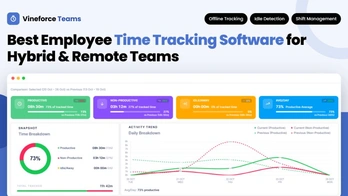
Best On-Premise Employee Monitoring Software in 2026: Complete Guide & Tool Comparison
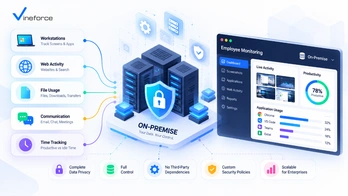
In an era of distributed teams, remote operations, and stringent cybersecurity standards, modern organizations face a twin imperative: maintaining operational visibility across daily workflows while maintaining absolute control over sensitive corporate data. > **Quick Summary:** On-premise employee monitoring software allows organizations to capture workforce activity insights, track time, and analyze application workflows while hosting all data on self-managed infrastructure. Unlike cloud SaaS, self-hosting delivers complete data residency, private storage control, and predictable scaling costs for security-conscious enterprises. Discover how [Vineforce Teams On-Premise](https://www.vineforce.net/teams/plans/on-premise) empowers organizations with deep productivity intelligence without surrendering infrastructure control. --- The Evolution of Workforce Visibility & Data Control Over the past decade, the rapid migration toward hybrid work and multi-app environments has expanded the digital footprint of every enterprise. Knowledge workers alternate daily between team messaging platforms, specialized desktop software, cloud suites, and project management tools. To optimize workflows and understand resource allocation, business leaders increasingly rely on workforce activity insights. However, traditional cloud-only software presents significant compliance and infrastructure questions for security-conscious enterprises: - **Third-Party Data Exposure**: Storing granular application logs, document titles, and desktop screenshots on multi-tenant cloud servers creates external dependency. - **Strict Data Residency**: Global organizations, financial institutions, and government defense contractors operate under strict regulations requiring internal data sovereignty. - **Escalating SaaS Costs**: Per-user subscription fees scale relentlessly as workforce headcounts grow, increasing long-term operating costs. - **Custom Security Integration**: Enterprise security teams often require custom network firewalls, localized backup policies, and dedicated database encryption standards. For these reasons, decision-makers are actively evaluating **on-premise employee monitoring software** and **self-hosted productivity solutions**. By hosting workforce telemetry on self-managed infrastructure, companies gain full control over their operational data while preserving workplace transparency. --- Understanding Deployment Models: On-Premise / Self-Hosted vs. Cloud Before reviewing individual software options, it is essential to understand the technical definitions governing software deployment. ``` +-----------------------------------------------------------------------------------+ | WORKFORCE MONITORING DEPLOYMENTS | +------------------------------------+----------------------------------------------+ | SELF-HOSTED / ON-PREMISE | CLOUD SAAS | +------------------------------------+----------------------------------------------+ | • Hosted on Private Hardware/Cloud | • Managed on Vendor Cloud Infrastructure | | • Full Database & Storage Control | • Data Stored in Multi-Tenant Databases | | • Internal Firewall & VPN Isolation| • Standard Vendor Security Policies | | • Scalable License Pricing | • Continuous Monthly Per-User Billing | +------------------------------------+----------------------------------------------+ ``` On-Premise Software Software installed on physical servers located within an organization's private data center or local office facilities. Access is governed by physical access controls and internal network parameters. Self-Hosted Software Software deployed and operated by the customer within customer-controlled infrastructure. This includes private cloud environments (such as AWS EC2, Azure VMs, or private Kubernetes clusters) as well as dedicated local servers. The defining feature is that **the customer owns and controls the execution environment and database storage**. Cloud-Hosted (SaaS) Software hosted on vendor-managed infrastructure. While quick to deploy, all employee activity logs, app history, and visual captures reside in vendor-controlled cloud databases. > _Note: In search queries and procurement evaluations, "on-premise" and "self-hosted" are frequently used interchangeably to describe software that grants customer-level data control._ --- Why Organizations Choose Self-Hosted Employee Monitoring Selecting a self-hosted productivity tracking architecture provides key strategic advantages for organizations operating in complex or regulated sectors. ``` +----------------------------------+ | SELF-HOSTED VALUE PILLARS | +----------------------------------+ | +-------------------+-----------+-----------+-------------------+ | | | | +--------------+ +---------------+ +---------------+ +---------------+ | Data | | Security | | Data | | Economic | | Ownership | | Controls | | Residency | | Predictability| +--------------+ +---------------+ +---------------+ +---------------+ | Customer DB | | Local Access | | Local Geography| | Predictable | | Full Logs | | Custom Backup | | Sovereign Logs| | Team Scaling | +--------------+ +---------------+ +---------------+ +---------------+ ``` 1. Total Data Ownership and Storage Control When monitoring application usage, active time, and task workflows, the software captures detailed telemetry. In a self-hosted environment, every byte of data—from database tables to screenshot image blobs—remains inside customer storage buckets. Enterprise IT administrators retain direct SQL access for custom business intelligence reporting and internal audits. 2. Enhanced Infrastructure Security Controls Self-hosting enables security engineers to apply custom network perimeter controls. Organizations can: - Isolate monitoring server endpoints behind internal corporate VPNs. - Enforce strict Web Application Firewalls (WAF) and IP whitelist rules. - Integrate logging directly into existing Security Information and Event Management (SIEM) tools. - Implement custom disk encryption (AES-256) using customer-managed cryptographic keys. To learn more about modern architecture safeguards, refer to our research on [how advanced security measures safeguard SaaS applications](/how-advanced-security-measures-can-safeguard-your-saas-application). 3. Support for Data Residency Requirements Organizations in healthcare, defense, financial services, and legal advisory must guarantee that sensitive internal operational data does not cross international borders or enter third-party cloud boundaries. Self-hosted deployments help companies align software infrastructure with their internal data residency policies. 4. Cost Predictability at Scale Cloud-only SaaS tools typically charge $10 to $25+ per user per month. For a workforce of 200 to 1,000+ employees, recurring SaaS costs accumulate rapidly. Self-hosted licensing models often offer volume-tiered or infrastructure-based licensing, significantly lowering the long-term per-user cost as organizations expand. --- On-Premise vs. Cloud Employee Monitoring: Comprehensive Breakdown Evaluating deployment architecture requires weighing operational trade-offs across infrastructure, security, and administrative overhead. | Architectural Dimension | Self-Hosted / On-Premise | Cloud-Hosted (SaaS) | | :---------------------------- | :------------------------------------------------ | :----------------------------------- | | **Infrastructure Management** | Customer-managed (Local servers or private cloud) | Vendor-managed multi-tenant cloud | | **Data Storage & Residency** | 100% customer-controlled local storage | Vendor cloud (AWS/GCP/Azure tenant) | | **Network Perimeter** | Operates inside private firewalls/VPNs | Exposed to public internet endpoints | | **Database Access** | Direct access to raw SQL/NoSQL storage | API-restricted or export-only access | | **Backup & Retention** | Unlimited, customizable retention schedules | Restricted by vendor storage tiers | | **Deployment Speed** | Requires initial container/server setup | Instant sign-up and agent download | | **Maintenance & Updates** | Customer-managed / guided upgrade path | Automatic vendor background updates | | **IT Resource Need** | Requires internal system administration | Minimal IT overhead | | **Long-Term Scaling Cost** | High cost efficiency at scale | Scales linearly per user per month | Neither model is universally superior; cloud platforms suit smaller teams seeking immediate deployment without IT management, whereas self-hosted platforms are designed for organizations prioritizing control, data sovereignty, and long-term economic efficiency. --- Buyer Checklist: Essential Features for Self-Hosted Productivity Tools When shortlisting self-hosted workforce analytics platforms, evaluate solutions across core feature categories to ensure comprehensive productivity insights without compromising system performance: ``` +-----------------------------------------------------------------------------------+ | SELF-HOSTED EVALUATION CHECKLIST | +--------------------------+--------------------------------------------------------+ | FEATURE CATEGORY | KEY CAPABILITIES TO VERIFY | +--------------------------+--------------------------------------------------------+ | Time & Activity Tracking | • Smart idle detection & automated shift tracking | | | • Offline time buffer & background synchronization | | App & Website Analytics | • Categorized application & URL monitoring | | | • Shadow IT detection & non-productive flags | | Contextual Screenshots | • Customizable interval frequency & selective blurring | | | • Role-based view permissions & privacy policies | | Server Architecture | • Docker / Kubernetes containerization support | | | • Customer-managed PostgreSQL / MySQL / S3 storage | | Administration & Governance| • Role-based access control (RBAC) & SSO integration | | | • Configurable data retention & automated purging | +--------------------------+--------------------------------------------------------+ ``` 1. **Automated Time & Shift Tracking**: Continuous tracking of active working hours, break periods, and task allocation without manual input friction. 2. **Application & URL Visibility**: Detailed categorizations showing time spent across desktop applications, developer environments, web browsers, and cloud portals. 3. **Smart Idle Detection**: Intelligent algorithms that detect keyboard/mouse inactivity to prevent inflated hours while accounting for meetings and offline work. 4. **Privacy-Conscious Screenshots**: Optional, customizable screenshot capture with frequency controls, blurring options, and clear notification indicators for team transparency. 5. **Project & Task Attribution**: Capability to map active hours to specific client projects, internal work orders, or operational cost centers. 6. **Offline Time Buffering**: Local agent storage that records activity securely when employees work offline or during network outages, syncing back once reconnected. 7. **Containerized Server Deployment**: Modern container support (Docker, Docker Compose, or Helm charts) for straightforward deployment into Linux environments. 8. **Configurable Data Retention**: Granular controls permitting administrators to set retention limits (e.g., auto-purging raw activity logs after 90 days while preserving summary metrics). --- Comparison of the Best On-Premise Employee Monitoring Software Tools The following table compares leading platforms supporting self-hosted or on-premise deployment options in 2026. | Software Platform | Self-Hosted Support | Time Tracking | App & URL Usage | Screenshot Capture | Productivity Analytics | Custom DB Storage | Target Use Case | | :------------------ | :------------------------------- | :------------ | :---------------- | :----------------- | :------------------------------ | :------------------------ | :------------------------------------------------------------------------ | | **Vineforce Teams** | **Yes (On-Premise Plan)** | **Advanced** | **Comprehensive** | **Configurable** | **AI-Powered** | **Full Customer Control** | **Modern security-conscious teams, hybrid enterprises & mid-market orgs** | | **WorkTime** | Yes (On-Premise) | Standard | Standard | No (Privacy-First) | Basic | Customer Managed | Privacy-focused organizations seeking zero screenshot capture | | **Veriato** | Yes (On-Premise) | Basic | Comprehensive | High-Frequency | Security/Insider Threat | Customer Managed | Enterprise insider threat detection & security auditing | | **Teramind** | Yes (On-Premise / Private Cloud) | Advanced | Comprehensive | Comprehensive | User Behavioral Analytics (UBA) | Customer Managed | Large enterprises requiring DLP & behavioral compliance | | **InterGuard** | Yes (On-Premise) | Standard | Standard | Advanced | Compliance Focused | Customer Managed | Regulated financial & healthcare compliance monitoring | --- Detailed Analysis of Top Self-Hosted Software Vendors 1. Vineforce Teams (On-Premise) [Vineforce Teams](https://vineforce.net/teams/) delivers a modern productivity intelligence and workforce visibility platform built specifically to support healthy workplace transparency, team focus, and operational efficiency. Unlike legacy monitoring software designed around surveillance, Vineforce Teams approaches workforce insights from a productivity-first perspective. Its [On-Premise Edition](https://www.vineforce.net/teams/plans/on-premise) allows organizations to run the platform within their own customer-controlled server environment—giving IT leaders absolute authority over where active time records, application logs, and visual snapshots are stored. ``` +-----------------------------------------------------------------------------------+ | VINEFORCE TEAMS ON-PREMISE ARCHITECTURE | +-----------------------------------------------------------------------------------+ | | | +--------------------+ Encrypted Telemetry +---------------------------+ | | | Desktop Client | -------------------------> | Customer Server Gateway | | | | (Windows / macOS) | (HTTPS / TLS) | (Docker / Private Cloud) | | | +--------------------+ +---------------------------+ | | | | | +-------------+-------------+ | | | | | | +---------------+ +---------------+ | | Private DB | | Private S3/FS | | | (Activity Log)| | (Screenshots) | | +---------------+ +---------------+ | | +-----------------------------------------------------------------------------------+ ``` Deployment Architecture Vineforce Teams On-Premise is delivered via containerized packages, allowing seamless deployment onto customer-managed cloud VMs (AWS EC2, Azure Virtual Machines, Google Cloud Engine) or local Linux hardware servers. Customers connect their own PostgreSQL database and object storage buckets. Key Features - **Comprehensive Activity Tracking**: Tracks active hours, idle intervals, application usage, and browser activity. - **Smart Workday Intelligence**: Provides clear activity timelines showing deep focus work versus administrative overhead. - **Contextual Visual Verification**: Configurable screenshot captures with customizable intervals and permission controls. - **Offline Tracking Buffer**: Captures data during internet interruptions and synchronizes automatically upon reconnect. - **Role-Based Analytics**: Dashboard permissions tailored for department managers, team leads, and IT administrators. - **Data Retention Purging**: Native administrative options to schedule automated data cleanup according to internal corporate policies. Strengths - Modern, clean user interface designed for both management clarity and employee transparency. - Full independence from third-party vendor cloud storage. - Combines time tracking, application usage, and shift management into a unified platform. - Flexible pricing model optimized for sustainable long-term scaling. Best Fit For Mid-market companies, technology firms, remote agencies, and security-minded organizations that want modern productivity insights without entrusting corporate activity logs to public SaaS servers. Explore details on the [Vineforce Teams On-Premise Plan](https://www.vineforce.net/teams/plans/on-premise). --- 2. WorkTime On-Premise WorkTime is a established vendor in the workforce monitoring landscape, widely recognized for its strict "privacy-first" monitoring philosophy. Deployment Model WorkTime offers an On-Premise executable installer that runs on Windows Server infrastructure, storing activity data inside local database engines. Key Features - **Non-Invasive Activity Monitoring**: Tracks total active time, computer usage, and app usage without capturing screenshots. - **Attestation & Attendance Tracking**: Monitors login/logout timestamps and system lock status. - **Zero Document Content Recording**: Focuses strictly on executable names and web domains. Strengths & Limitations - **Strengths**: High employee trust due to the total exclusion of screenshot capabilities; minimal server storage requirements. - **Limitations**: Interface feels dated compared to modern web apps; lacks visual context mechanisms for verified output auditing. Best Fit For Highly unionized environments, European organizations with strict worker council privacy agreements, or companies seeking basic attendance stats without visual recording. --- 3. Veriato Vision (Formerly SpectorSoft) Veriato is a long-standing enterprise platform primarily focused on insider risk management, security auditing, and user activity logging. Deployment Model Veriato offers server installations that deploy across corporate Active Directory domains, writing data to dedicated Microsoft SQL Server databases. Key Features - **High-Frequency Keystroke & Screen Recording**: Continuous background recording of screen activity and application interaction. - **Insider Threat Scoring**: Anomaly detection algorithms that flag high-risk data export behaviors. - **Psycholinguistic Analysis**: Analyzes written communications across email and chat applications for sentiment anomalies. Strengths & Limitations - **Strengths**: Deep forensic auditing capabilities for enterprise risk management and legal investigations. - **Limitations**: High system resource footprint on endpoints; heavy surveillance orientation can negatively impact employee morale if used for general team management. Best Fit For Financial institutions, defense contractors, and high-security enterprise environments needing strict insider threat prevention. --- 4. Teramind On-Premise & Private Cloud Teramind is a powerful analytics platform combining user activity monitoring with Data Loss Prevention (DLP) capabilities. Deployment Model Teramind provides virtual appliance images (OVA/ISO) for deployment on VMware, Hyper-V, AWS, or Azure private cloud infrastructure. Key Features - **User Behavior Analytics (UBA)**: Identifies deviations from normal activity patterns. - **Integrated Data Loss Prevention**: Rules-based engine that blocks file transfers, USB writes, or copy-paste actions containing sensitive content (e.g., PII, credit card numbers). - **OCR Search in Screen Recording**: Optical character recognition allowing administrators to search for specific text inside recorded video sessions. Strengths & Limitations - **Strengths**: Robust security enforcement and comprehensive forensic reporting. - **Limitations**: Higher licensing cost structure; complex setup and policy configuration requirements. Best Fit For Large enterprises requiring integrated DLP enforcement alongside workforce monitoring. --- 5. InterGuard InterGuard by Awareness Technologies provides multi-endpoint security and employee activity monitoring for centralized IT management. Deployment Model Supports on-premise server deployment with SQL database backends, as well as hybrid cloud configurations. Key Features - **Web Filtering & Blocking**: Restricts access to unauthorized categories or specific URLs. - **File Movement Tracking**: Logs file rename, deletion, upload, and print actions. - **Remote Endpoint Control**: Allows administrators to lock or wipe endpoints remotely in case of theft. Strengths & Limitations - **Strengths**: Strong endpoint policy enforcement features for remote laptop fleets. - **Limitations**: Interface complexity can require a steeper learning curve for non-technical managers. Best Fit For Regulated mid-market businesses requiring endpoint policy enforcement alongside activity tracking. --- Architectural Deep Dive: Vineforce Teams On-Premise vs. Cloud Platforms When evaluating [Vineforce Teams](https://vineforce.net/teams/) for self-hosted deployment, understanding how it differs from conventional cloud platforms highlights key operational advantages: | Capability / Dimension | Vineforce Teams On-Premise | Typical Cloud-Only Platform | | :----------------------------- | :------------------------------------------------ | :------------------------------------- | | **Server Hosting Environment** | Customer AWS / Azure / Private Linux Servers | Public multi-tenant cloud cluster | | **Database Ownership** | Customer PostgreSQL / MySQL instance | Vendor shared multi-tenant DB | | **Screenshot Storage** | Private S3 / Blob storage bucket | Vendor cloud storage | | **Network Isolation** | Deployable within private VPCs & corporate VPNs | Requires open outbound web traffic | | **Custom Data Retention** | Unlimited retention (Customer storage permitting) | Fixed by plan (e.g., 30 to 90 days) | | **Direct SQL Access** | Yes—Full query access for internal BI tools | Restricted to CSV exports or REST APIs | | **Security Auditing** | Customer SIEM & internal log integration | Standard vendor log dashboard | | **Licensing Model** | Predictable volume & deployment licensing | Linear monthly per-user subscription | To understand how productivity analytics bridge modern operational gaps, read our analysis on [why modern teams need a productivity platform](/why-modern-teams-need-vineforce-teams-productivity-platform). --- Total Cost of Ownership (TCO): On-Premise vs. Cloud SaaS A primary driver for choosing a self-hosted architecture is the long-term total cost of ownership at scale. While cloud SaaS offers zero initial infrastructure cost, its recurring fee structure grows indefinitely as team size increases. ``` TOTAL COST OF OWNERSHIP (TCO) COMPARISON OVER 3 YEARS (500 USERS) COST ($) ^ | / Cloud SaaS ($15/user/mo = $90,000/yr) | / | / | / <-- Cumulative Cloud Cost: $270,000 | / | +-------------------------------+ <-- Self-Hosted (License + Private Cloud Inf): | | | Estimated Cumulative Cost: $110,000 | +-------------------------------+ +-----------------------------------------------------------------------------> TIME Year 1 Year 2 Year 3 ``` Cost Breakdown Factors 1. Software Licensing - **Cloud SaaS**: $12–$25 per user/month. For 500 users over 3 years, this totals **$216,000 – $450,000**. - **Self-Hosted**: Software license structured around tier brackets or self-hosted deployment packages, reducing the effective per-user licensing burden. 2. Infrastructure & Storage - **Cloud SaaS**: Included in subscription (subject to data cap upsells). - **Self-Hosted**: Private cloud VM (e.g., 8-core, 32GB RAM instance) + S3/Blob storage costs (~$150–$400/month depending on screenshot volume and retention policy). 3. IT Operations & Maintenance - **Cloud SaaS**: Vendor handles updates automatically. - **Self-Hosted**: Requires ~1–2 hours per month of internal IT maintenance for patch updates and database backup verification. Economic Summary For teams under 30 employees, cloud SaaS is often cheaper due to zero server overhead. However, for organizations with **50+ to 1,000+ employees**, self-hosted deployment using platforms like Vineforce Teams delivers substantial cumulative cost savings over a multi-year horizon. Review detailed plan options on the [Vineforce Teams Pricing Page](https://www.vineforce.net/teams/pricing). --- Security, Maintenance, and Governance Responsibilities While self-hosting offers superior infrastructure control, it shifts specific operational responsibilities to the customer's IT team. Organizations must maintain disciplined governance across several areas: ``` +-----------------------------------------------------------------------------------+ | SHARED GOVERNANCE & RESPONSIBILITY MATRIX | +------------------------------------+----------------------------------------------+ | VENDOR RESPONSIBILITIES | CUSTOMER IT RESPONSIBILITIES | +------------------------------------+----------------------------------------------+ | • Core Application Binaries | • Operating System Security & Patching | | • Desktop Agent Updates | • Database Backups & Disaster Recovery | | • Software Bug Fixes | • Network Firewall & VPN Management | | • Documentation & Setup Guides | • Storage Bucket Access Policy Enforcements | +------------------------------------+----------------------------------------------+ ``` 1. Operating System Patching Host servers running Docker or Linux distribution packages must be updated regularly with vendor security patches to protect against OS-level vulnerabilities. 2. Database Backup Strategies IT administrators should implement automated daily backups of the PostgreSQL or MySQL database, with off-site replication to guard against server hardware failure. 3. Storage Access Policies Object storage buckets containing screenshot artifacts must be locked down with IAM policies to prevent unauthorized access. 4. Responsible Monitoring Policies Self-hosted tools give managers powerful visibility, but clear organizational policies build trust. Best practices include: - Informing employees about what activity is tracked during working hours. - Establishing clear guidelines on personal time vs. active work time. - Restricting dashboard view access strictly to direct supervisors and department leads. For deployment container reference patterns, explore our guide on [Docker for enterprise software deployment](/docker-for-asp-net-zero-saas-in-easy-deployment). --- Target Audience: Who Should Choose Self-Hosted Employee Monitoring? Self-hosted workforce productivity software is designed for organizations with specific technical or business requirements: ``` +-----------------------------------------------------------------------------------+ | WHO BENEFITS MOST FROM SELF-HOSTING? | +-----------------------------------------------------------------------------------+ | [Security-Conscious Enterprise] --> Complete Isolation behind Corporate VPNs | | [Healthcare & Financial Services]--> Strict Local Data Sovereignty Compliance | | [Software & Technology Firms] --> Direct SQL Database Integration & BI | | [Growing Mid-Market Orgs (50+)] --> Substantial Per-User Cost Savings at Scale | +-----------------------------------------------------------------------------------+ ``` - **Security-Conscious Enterprises**: Organizations maintaining zero-trust architecture or strict air-gapped network policies. - **Healthcare & Financial Organizations**: Businesses that require complete isolation of employee communications and document activity. - **Software Engineering & IT Firms**: Companies with in-house sysadmin resources that prefer direct database access for custom reporting pipelines. - **Companies with strict Data Residency Rules**: Organizations operating in regions where employee data must reside on local physical servers. - **Scaling Mid-Market Organizations (50 to 1,000+ staff)**: Companies seeking to avoid escalating per-user monthly SaaS fees. --- Who Should Choose Cloud-Hosted (SaaS) Instead? To provide a balanced perspective, self-hosted deployment is not necessary for every business. Cloud-hosted software remains the ideal choice for: - **Micro-Teams & Startups (< 20 employees)**: Organizations needing immediate setup without dedicated IT staff. - **Companies Without IT Infrastructure**: Businesses that do not maintain cloud accounts (AWS/Azure) or internal server management capabilities. - **Short-Term Projects**: Operations requiring temporary workforce tracking for seasonal contracts. --- Deployment Prerequisites for Self-Hosted Software Before initiating a self-hosted installation, your IT infrastructure team should prepare the following technical foundation: ``` +-----------------------------------------------------------------------------------+ | TECHNICAL DEPLOYMENT PREREQUISITES | +-----------------------------------------------------------------------------------+ | 1. HOST SERVER | 64-bit Linux OS (Ubuntu 22.04 LTS+, RHEL, Debian) | | | 4 to 8 vCPU Cores | 16GB - 32GB RAM | 100GB SSD Root Volume | | 2. RUNTIME ENVMNT | Docker Engine (v24.0+) & Docker Compose (v2.20+) | | 3. DATABASE ENGINE | Managed PostgreSQL 14+ or MySQL 8.0+ instance | | 4. OBJECT STORAGE | AWS S3, Azure Blob Storage, MinIO, or Local Attached Volume | | 5. NETWORK & SSL | Domain A-Record | Valid SSL/TLS Certificate (Certbot/Custom)| +-----------------------------------------------------------------------------------+ ``` 1. **Host Hardware/VM Allocation**: - Minimum: 4 vCPU cores, 16 GB RAM, 100 GB SSD storage (supports ~100–250 active endpoints). - Recommended for 500+ endpoints: 8 vCPU cores, 32 GB RAM, dedicated database server. 2. **Container Engine**: Docker v24.0+ and Docker Compose installed on host OS. 3. **Database Server**: Access to a PostgreSQL 14+ or MySQL 8.0+ database instance with admin provisioning rights. 4. **Storage Endpoint**: Amazon S3 bucket, Azure Blob container, or local S3-compatible storage (e.g., MinIO) for asset management. 5. **Domain & SSL Certificate**: A fully qualified domain name (e.g., `insights.yourcompany.com`) with valid TLS/SSL certificates to secure agent communications. --- 15 Essential Questions to Ask Software Vendors Before Buying When evaluating self-hosted software providers, ask vendors these critical technical and commercial questions during product demos: 1. _Does your software run as a self-contained container (Docker/Helm) inside our private cloud?_ 2. _Is any employee activity data, telemetry, or analytics sent back to vendor servers?_ 3. _Can we supply our own database (PostgreSQL/MySQL) and storage buckets (S3/Blob)?_ 4. _Where are screenshot files and activity logs stored, and how are they encrypted at rest?_ 5. _Does the software support direct SQL database queries for integration with internal BI tools like PowerBI or Tableau?_ 6. _How are software updates and security patches delivered to our self-hosted server instance?_ 7. _Can we configure automated data retention policies to purge raw logs after a specified period?_ 8. _What happens to client desktop agents if the self-hosted server experiences temporary downtime?_ 9. _What network ports and outbound protocols are required for desktop agents to communicate with the server gateway?_ 10. _Does your platform support single sign-on (SSO) via SAML 2.0, Azure AD, or OAuth?_ 11. _What are the system resource requirements (CPU/RAM/Disk) for running desktop monitoring agents on client machines?_ 12. _Can visual screenshot capture be selectively disabled for specific departments or user groups?_ 13. _What licensing model applies to self-hosted deployments (tiered, capacity-based, or per-seat)?_ 14. _What level of technical support is included during initial server installation and configuration?_ 15. _Can the server scale horizontally to support thousands of endpoints across multiple geographical offices?_ --- Frequently Asked Questions (FAQ) What is on-premise employee monitoring software? On-premise employee monitoring software is a workforce productivity platform installed and operated directly within an organization's private physical servers or private cloud infrastructure, ensuring full data residency and local storage control. What is the difference between self-hosted and cloud employee monitoring? Self-hosted software runs inside infrastructure managed directly by your organization, storing database logs and screenshots locally. Cloud employee monitoring is managed on vendor-controlled infrastructure on a multi-tenant cloud subscription model. Is self-hosted employee monitoring more secure than cloud monitoring? Self-hosting gives organizations full sovereignty to apply custom firewalls, isolation controls, and internal encryption standards. However, security ultimately depends on the customer's internal patch management and network architecture. Where is employee activity data stored in a self-hosted deployment? In a self-hosted setup, all activity logs, time records, app/URL usage telemetry, and screenshots are saved in customer-controlled databases and private storage buckets rather than vendor servers. Can self-hosted employee monitoring software track remote employees? Yes. Remote desktop agents securely sync encrypted telemetry back to your organization's self-hosted server gateway or private cloud endpoint over secure HTTPS/VPN channels. Does self-hosting assist with corporate data residency requirements? Yes. Operating workforce monitoring platforms within designated regional servers allows enterprises to satisfy strict data residency policies and internal sovereignty rules. Is Vineforce Teams available as an on-premise or self-hosted deployment? Yes. Vineforce Teams provides an On-Premise licensing option for organizations that require total data ownership, private storage, and custom containerized server hosting. Does Vineforce Teams charge per employee for self-hosted licensing? Vineforce Teams offers flexible self-hosted deployment packages structured for growing teams and enterprises seeking scalable, predictable workforce management costs. Can screenshot captures be saved directly on customer infrastructure? Yes. With self-hosted platforms like Vineforce Teams On-Premise, visual screenshots and activity telemetry remain exclusively on customer-managed storage servers. Which employee monitoring platforms support self-hosted infrastructure in 2026? Leading platforms offering true self-hosted or on-premise deployment include Vineforce Teams, WorkTime, Veriato, Teramind, and InterGuard. Is Hubstaff self-hosted? No. Hubstaff operates strictly as a cloud-hosted (SaaS) workforce management solution with vendor-managed cloud storage. Is ActivTrak self-hosted? No. ActivTrak is a cloud-native workforce analytics platform hosted entirely on vendor infrastructure. --- Recommended User Journey & Next Steps When evaluating productivity solutions for your organization, follow this recommended research path: 1. **Review Your Requirements**: Assess internal data residency policies, infrastructure capabilities, and team scaling targets. 2. **Explore Vineforce Teams Features**: Understand core activity tracking, time management, and shift analytics on the [Vineforce Teams Product Page](https://vineforce.net/teams/). 3. **Evaluate On-Premise Deployment**: Learn about custom server installation, container support, and storage control on the [Vineforce Teams On-Premise Page](https://www.vineforce.net/teams/plans/on-premise). 4. **Compare Commercial Options**: Examine licensing structures and cost efficiencies on the [Vineforce Teams Pricing Page](https://www.vineforce.net/teams/pricing). 5. **Get Started**: Request a tailored deployment trial or create your account at [Vineforce Teams Signup](https://vineforceteams.com/). > Ready to take total control of your workforce productivity data and infrastructure environment? Explore [Vineforce Teams On-Premise](https://www.vineforce.net/teams/plans/on-premise) today.
How to Containerize ASP.NET Zero SaaS Applications with Docker for Easy Deployment
Welcome to the future of SaaS development! In the dynamic landscape of modern software engineering, Docker has transformed how we build, ship, and run multi-tenant enterprise software. In this comprehensive guide, we unpack the power of containerization specifically for **ASP.NET Zero SaaS application deployment**, making complex container concepts accessible, practical, and production-ready for software teams. > **Quick Summary:** Containerizing your **ASP.NET Zero SaaS application** with Docker and Docker Compose simplifies deployment, ensures cross-environment consistency, and improves scalability. By packaging your ASP.NET Core backend, Angular/React frontend, and database services into isolated containers using multi-stage Dockerfiles and environment-driven configurations, you eliminate deployment friction and accelerate your SaaS delivery pipeline. --- Why Containerize ASP.NET Zero with Docker? Docker simplifies the deployment pipeline by allowing you to encapsulate your ASP.NET Zero application and all its underlying dependencies into lightweight, portable, and self-sufficient containers. These containers execute consistently across local workstations, staging servers, and public cloud platforms (such as Azure, AWS, and GCP). Whether you are scaling an enterprise SaaS solution or building a new multi-tenant platform, mastering Docker's role in the deployment ecosystem is a game-changer. For organizations building on ASP.NET Zero architecture, pairing containerization with custom solution engineering unlocks exceptional development velocity. (Explore how [Vineforce's partnership with ASP.NET Zero](/partnership-of-vineforce-with-asp-net-zero) empowers teams to build scalable enterprise apps). > **Production Example — Vineforce Teams:** Our flagship productivity platform, [**Vineforce Teams**](/why-modern-teams-need-vineforce-teams-productivity-platform), is built directly on ASP.NET Zero architecture and delivered via production-ready Docker images. Because Docker images run on any platform (Windows, Linux, macOS, Azure App Service, AWS ECS, or on-prem servers), deployment is instantaneous across any infrastructure. (Read our guide on [why modern teams need the Vineforce Teams productivity platform](/why-modern-teams-need-vineforce-teams-productivity-platform)). > > You can inspect our official public Docker Hub images: > - **Web Application Image:** [`vineforce/vineforce-teams`](https://hub.docker.com/r/vineforce/vineforce-teams) — Main application server hosting the API and Web interface. > - **Database Migrator Image:** [`vineforce/vineforce-teams-db`](https://hub.docker.com/r/vineforce/vineforce-teams-db) — Automated EF Core database migration and tenant seed worker.  Core Benefits of Containerizing SaaS Applications 1. **Environmental Consistency**: Eliminates the classic "it works on my machine" dilemma by bundling the OS environment, .NET runtime, node dependencies, and libraries into a single container image. 2. **Cross-Platform Compatibility**: Deploy seamlessly on Windows, Linux distributions, macOS, or any major cloud container registry without code modification. 3. **Simplified Dependency Management**: Isolates database engines (SQL Server / PostgreSQL), Redis caches, and background processing workers without polluting local operating systems. 4. **Rapid Horizontal Scaling**: Allows teams to spin up additional API or web instances on demand during high-traffic multi-tenant load periods. 5. **Streamlined CI/CD**: Standardizes build artifacts across GitHub Actions, Azure DevOps, and Jenkins pipelines. --- Prerequisites and Essential Tooling Before diving into the configuration steps, ensure your development environment is equipped with the following tools: - **Docker Desktop**: The primary runtime engine for building, running, and managing containerized applications locally. - **Visual Studio or VS Code**: Your preferred IDE with Docker tools and C# / TypeScript extension packs installed. - **ASP.NET Zero Source Code**: The core solution (Web.Host, Web.Core, Application, Core, Entity Framework Core, and Angular/React client code). *If you need assistance customizing or scaling your codebase, read our guide on [how to hire experienced ASP.NET Zero developers](/how-to-hire-aspnet-zero-developers).* - **Git**: Source control for tracking environment configurations and repository commits. - **SQL Server / PostgreSQL / Redis**: Local container instances or managed database instances for data persistence.  --- Setting Up the Development & Container Environment Follow these initial steps to prepare your ASP.NET Zero application for container integration: 1. **Clone the ASP.NET Zero Repository**: Pull your solution source code into a clean working workspace using Git. 2. **Open Solution in IDE**: Launch Visual Studio or VS Code and open your `.sln` file to verify project references compile cleanly. 3. **Enable Docker Support**: In Visual Studio, right-click the `*.Web.Host` or `*.Web.Mvc` project and select **Add > Docker Support**. Select **Linux** as the target OS. 4. **Adjust Application Settings**: Update `appsettings.json` and `appsettings.Staging.json` to accept environment variable overrides for database connection strings and CORS origins. 5. **Local Container Dry Run**: Run a local container build to verify base image resolution and SDK compilation.  --- ASP.NET Zero Application Architecture & Containerization Steps An ASP.NET Zero solution is structured like a well-organized enterprise architecture. Understanding how each tier functions helps you construct efficient Docker containers. - **Entity Framework Core Layer**: Manages object-relational mapping, database migrations, and domain entity structures. - **ASP.NET Core Web API**: Exposes RESTful endpoints, handles DTO validation, and processes tenant routing. - **Angular / React / MVC Frontend**: Generates the interactive user dashboard for multi-tenant administrators and end-users. - **Identity Server / OpenIddict**: Controls OAuth2 / OpenID Connect authentication, JWT issuance, and permission checks. - **Background Jobs (Hangfire / AbpBackgroundWorker)**: Executes asynchronous tenant background processing tasks.  Key Adjustments for Docker Compatibility To ensure ASP.NET Zero operates seamlessly within Docker containers, apply the following architectural adjustments: * **Environment Variable Overrides**: Configure ASP.NET Core to read values like `ConnectionStrings__Default` from environment variables, overriding static `appsettings.json` values. * **Dynamic Connection Strings**: Format database connection strings to target named Docker Compose services (e.g., `Server=db;Database=MyBbDb;User Id=sa;Password=...`). * **Port Mapping & Bindings**: Expose internal container ports (e.g., port `80` or `443`) and map them to host ports (`8080` or `44305`). * **Persistent Storage & Volume Mounts**: Map host directories or named Docker volumes for upload folders (`wwwroot/Common/Uploads`), logs, and certificate stores. *When architecting multi-tenant SaaS environments, security is paramount. Ensure you review our strategies on [how advanced security measures can safeguard your SaaS application](/how-advanced-security-measures-can-safeguard-your-saas-application).* --- Crafting a Multi-Stage Dockerfile for ASP.NET Zero Multi-stage builds are critical for producing small, secure, production-grade Docker images. By separating the build phase (which requires the heavy .NET SDK) from the runtime phase (which requires only the lightweight ASP.NET runtime), you reduce image size significantly. Below is an optimized `Dockerfile` template for the ASP.NET Zero `Web.Host` project: ```dockerfile Stage 1: Runtime Base Image FROM mcr.microsoft.com/dotnet/aspnet:8.0 AS base WORKDIR /app EXPOSE 80 EXPOSE 443 Stage 2: SDK Build Environment FROM mcr.microsoft.com/dotnet/sdk:8.0 AS build WORKDIR /src Copy project files and restore dependencies COPY ["src/MyCompany.MyProject.Web.Host/MyCompany.MyProject.Web.Host.csproj", "src/MyCompany.MyProject.Web.Host/"] COPY ["src/MyCompany.MyProject.Application/MyCompany.MyProject.Application.csproj", "src/MyCompany.MyProject.Application/"] COPY ["src/MyCompany.MyProject.Core/MyCompany.MyProject.Core.csproj", "src/MyCompany.MyProject.Core/"] COPY ["src/MyCompany.MyProject.EntityFrameworkCore/MyCompany.MyProject.EntityFrameworkCore.csproj", "src/MyCompany.MyProject.EntityFrameworkCore/"] RUN dotnet restore "src/MyCompany.MyProject.Web.Host/MyCompany.MyProject.Web.Host.csproj" Copy full source code and build COPY . . WORKDIR "/src/src/MyCompany.MyProject.Web.Host" RUN dotnet build "MyCompany.MyProject.Web.Host.csproj" -c Release -o /app/build Stage 3: Publish App Output FROM build AS publish RUN dotnet publish "MyCompany.MyProject.Web.Host.csproj" -c Release -o /app/publish /p:UseAppHost=false Stage 4: Final Production Image FROM base AS final WORKDIR /app COPY --from=publish /app/publish . ENTRYPOINT ["dotnet", "MyCompany.MyProject.Web.Host.dll"] ``` --- Orchestrating Multi-Container Setup with Docker Compose An ASP.NET Zero SaaS application rarely operates in isolation; it depends on a database, cache store, and frontend client. **Docker Compose** acts as the stage manager, orchestrating multi-container execution with a single configuration file (`docker-compose.yml`).  Here is an example `docker-compose.yml` file combining the backend Web API, automated database migrator, SQL Server database, and Redis cache (similar to the production structure used by [`vineforce/vineforce-teams`](https://hub.docker.com/r/vineforce/vineforce-teams) and [`vineforce/vineforce-teams-db`](https://hub.docker.com/r/vineforce/vineforce-teams-db)): ```yaml version: '3.8' services: aspnetzero-api: image: vineforce/vineforce-teams:latest build: context: . dockerfile: src/MyCompany.MyProject.Web.Host/Dockerfile ports: - "8080:80" environment: - ASPNETCORE_ENVIRONMENT=Development - ConnectionStrings__Default=Server=db;Database=MyProjectDb;User Id=sa;Password=YourStrong!Password123;TrustServerCertificate=True; - App__ServerRootAddress=http://localhost:8080/ depends_on: - db - redis - migrator networks: - app-network migrator: image: vineforce/vineforce-teams-db:latest build: context: . dockerfile: src/MyCompany.MyProject.Migrator/Dockerfile environment: - ConnectionStrings__Default=Server=db;Database=MyProjectDb;User Id=sa;Password=YourStrong!Password123;TrustServerCertificate=True; depends_on: - db networks: - app-network db: image: mcr.microsoft.com/mssql/server:2022-latest environment: - ACCEPT_EULA=Y - SA_PASSWORD=YourStrong!Password123 ports: - "1433:1433" volumes: - sql-data:/var/opt/mssql/data networks: - app-network redis: image: redis:alpine ports: - "6379:6379" networks: - app-network networks: app-network: driver: bridge volumes: sql-data: ``` --- Building and Running Your Dockerized ASP.NET Zero SaaS App With your `Dockerfile` and `docker-compose.yml` configured, launch your application environment using standard Docker CLI commands. Build and Launch via Docker Compose Run the following command in the solution root directory: ```bash Build images and start containers in detached mode docker-compose up -d --build ``` Verify Running Containers Check the status of your running container services: ```bash docker-compose ps ``` Navigate to `http://localhost:8080/swagger` in your web browser. You should see the interactive ASP.NET Zero Swagger API interface live and fully operational inside its container! To automate deployment pipelines for container builds across cloud environments, see our guide on [setting up Azure CI/CD pipelines using Visual Studio](/setup-azure-ci-cd-pipelines-using-visual-studio). --- Troubleshooting Common ASP.NET Zero Docker Issues Deploying complex SaaS platforms into containers can occasionally surface configuration issues. Here are common challenges and their verified solutions: 1. Dependency Conflicts & Nuget Build Failures - **Issue**: Nuget restore fails during Docker build due to missing dependencies or feed credentials. - **Solution**: Ensure your `.dockerignore` file does not exclude required `NuGet.Config` files, and specify fixed package version numbers in `.csproj` files. 2. Port Conflicts - **Issue**: Host port `8080` or `1433` is already bound by another background service. - **Solution**: Change the external host port mapping in `docker-compose.yml` (e.g., `- "8081:80"` or `- "1434:1433"`). 3. Resource Constraints & Out-of-Memory Errors - **Issue**: SQL Server or .NET compilation crashes during container startup due to low memory allocation. - **Solution**: Increase memory resources in Docker Desktop settings (minimum 4GB RAM recommended for SQL Server + .NET SDK). 4. Image Bloat - **Issue**: The generated Docker image is several gigabytes in size, slowing down deployment pipelines. - **Solution**: Always use multi-stage builds and leverage Alpine-based or Distroless runtime images to maintain minimal footprints. 5. Database Connection Timeouts - **Issue**: The API container attempts to connect to SQL Server before the database service has initialized. - **Solution**: Add health checks to the database service in `docker-compose.yml` or implement retry resilience (e.g., Polly) within ASP.NET Zero DB context initialization. --- Best Practices for Maintaining Dockerized ASP.NET Zero Applications To maintain a secure, efficient, and robust container ecosystem, adhere to these battle-tested industry practices: 1. **Optimize Dockerfile Layer Order**: Place commands that change infrequently (such as `dotnet restore` and package copies) higher in the file than frequently modified code files to maximize build caching. 2. **Externalize Configuration via Environment Variables**: Never hardcode secrets, API keys, or connection strings into `Dockerfile` instructions. Use environment variables, Azure Key Vault, or Docker secrets. 3. **Utilize `.dockerignore`**: Exclude local directories (`bin/`, `obj/`, `.vs/`, `node_modules/`, `.git/`) from being copied into the build context to speed up context transfer. 4. **Implement Container Health Checks**: Add container health probes to ensure orchestrators automatically restart unhealthy container instances. 5. **Log to STDOUT/STDERR**: Configure ASP.NET Zero logging frameworks (Serilog / Log4Net) to output logs directly to console streams for seamless ingestion by Docker logging drivers.  *To protect your Web API endpoints against browser-side vulnerabilities when running behind reverse proxies, review our guide on [configuring a Content Security Policy (CSP)](/how-to-set-up-a-content-security-policy-csp).* --- Considerations for Production Deployments When transitioning from local development to production cloud environments, elevate your deployment architecture: * **Security Hardening**: Run container processes under non-root user accounts (`USER app`) to minimize security attack vectors. * **Container Orchestration**: Use Kubernetes (AKS/EKS) or Azure Container Apps to manage load balancing, rolling updates, and container auto-scaling. * **Centralized Secrets Management**: Store database credentials and JWT signing keys securely in external secret vaults (such as Azure Key Vault or AWS Secrets Manager). * **Monitoring & Observability**: Integrate Application Insights, Prometheus, or Grafana to track HTTP response times, memory utilization, and error frequencies in real-time. * **Backup and Disaster Recovery**: Implement automated database snapshot backups outside container ephemeral storage volumes. --- Tips for Optimizing Performance and Security * **Layered Image Caching**: Leverage GitHub Actions or Azure DevOps cache drivers to cache intermediate Docker layers across build runs. * **Horizontal Scaling**: Scale API containers independently from background worker containers to handle unpredictable SaaS traffic spikes. * **CDN Integration**: Deliver static Angular/React frontend bundles via Content Delivery Networks (CDNs) to reduce load on backend containers. * **Keep Dependencies Updated**: Stay current with framework updates to benefit from performance and security patches. Read our deep dive on [what's new in .NET 9](/whats-new-in-net-9-faster-safer-smarter-features) to explore modern runtime optimizations. * **Automated Container Vulnerability Scanning**: Integrate tools like Trivy or Docker Scout into CI pipelines to detect vulnerable OS libraries before production releases. --- Frequently Asked Questions (FAQ) Why should I use Docker for deploying an ASP.NET Zero SaaS application? Docker packages your ASP.NET Zero backend API, database, and frontend framework into isolated, portable containers. This guarantees environmental consistency across development, staging, and production environments while eliminating "it works on my machine" issues. How do I handle ASP.NET Zero database connection strings inside Docker? ASP.NET Zero connection strings should be dynamically configured using environment variables in docker-compose.yml or runtime secrets, overriding the static values in appsettings.json so containers can target local or managed SQL instances seamlessly. How can I minimize the Docker image size for an ASP.NET Zero application? Implement multi-stage Docker builds using the SDK image to compile and publish the app, followed by copying only the compiled output into a lean .NET ASP.NET runtime or Alpine base image. Can I run ASP.NET Zero background jobs and Identity Server in separate containers? Yes, with Docker Compose or Kubernetes, you can decouple your ASP.NET Zero Web API, background workers, Identity Server, and SQL Server into individual containerized services for independent scaling and isolation. --- Conclusion Combining **ASP.NET Zero** with **Docker containerization** provides the ideal foundation for building high-performing, scalable, and easily deployable SaaS platforms. Containerization transforms complex setup procedures into repeatable, scriptable workflows — enabling developers to focus on delivering core tenant features rather than troubleshooting environment discrepancies. By adopting multi-stage Dockerfiles, Docker Compose orchestration, and environment-driven configurations, you position your ASP.NET Zero SaaS applications for seamless growth in modern cloud environments. Start containerizing your ASP.NET Zero application today and unlock effortless deployment across your enterprise software lifecycle!
Docusaurus – The Modern Docs Framework
1. What is Docusaurus? [Docusaurus](https://docusaurus.io) is an open‑source static‑site generator focused on documentation. Built and maintained by Meta (formerly Facebook), it lets you create, version, and deploy documentation sites with **zero configuration** or **full customisation** using React, Markdown, and MDX. > **Quick Summary:** Docusaurus is a powerful, React-based static-site generator optimized for developer documentation. It provides out-of-the-box support for document versioning, MDX (JSX in Markdown), multi-language routing (i18n), and search integrations. It is the ideal framework for hosting searchable, lightning-fast developer portals on static hosts like Cloudflare Pages. | Feature | What it means | |--------|---------------| | **Static‑site generation** | Pre‑renders pages to plain HTML → fast loads, cheap hosting. | | **React‑powered** | Use React components inside your docs (MDX). | | **Zero‑config defaults** | `npm init docusaurus` gives you a working site in seconds. | | **Extensible plugin ecosystem** | Add search, analytics, theme tweaks, etc., without touching core code. | 2. Why Developers & Organizations Should Use It * **Speed to ship** – A working docs site is ready after `npm start`. * **Maintainable codebase** – Docs live alongside source code, enabling PR‑driven updates. * **Scalable** – Handles single‑page docs to multi‑version portals with the same build pipeline. * **Community & Vendor backing** – Backed by Meta, with an active ecosystem of plugins and themes. > **TL;DR**: If you already use React or a Node‑based build system, Docusaurus fits naturally and reduces the overhead of maintaining separate documentation tooling. 3. Key Features & Benefits | Feature | Benefit | Example | |---------|---------|---------| | **Built‑in versioning** | Publish docs for each app release; users can switch versions. | `npx docusaurus docs:version 2.3.0` | | **Markdown + MDX** | Write prose in Markdown, embed React components when needed. | See MDX example below. | | **Search (Algolia, Lunr, etc.)** | Instant full‑text search without external services (optional). | `npm install @docusaurus/theme-search-algolia` | | **Blog support** | Publish release notes, tutorials, or team updates side‑by‑side with docs. | `npx docusaurus blog:write` | | **Theming & Customisation** | Override theme files or create a custom React theme. | `npm run swizzle @docusaurus/theme-classic` | | **Plugin ecosystem** | Add sitemap, RSS, Google Analytics, PWA, and more with a single line in `docusaurus.config.js`. | `plugins: ['@docusaurus/plugin-sitemap']` | | **CI/CD‑ready** | Generates static assets (`/build`) – easy to cache on CDNs. | `npm run build && npx serve ./build` | | **Multi‑platform deployment** | Works on GitHub Pages, Azure Static Web Apps, Cloudflare Pages, Netlify, Vercel, etc. | `gh-pages -d build` | | **Internationalisation (i18n)** | Create docs in multiple languages with locale‑aware routing. | `i18n: { defaultLocale: 'en', locales: ['en','fr','zh'] }` | 4. Simplifying Documentation Management 1. **Docs live in the repo** – No separate repository or wiki. 2. **PR‑driven updates** – Docs are changed through normal code review flow. 3. **Automatic linking** – `[@site]` URLs resolve to the site’s base URL, avoiding hard‑coded links. 4. **Consistent styling** – A single theme ensures all pages look identical, reducing UI drift. Typical Workflow ```bash 1️⃣ Create a new page npx docusaurus docs:create my-new-feature 2️⃣ Write Markdown/MDX (edit docs/my-new-feature.md) 3️⃣ Run locally npm start 4️⃣ Open PR → review → merge 5️⃣ CI builds & deploys automatically ``` 5. CI/CD & Deployment Because Docusaurus outputs **static HTML**, any CI system can treat it like a normal build artifact. ```yaml Example GitHub Actions workflow (docusaurus.yml) name: Deploy Docusaurus site on: push: branches: [main] jobs: build: runs-on: ubuntu-latest steps: - uses: actions/checkout@v3 - name: Setup Node uses: actions/setup-node@v3 with: node-version: '20' - run: npm ci - run: npm run build - name: Deploy to Cloudflare Pages uses: cloudflare/pages-action@v1 with: apiToken: ${{ secrets.CF_PAGES_TOKEN }} projectName: docusaurus-docs directory: ./build # Cloudflare Pages offers a generous free tier (up to 500 build minutes per month and unlimited bandwidth), perfect for open‑source docs. No credit‑card is required, and you can preview changes on PRs automatically. ``` Replace the `cloudflare/pages-action` step with `gh-pages`, `Azure/static-web-apps-deploy`, or `Netlify` steps as needed. *Related Deployment Resources:* If you are deploying modern apps in Azure instead of Cloudflare, check our step-by-step guides on [how to set up Azure CI/CD pipelines using Visual Studio](/setup-azure-ci-cd-pipelines-using-visual-studio) and [how to configure TLS and resolve errors on Azure Web Apps](/how-to-configure-the-tls-and-resolve-errors-related-to-this-on-azure-webapp). 6. Versioning Support ```bash Create a new version folder (e.g., v2.0) npx docusaurus docs:version 2.0 ``` * Docusaurus copies the current `docs/` folder into `versioned_docs/version‑2.0/`. * A selector component appears automatically, letting visitors pick the version they need. **Best‑Practice Tips** * **Version only on major releases** – Keeps the version list short. * **Maintain a changelog** – Use the built‑in blog or a dedicated `CHANGELOG.md`. 7. Markdown & MDX * **Markdown** – Perfect for plain text, tables, code fences. * **MDX** – Allows JSX inside docs, letting you embed live components, charts, or interactive demos. ```mdx My Component Demo Here is a live React chart: import { BarChart } from '@site/src/components/BarChart'; <BarChart data={chartData} /> ``` > **When to use MDX?** When you need dynamic UI (e.g., visualising API responses) or want to reuse existing React components. 8. Search Functionality * **Algolia DocSearch** (recommended for large sites) – Free tier for open‑source projects. * **Lunr.js** – Zero‑config, client‑side index for smaller docs. ```js // docusaurus.config.js – Algolia example themeConfig: { algolia: { appId: 'YOUR_APP_ID', apiKey: 'YOUR_SEARCH_ONLY_API_KEY', indexName: 'your-site', contextualSearch: true, }, }, ``` 9. Blog & Documentation Features | Area | What Docusaurus Provides | |------|---------------------------| | **Blog** | Markdown‑based posts, RSS feed, pagination. | | **Docs** | Sidebar auto‑generation, version dropdown, edit‑URL links back to source. | | **Pages** | Free‑form React pages (`src/pages`). | | **Internationalisation** | Language switcher + per‑locale routes. | 10. Customisation & Plugin Ecosystem * **Theme Swizzling** – Override any component by copying it into `src/theme`. * **Official Plugins** – `@docusaurus/plugin-content-docs`, `@docusaurus/plugin-content-blog`, `@docusaurus/plugin-google-analytics`, etc. * **Community Plugins** – `docusaurus-plugin-sitemap`, `docusaurus-plugin-pwa`, `docusaurus-plugin-openapi`. Quick Custom Theme Example ```bash npx docusaurus swizzle @docusaurus/theme-classic Navbar ``` Edit `src/theme/Navbar/index.js` to add a custom logo or extra navigation items. *Related Security Best Practices:* When serving custom web pages and documentation sites, securing user sessions and headers is critical. Read our tutorials on [how to set up a Content Security Policy (CSP)](/how-to-set-up-a-content-security-policy-csp) and [how advanced security measures safeguard SaaS applications](/how-advanced-security-measures-can-safeguard-your-saas-application). 11. Integration with CI Platforms | Platform | Typical Integration | |----------|--------------------| | **GitHub** | Use GitHub Actions to run `npm run build` → `gh-pages` deploy. | | **Azure DevOps** | Add a pipeline step calling `npm run build` and publish the `build/` folder to an Azure Static Web App. | | **Cloudflare Pages** | Push the `build/` directory to a Cloudflare Pages project; automatic preview URLs on PRs. | *All integrations rely on the same static artifact (`/build`).* 12. Real‑World Use Cases | Company | Use‑case | |---------|----------| | **Meta** | Internal product documentation for React Native and Jest. | | **Microsoft** | Docs for VS Code extensions, hosted on GitHub Pages. | | **Airbnb** | Public API reference & design system docs with versioning. | | **Open‑Source Projects** (e.g., TensorFlow.js, Storybook) | Community‑maintained docs, searchable, with a blog for release notes. | 13. Comparisons with Traditional Approaches | Traditional Docs (e.g., MkDocs, Jekyll) | Docusaurus | |----------------------------------------|------------| | **Static‑only** (no React) | **React + MDX** – interactive demos possible | | **Limited versioning** | Built‑in versioning via CLI | | **Plugin ecosystem** | Rich, officially supported plugins + community | | **Zero‑config start** | `npm init docusaurus` gives a complete site instantly | | **TypeScript support** | Full TS in custom components and config | 14. Best Practices & Recommendations 1. **Keep docs in the same repo** as the code they describe. 2. **Use versioning** for every public release. 3. **Leverage MDX** for component demos; avoid over‑using React in simple prose. 4. **Enable Algolia DocSearch** for larger sites (free for OSS). 5. **Add a “Edit this page” link** – `editUrl` in `docusaurus.config.js` encourages community contributions. 6. **Automate deployment** in your CI pipeline – a single `npm run build && deploy-step` is enough. If you need to trigger automated server operations or restarts in complex cloud pipelines, check our guide on [how to restart Azure Web App using Azure Logic Apps](/restart-azure-web-app-using-azure-logic-app). 7. **Monitor bundle size** – Docusaurus ships a default theme (~200 KB gzipped); prune unused plugins for faster builds. Frequently Asked Questions (FAQ) What is Docusaurus? Docusaurus is an open-source static site generator built by Meta. It is designed to make it easy for developers to build, deploy, and maintain high-quality documentation websites using React and Markdown/MDX. How does versioning work in Docusaurus? Docusaurus provides native versioning via the CLI (`npx docusaurus docs:version <version>`). It copies the current documentation directory into a versioned folder and automatically generates a dropdown selector for users to toggle versions. Does Docusaurus support search? Yes, Docusaurus supports search out of the box. For larger sites, it integrates seamlessly with Algolia DocSearch. For smaller sites, client-side indexing tools like Lunr.js can be configured via plugins. 15. References * Official site & docs – https://docusaurus.io * GitHub repo – https://github.com/facebook/docusaurus * Algolia DocSearch – https://docsearch.algolia.com/ * “Getting Started” tutorial – https://docusaurus.io/docs/next/installation * Blog post on versioning – https://docusaurus.io/docs/next/versioning
Exploring C# 13 – Key Features of Microsoft's Latest Release with .NET 9
On November 12, 2024, Microsoft launched .NET 9 and C# 13, bringing exciting updates for developers. The new features in C# 13 are all about making coding faster, smoother, and more efficient. Whether you're an experienced coder or just starting out, these updates are designed to help you write better code with less hassle. Let's take a closer look at what's new and how it can make a difference in your projects. 1. Params Params Keyword The params keyword in C# allows passing a variable number of arguments to a method without needing to create an array. This is helpful when the number of arguments is not fixed. ```csharp public void PrintNumbers(params int[] numbers) { foreach (var number in numbers) { Console.WriteLine(number); } } ``` // Usage PrintNumbers(1, 2, 3, 4, 5); // Output: 1 2 3 4 5 Collections You can use collections (like List<T> or Dictionary<TKey, TValue>) to pass multiple parameters to methods. ```csharp public void PrintNames(List<string> names) { foreach (var name in names) { Console.WriteLine(name); } } ``` // Usage PrintNames(new List<string> { "Alice", "Bob", "Charlie" }); Tuples Tuples allow grouping multiple values into a single object. ```csharp public void DisplayInfo((string Name, int Age) person) { Console.WriteLine($"Name: {person.Name}, Age: {person.Age}"); } ``` // Usage DisplayInfo(("Alice", 30)); Custom Classes You can create custom classes to encapsulate multiple parameters. ```csharp public class Person { public string Name { get; set; } public int Age { get; set; } } public void DisplayPerson(Person person) { Console.WriteLine($"Name: {person.Name}, Age: {person.Age}"); } ``` // Usage DisplayPerson(new Person { Name = "Alice", Age = 30 }); Span<T> and ReadOnlySpan<T> in C# Span<T> and ReadOnlySpan<T> allow working with contiguous memory regions efficiently, without extra memory allocations. **Key Features:** - **Memory Efficiency:** They provide a view over existing data, reducing memory usage. - **Performance:** They allow fast, efficient memory access without creating new arrays. - **Safety:** They prevent accessing out-of-bound elements, reducing errors. **Differences Between Span<T> and ReadOnlySpan<T>:** - Span<T>: Mutable (you can modify data). - ReadOnlySpan<T>: Immutable (data cannot be changed). **Example: Using Span<T>** ```csharp public void ModifyArray(Span<int> numbers) { for (int i = 0; i < numbers.Length; i++) { numbers[i] *= 2; } } // Usage int[] array = { 1, 2, 3 }; ModifyArray(array); // Modifies array elements ``` **Example: Using ReadOnlySpan** ```csharp public void PrintArray(ReadOnlySpan<int> numbers) { foreach (var number in numbers) { Console.Write(number + " "); } Console.WriteLine(); } // Usage int[] array = { 1, 2, 3 }; PrintArray(array); // Reads array elements ``` **Creating Spans:** - From Arrays: Span<int> span = array; - Slicing: Span<int> slice = span.Slice(1, 2); - Stack Allocation: Span<int> stackSpan = stackalloc int[5]; Key Differences: Span<T>, ReadOnlySpan<T>, and Arrays | Aspect | Arrays | Span<T> / ReadOnlySpan<T> | |---|---|---| | Memory Ownership | Own memory (allocated on the heap) | Don't own memory, just provide a view of existing data | | Mutability | Mutable | Span<T> mutable, ReadOnlySpan<T> immutable | | Performance | Overhead with copying and allocating memory | Lightweight and faster, especially for temporary data and slices | | Flexibility | Fixed size | Flexible slices from existing data | | Stack Allocation | Allocated on the heap | Span<T> can be allocated on the stack using stackalloc | 2. New Lock Object What Is the Lock Object in .NET 9? Introduced in .NET 9, the Lock object simplifies thread synchronization. It provides a cleaner, more intuitive API for locking. It uses the EnterScope() method and automatically handles lock release using the Dispose() pattern. With this, you don't need to manually release the lock. You can just use the lock keyword as usual, and the system ensures proper lock management. ```csharp Lock lockObj = new Lock(); lock (lockObj) // Automatically handles locking { // Critical section } ``` Switching to the Lock object in .NET 9 simplifies your code while providing better synchronization performance. 3. New Escape Sequence In .NET, escape sequences are used to represent special characters in strings (like newlines, tabs, or backslashes). With .NET 9, a new escape sequence for the ESCAPE character (Unicode U+001B) has been introduced, which is often used for terminal control (like text formatting or color codes). Previous Escape Sequences Before .NET 9, you represented the ESCAPE character using either of these: 1. **Unicode Escape:** \u001b 2. **Hexadecimal Escape:** \x1b — this could be confusing if followed by more characters, like [31m (which represents red text in terminal systems). **Problem with \x1b:** If you used \x1b[31m, the parser might interpret [31m as part of the escape sequence, leading to confusion. New Escape Sequence in .NET 9: \e .NET 9 introduces a new, clearer escape sequence: \e. - \e represents the ESCAPE character (U+001B) directly. - It avoids confusion with subsequent characters and is easier to read. ```csharp string str = "Hello \e[31mWorld\e[0m!"; ``` [31m sets the text color to red, and [0m resets the formatting. **Examples Before and After .NET 9:** ```csharp // Before .NET 9 (C# 13 and earlier): string escapeWithUnicode = "\u001b[31mThis is red text (Before .NET 9)\u001b[0m"; string escapeWithHex = "\x1b[32mThis is green text (Before .NET 9)\x1b[0m"; // After .NET 9: string escapeWithNewSyntax = "\e[34mThis is blue text (After .NET 9)\e[m"; ``` 4. Method Group Resolution What Is a Method Group? A method group in C# is a collection of methods with the same name but different parameter types. For example: ```csharp class Example { public void Foo(int x) { } public void Foo(string x) { } public void Foo(double x) { } public void Foo<T>(T x) { } // Generic method } ``` Here, Foo is a method group consisting of Foo(int x),Foo(string x), Foo(double x), and Foo<T>(T x). What Is Overload Resolution? Overload resolution is the process by which the compiler selects the correct method from a method group based on the arguments you pass. Before .NET 9, overload resolution involved examining all methods in the method group, which could be inefficient and problematic, especially with generics or methods with constraints. Old Behavior: Full Candidate Set Construction Before .NET 9, the compiler would consider every method in the group, including those that didn't match the arguments — generic methods would be considered even if the argument type didn't match, and methods with constraints (e.g., where T : struct) would be considered even if the argument didn't satisfy the constraint. This resulted in unnecessary checks, leading to slower compilation and increased memory usage. New Behavior in .NET 9: Pruned Candidate Set .NET 9 optimizes this by pruning irrelevant methods early in the process. The compiler now only considers methods that could actually match the arguments. Key Differences Between Old and New Behavior | Aspect | Old Behavior (Pre-.NET 9) | New Behavior (.NET 9 and onward) | |---|---|---| | Candidate Set | Builds a full set of candidate methods, including irrelevant ones | Prunes irrelevant methods early | | Generic Methods | Considers all generic methods, even if parameters don't match | Prunes non-matching generic methods immediately | | Performance | Slower due to unnecessary checks | Faster as irrelevant methods are removed early | | Scope Checking | Checks all methods globally | Prunes non-matching methods at each scope | | Error Handling | Potential for more errors due to incorrect method matching | Fewer errors due to more accurate matching | Example of the Difference ```csharp public void Foo(int x) { } public void Foo<T>(T x) where T : struct { } ``` **Old Behavior:** Calling Foo(10) would consider both methods. The compiler would first try the generic method, but fail when it checks the constraint (T : struct), leading to unnecessary checks. **New Behavior:** The compiler immediately prunes the generic method, as T must be a struct and 10 is an int, which fits the non-generic method. Only Foo(int x) is considered, making the process faster. Why This Change Matters - **Efficiency:** By removing irrelevant methods early, the compiler spends less time checking methods that cannot match. - **Accuracy:** The compiler only considers valid methods, reducing the chances of errors. - **Consistency:** The new approach aligns with the general overload resolution process, making the compiler's behavior more predictable. 5. Implicit Index Access with the ^ Operator in C# What Is the ^ Operator (From-the-End Indexing)? The ^ operator in C# allows you to access elements from the end of a collection (like arrays or lists). Introduced in C# 8.0, it simplifies indexing when you want to reference the last few elements without manually calculating their indices. - arr[^1] gives the last element. - arr[^2] gives the second-to-last element. - arr[^3] gives the third-to-last element, and so on. Traditional Indexing ```csharp int[] arr = { 1, 2, 3, 4, 5 }; Console.WriteLine(arr[0]); // Prints 1 (first element) Console.WriteLine(arr[4]); // Prints 5 (last element) ``` To access the last element, you'd need to use arr.Length - 1. Using the ^ Operator (From the End Indexing) ```csharp int[] arr = { 1, 2, 3, 4, 5 }; Console.WriteLine(arr[^1]); // Prints 5 (last element) Console.WriteLine(arr[^2]); // Prints 4 (second-to-last element) Console.WriteLine(arr[^3]); // Prints 3 (third-to-last element) ``` New in C# 13: Using ^ in Object Initializers C# 13 introduces the ability to use the ^ operator in object initializers. This allows you to directly reference and modify array elements from the end while initializing objects, making your code more intuitive and readable. **What Is an Object Initializer?** An object initializer lets you set the properties of an object when it's created, without needing to call a constructor for each property. ```csharp public class TimerRemaining { public int[] buffer { get; set; } = new int[10]; } ``` **Before C# 13 (Traditional Initialization):** ```csharp var countdown = new TimerRemaining() { buffer = new int[] { 9, 8, 7, 6, 5, 4, 3, 2, 1, 0 } }; ``` **After C# 13 (Using ^ in Initializers):** ```csharp var countdown = new TimerRemaining() { buffer = { [^1] = 0, [^2] = 1, [^3] = 2, [^4] = 3, [^5] = 4, [^6] = 5, [^7] = 6, [^8] = 7, [^9] = 8, [^10] = 9 } }; ``` This sets the array elements from the last index and counts backwards, improving readability. **Why Is This Useful?** - **Simplified Syntax:** The ^ operator allows easier access to elements from the end of an array, avoiding the need to manually calculate the index (e.g., arr.Length - 1). - **Intuitive Initialization:** When initializing arrays in reverse order or modifying the last few elements, `^` makes the code cleaner and more understandable. - **Cleaner Code:** You no longer need complex logic to calculate indices when referencing elements from the end. 6. Using ref and unsafe in Async and Iterator Methods C# 13 introduces significant updates for working with ref variables, ref struct types, and unsafe code in async and iterator methods. These changes make it easier to handle low-level memory management while ensuring safety. Key Concepts 1. **ref Variables and ref struct Types:** A ref variable holds a reference to another variable, allowing direct modifications without copying. A ref struct is a type like Span<T> or ReadOnlySpan<T>, designed for memory safety and performance — it must reside on the stack and cannot be boxed or stored on the heap. 2. **Iterator Methods:** Methods using yield return and yield break return values lazily, generating elements one at a time, which saves memory. 3. **Async Methods:** async methods enable asynchronous programming using async and await. They return a Task or Task<T> and allow non-blocking operations. 4. **Unsafe Code:** unsafe code allows direct memory manipulation, using pointers and bypassing runtime safety checks. Before C# 13: Limitations Prior to C# 13, async methods couldn't use ref variables or ref struct types (like Span<T>) because they could cause stack safety issues. Iterator methods couldn't use ref variables, ref struct types, or unsafe code. New Features in C# 13 C# 13 relaxes these restrictions, allowing more flexibility while maintaining memory safety. **1. Async Methods with ref Variables and ref struct Types** You can now declare ref variables and use ref struct types like Span<T> in async methods. However, you cannot access these types across await boundaries to avoid violating stack safety. ```csharp public async Task ExampleAsync() { Span<int> span = new Span<int>(new int[] { 1, 2, 3, 4 }); ref int value = ref span[2]; // Declaring a ref variable value = 10; // Modify the value await Task.Delay(1000); // Simulate async operation } ``` **2. Iterator Methods with unsafe Code** Iterator methods can now include unsafe code, enabling direct memory manipulation with pointers. However, yield return and yield break must stay within a safe context. ```csharp public unsafe IEnumerable<int> GetNumbers() { int* ptr = stackalloc int[10]; // Unsafe code in iterator method for (int i = 0; i < 10; i++) { ptr[i] = i; yield return ptr[i]; // Yield return is safe } } ``` Benefits of the New Features - **Improved Performance:** You can now use ref struct types like Span<T> and ReadOnlySpan<T> in async methods, allowing high-performance memory operations without heap allocations. - **Flexible unsafe Code in Iterators:** Iterator methods can now safely use pointers, which is useful for tasks requiring direct memory access. - **Safety Enforcement:** The compiler ensures that ref types aren't used across await or yield return boundaries, preserving memory safety. 7. The field Keyword in C# 13: A Simplified Approach to Property Backing Fields This allows you to access the compiler-generated backing field of a property directly in its get and set accessors, eliminating the need to manually declare the backing field. What Is a Backing Field? ```csharp public class Person { private string _name; // Backing field public string Name { get { return _name; } // Access the backing field set { _name = value; } // Modify the backing field } } ``` How the field Keyword Works With C# 13, you can use the field keyword to refer to this automatically generated backing field without explicitly declaring it. ```csharp public class Person { public string Name { get => field; // Access the backing field set => field = value; // Modify the backing field } } ``` What Happens Behind the Scenes? The compiler generates a backing field with a name like <Name>k__BackingField: ```csharp private string <Name>k__BackingField; public string Name { get => <Name>k__BackingField; set => <Name>k__BackingField = value; } ``` Benefits of Using field - **Cleaner Code:** No need to manually declare backing fields. - **Less Boilerplate:** Reduces the amount of code, making property definitions more concise. - **Focus on Logic:** You can focus on the logic of the property itself, without worrying about the underlying implementation. Potential Issues to Watch Out For If you already have a field or parameter named field, it will cause ambiguity. Resolve this with @field or this.field: ```csharp public class Person { private string field; // A regular field public string Name { get => @field; // Disambiguates with the @ symbol set => @field = value; } } ``` 8. Overload Resolution Priority C# 13 introduces the OverloadResolutionPriorityAttribute, a feature designed primarily for library authors. It allows developers to specify which method overload should be preferred when there are multiple options. The Problem It Solves As libraries evolve, new overloads may be added to improve performance or provide better functionality. When multiple overloads match the same method call, it can cause ambiguity. ```csharp public class Calculator { public int Add(int a, int b) { return a + b; } public double Add(double a, double b) { return a + b; } public int Add(int a, int b, int c) { return a + b + c; } } ``` If a more efficient overload like Add(long a, long b) is added, the compiler might still prefer the older Add(int, int) method. What Is the OverloadResolutionPriority Attribute? You apply the attribute to method overloads, specifying a numeric priority. Overloads with higher values are selected over those with lower values. ```csharp public class Calculator { // Default Priority – 0 (Least) public int Add(int a, int b) { return a + b; } // New, more efficient overload [OverloadResolutionPriority(2)] public int Add(long a, long b) { return (int)(a + b); } // Another overload [OverloadResolutionPriority(1)] public int Add(int a, int b, int c) { return a + b + c; } } ``` If there's ambiguity (e.g., when calling Add(5L, 10L)), the compiler will prefer Add(long, long) because it has a higher priority. Key Benefits - **Preserve Backward Compatibility:** New, optimized overloads can be added without breaking existing code. - **No Breaking Changes:** Users don't need to update their code unless they want to explicitly use a new overload. - **Disambiguation:** In complex scenarios, you can guide the compiler to select the best overload. Example in a Library ```csharp public class Library { // Older overload public string FormatMessage(string message) => "Message: " + message; // New, more efficient overload with higher priority [OverloadResolutionPriority(2)] public string FormatMessage(StringBuilder message) => "Message: " + message.ToString(); // Another overload [OverloadResolutionPriority(1)] public string FormatMessage(int count) => "Message repeated " + count + " times."; } ``` For FormatMessage("Hello"), the compiler will prefer the FormatMessage(string) overload. For FormatMessage(new StringBuilder("Hello")), the FormatMessage(StringBuilder) overload will be preferred. For FormatMessage(3), the FormatMessage(int) overload will be used. Potential Pitfalls - **Overuse of Priority:** Too many overloads with priorities can create confusion. Use this feature sparingly. - **Backward Compatibility:** Raising the priority of an existing overload too much could cause unexpected behavior for users. - **Ambiguities:** This attribute doesn't resolve all overload conflicts, especially when overloads are incompatible with the arguments passed. 9. What Is a Ref Struct? A ref struct is a special type in C# that is allocated on the stack (not the heap). Span<T> and ReadOnlySpan<T> are two common examples of ref struct types. However, ref structs come with certain rules: - They can't be used with operations that require heap allocation, like in asynchronous methods or boxed into an object. - They are strictly tied to the memory they're allocated in, meaning their lifetime is very specific to where they are used. The Problem Before C# 13 Before C# 13, you couldn't use ref struct types like Span<T> in generics: ```csharp public class MyClass<T> { T value; } ``` You couldn't use a ref struct (like Span<T>) as the type`T in this class. The New "allows ref struct" Feature in C# 13 With C# 13, a new feature called allows ref struct was introduced. This feature allows generics to accept ref struct types as type parameters while still ensuring that memory safety rules are followed. ```csharp public class MyClass<T> where T : allows ref struct { public void SomeMethod(scoped T p) { // Do something with p, which is a ref struct } } ``` **Key Points:** - where T : allows ref struct: This line tells the compiler that T can be a ref struct. - scoped T p: The scoped keyword ensures that the ref struct is only valid within a limited scope. Example Usage ```csharp public class BufferProcessor<T> where T : allows ref struct { public void ProcessBuffer(scoped T buffer) { // Safely work with the buffer (e.g., Span<T> or ReadOnlySpan<T>) } } ``` Benefits of "allows ref struct" - **Memory Safety:** The allows ref struct feature ensures stack-allocation rules are still followed even in generics. - **Flexibility with Generics:** You can now write more flexible, reusable code that works with stack-allocated types like Span<T>. - **Compiler Enforcement:** The compiler ensures that any generic code using ref struct types follows all memory safety rules. 10. Introduction to Partial Members in C# 13 In C# 13, two new features called **partial properties** and **partial indexers** were introduced. These features build on the idea of partial methods and allow developers to split the implementation of properties or indexers into different parts of a class. What Are Partial Properties and Indexers? A partial property allows you to separate its declaration (just the signature) from its implementation (the actual code that defines how the property works). Declaring a Partial Property ```csharp public partial class C { public partial string Name { get; set; } } ``` Implementing a Partial Property ```csharp public partial class C { private string _name; public partial string Name { get => _name; set => _name = value; } } ``` Restrictions on Partial Properties 1. **No Auto-Properties in Implementation:** In the implementation part, you cannot use an auto-property (like get; set;). 2. **Signature Matching:** The declaration and implementation of the property must have the same signature (name, type, accessors). 3. **Private Fields:** The implementation part often uses a private backing field, but this is not required in the declaration. Example of Full Partial Property **File 1: C.Declaring.cs** ```csharp public partial class C { public partial string Name { get; set; } } ``` **File 2: C.Implementing.cs** ```csharp public partial class C { private string _name; public partial string Name { get => _name; set => _name = value; } } ``` Partial Indexers Partial indexers work in the same way as partial properties. ```csharp // Declaring a Partial Indexer public partial class C { public partial string this[int index] { get; set; } } // Implementing a Partial Indexer public partial class C { private string[] _values = new string[10]; public partial string this[int index] { get => _values[index]; set => _values[index] = value; } } ``` Advantages of Partial Properties and Indexers - **Separation of Concerns:** By splitting the code into multiple files, you can keep things organized and modular. - **Collaboration:** Different developers can work on different parts of the class without conflicts. - **Auto-Generated Code:** If part of your code is generated automatically, you can have the tool generate the declarations, while you manually implement the logic. 11. What Changed in C# 13: Ref Struct Types Can Now Implement Interfaces In C# 13, a significant change was introduced that allows ref struct types to implement interfaces. Before this version, ref struct types (like Span<T>, ReadOnlySpan<T>, etc.) were not allowed to implement interfaces, due to potential memory safety issues. What Is a ref struct? A ref struct is a type that is specifically designed to be allocated on the stack rather than the heap. **Key points about ref structs:** - **No boxing:** They cannot be converted to object, which would involve heap allocation. - **No async methods:** They can't be used in async methods because async methods require heap allocation. - **No class or struct fields:** They can't be fields in a regular class unless that class is also a ref struct. What Changed in C# 13? In C# 13, ref structs can now implement interfaces. However, to maintain their strict memory safety, there are still some important restrictions. **1. No Boxing to Interface Type** ```csharp public ref struct MySpan { public int[] Data; public MySpan(int[] data) { Data = data; } } public interface IMyInterface { void DoSomething(); } public class Test { public void Example() { MySpan span = new MySpan(new int[] { 1, 2, 3 }); IMyInterface myInterface = span; // Error: Cannot box a ref struct to an interface } } ``` **2. No Explicit Interface Implementation** ```csharp public ref struct MyRefStruct : IMyInterface { void IMyInterface.DoSomething() // Invalid for ref structs { Console.WriteLine("Doing something!"); } } ``` **3. Implementing All Interface Methods** If a ref struct implements an interface, it must implement all the methods defined in that interface, even those with default implementations. ```csharp public interface IMyInterface { void DoSomething() // Default implementation { Console.WriteLine("Doing something in the interface!"); } void DoSomethingElse(); } public ref struct MyRefStruct : IMyInterface { public void DoSomething() { Console.WriteLine("MyRefStruct does something!"); } public void DoSomethingElse() { Console.WriteLine("MyRefStruct does something else!"); } } ``` **4. No Virtual Methods in ref struct** ```csharp public ref struct MyRefStruct { // This is invalid: ref structs cannot have virtual methods public virtual void MyMethod() { Console.WriteLine("MyMethod"); } } ``` Example of a ref struct Implementing an Interface ```csharp public interface IShape { void Draw(); } public ref struct Circle : IShape { private double radius; public Circle(double radius) { this.radius = radius; } public void Draw() { Console.WriteLine($"Drawing a circle with radius {radius}"); } } public class Test { public void Run() { Circle circle = new Circle(5.0); IShape shape = circle; // Valid: ref struct can implement an interface shape.Draw(); // Output: Drawing a circle with radius 5 } } ``` In this example: - Circle is a ref struct that implements the IShape interface. - The Draw method is implemented in the ref struct and used through the interface (IShape) - — no boxing or heap allocation happens, maintaining the ref struct's stack-based memory model.
Guide to Add Custom Modules in ABP.IO App
Guide to Add Custom Modules in ABP.IO App If you want to extend your ABP.IO application with a custom module, like Vineforce.Test—this guide is for you. Whether you’re building a new feature or organizing your code into reusable parts, creating a custom module helps keep your application clean, scalable, and maintainable. In this guide, we’ll walk through the full integration process step by step, covering both the backend and the Angular frontend. You’ll learn how to properly register the module, configure dependencies, and connect the UI layer to your logic. By the end, you’ll have a working module that’s fully integrated into your ABP.IO solution, following best practices. No guesswork, no skipping steps—just a clear path to getting your custom module up and running. <Blockquote name="Vineforce Team"> Creating custom modules in ABP.IO helps organize features into reusable, scalable, and maintainable components while keeping the main application clean and structured. </Blockquote> Prerequisites 1. Install ABP CLI If not already installed, run the following command: ```bash dotnet tool install -g Volo.Abp.Cli ``` 2. Create the main Apb.io application with the name “Vineforce.Admin” ```bash abp new Vineforce.Admin -t app -u angular -m none --separate-auth-server --database-provider ef -csf ```  It creates the structure of backend of main abp application as follows:  3. Configure appsettings.json of the main ABP.IO Edit the appsettings.json files in the two projects below to include the correct connection strings: Projects: - Vineforce.Admin.HttpApi.Host - Vineforce.Admin.DbMigrator 4. Create the Module folder in main application as Follow the official guide to create your module: Official Guide  If you choose Angular as the UI framework (by using the -u angular option), the generated solution will include a folder named angular. This folder contains all the client-side code for the application. Example: A module named Vineforce.Test was created using the Angular UI option. 1. When you open the angular folder in an IDE, the folder structure will appear as follows:  2. And backend structure as follows:  3. Configure appsettings.json Edit the appsettings.json file in the Host projects to include correct connection strings: Projects: - Vineforce.Test.AuthServer - Vineforce.Test.HttpApi.Host - Vineforce.Test.Web.Unified ```json "ConnectionStrings": { "Default": "Server=servername;Database=Test_Main;Trusted_Connection=True;TrustServerCertificate=True", "Test": "Server=VINEFORCE-SHIVA;Database=Test_Module;Trusted_Connection=True;TrustServerCertificate=True" } ``` Make sure the server names and database details match your development environment.  4. Apply Database Update In the Package Manager Console (under the EntityFrameworkCore project), run: ```powershell Update-Database ```  5. Run the Application Set Vineforce.Test.Web.Unified as the startup project and launch the application using the default credentials: ```text Username: admin Password: 1q2w3E* ``` 6. Ensure Redis Is Running Redis is used for distributed caching. Make sure Redis is installed and running before starting the application. 7. Application Startup Order Run the following projects in order: ```text *.AuthServer or *.IdentityServer *.HttpApi.Host *.Web.Unified ``` 1. Adding a Module to the Backend of the Main Application ```bash cd C:\Users\Vineforce\source\repos\AbpAdmin ``` 2. Add All Required Projects of the module to the Main ABP.IO Solution  To include various parts of your module (such as Domain, Application, EntityFrameworkCore, and HttpApi) in the main ABP solution, run the following commands: ```bash dotnet sln add modules\vineforce.test\src\Vineforce.Test.Domain\Vineforce.Test.Domain.csproj dotnet sln add modules\vineforce.test\src\Vineforce.Test.Application\Vineforce.Test.Application.csproj dotnet sln add modules\vineforce.test\src\Vineforce.Test.EntityFrameworkCore\Vineforce.Test.EntityFrameworkCore.csproj dotnet sln add modules\vineforce.test\src\Vineforce.Test.HttpApi\Vineforce.Test.HttpApi.csproj ``` Projects are added as below:  Add Project References Using Visual Studio In the Vineforce.Admin.HttpApi.Host project: Right-click the project and select “Add” → “Project Reference”. 1. In the dialog that appears, check the following projects: - Vineforce.Test.Application - Vineforce.Test.EntityFrameworkCore - Vineforce.Test.HttpApi 2. Click OK to confirm and add the references.  3. After adding the project > reference, here you can add all module references you want.   Register Module Dependencies in AdminHttpApiHostModule.cs In AdminHttpApiHostModule.cs, update the [DependsOn(...)] attribute:  ```csharp typeof(TestHttpApiModule), typeof(TestApplicationModule), typeof(TestEntityFrameworkCoreModule), typeof(TestDomainSharedModule) ``` Also, add the necessary using statements: ```csharp using Vineforce.Test; using Vineforce.Test.EntityFrameworkCore; ```  Configure the Module in the EntityFrameworkCore Project To ensure that schema, table mappings, and other Entity Framework configurations from the module are applied in the main ABP.IO application, follow these steps: Add a Project Reference: Right-click on the Vineforce.Admin.EntityFrameworkCore project. Select Add → Project Reference. Check and add: ```text Vineforce.Test.EntityFrameworkCore ```   Update the DbContext Configuration Open AdminDbContext.cs. Inside the OnModelCreating method, add the following line to apply the module’s configuration: ```csharp builder.ConfigureTest(); ```   You can verify this by navigating to the Vineforce.Test.EntityFrameworkCore module and opening the TestDbContext class.   Apply Migrations to Update the Database Schema After completing the integration steps, you need to apply Entity Framework migrations to reflect the module’s schema changes in the database. Option 1: Using PowerShell or Terminal Open a PowerShell or terminal window. Navigate to the EntityFrameworkCore project directory of your main application, for example: ```bash cd src/Vineforce.Admin.EntityFrameworkCore ``` Run the following command to create a new migration: ```bash dotnet ef migrations add Add_Test_Module ``` Option 2: Using the Package Manager Console in Visual Studio Open the Package Manager Console (Tools → NuGet Package Manager → Package Manager Console). Set the Default Project to: ```text src\Vineforce.Admin.EntityFrameworkCore ``` Run the following command: ```powershell PM> Add-Migration Add_Test_Module ``` This will generate a new migration that includes all Entity Framework changes from the integrated module.  Then run the following command to apply the migration and update the database: ```powershell Update-Database ``` Steps to add the module application to the main ABP.IO application Step 1: Build the Angular Module Navigate to the module’s frontend directory and build the module using the Angular CLI: ```bash ng build test --configuration production ``` This command compiles the test Angular module in production mode and outputs the build artifacts to the dist folder.  Output folder: ```text C:\Users\Vineforce\source\repos\AbpAdmin\modules\Vineforce.Test\angular\dist ```  Step 2: Copy Module Output to Main App Go to your main app’s angular folder: ```text C:\Users\Vineforce\source\repos\AbpAdmin\angular ``` Create a projects folder inside it. Copy the test folder from the dist directory into projects. Final path: ```text C:\Users\Vineforce\source\repos\AbpAdmin\angular\projects\test ```   Step 3: Update App Routing Open app-routing.module.ts in the main app: ```text C:\Users\Vineforce\source\repos\AbpAdmin\angular\src\app\app-routing.module.ts ``` In app-routing.module.ts, import the module’s routing configuration and add it to the main route definitions: ```typescript { path: 'test', loadChildren: () => import('test').then(m => m.TestModule.forLazy()) } ``` Step 4: Link the Module in package.json Open the package.json file having path: ```text C:\Users\Vineforce\source\repos\AbpAdmin\angular ``` Add the following line under the “dependencies” section to link your local module: ```json "test": "file:projects/test" ```  Then install dependencies: ```bash npm install ``` You can now see the Test Module API controller in the Swagger UI of the main application.  You can now log in to the main application.  The Test module now appears in the main application. You can add, edit, or delete items according to the assigned permissions.  Country ‘Russia’ has been added. You can view, edit, or delete it on the page.  You can grant or revoke permission by this following page.   Now Edit permission has been disabled for the current user/page.  Currently, the delete option is visible, but the edit option is not showing on the pagepermission has been disabled for the current user/page. 
How ASP.NET Zero by Vineforce Shapes Excellence?
Think of building strong software like laying a solid foundation for a house. ASP.NET Zero is like a super tool for companies in today's fast tech world. It helps them be super efficient and creative, staying ahead in the tech game. Living in the technological age that we do, software development must be advanced. It's a significant breakthrough that offers guidance to companies on efficient operations and expansion plans. Let's get started now exploring ASP.NET Zero, which is more than simply a framework, it's a real game-changer for those who design programs. ASP.NET Zero opens a world where software creation becomes an art and perfection becomes its masterpiece, going beyond the simple chore of creating code. With the help of this toolkit, developers can create applications that go further than user expectations. In the age of technology, it's an excellent tool that provides a lot of help. If every code incorporates one creative letter, it becomes more than just lines on a screen. Finally, Vineforce is a crucial collaborator that aids in ASP.NET Zero's entire realization. They make digital works of art; they are creative thinkers as well as computer masters. When ASP.NET Zero and Vineforce are joined, they radically redefine the way software is produced, changing collaboration into a beautiful mix of productivity and creativity and influencing the path of digital solutions.  **Standardized Architecture:** - ASP.NET Zero ensures a consistent and structured architecture, providing a reliable foundation for software development. - Developers benefit from a well-organized framework, enhancing the maintainability and scalability of their applications. **Seamless Authentication:** - Authentication with ASP.NET Zero is seamless and user-friendly, guaranteeing a secure login process. - This feature instills confidence in users by prioritizing the protection of sensitive data. **Pre-built Modules Galore:** - ASP.NET Zero offers a rich library of pre-built modules, covering diverse functionalities. - Developers save time by leveraging these modules, allowing them to focus on unique aspects of their applications. **Efficient Code Development:** - The framework encourages efficient coding practices, streamlining the development process. - Developers can write clean, maintainable code, resulting in quicker development cycles and faster project delivery. **Scalability and Consistency:** - ASP.NET Zero is designed for scalability, enabling applications to grow seamlessly with increasing demands. - The consistent framework ensures reliability as developers scale their projects, providing an efficient and dependable environment.  Vineforce stands as a trailblazer in the ever-evolving realm of software development, actively engaging with cutting-edge technologies such as ASP.NET Core and Angular, as well as ASP.NET Core and jQuery for our MVC solutions. Additionally, we seamlessly integrate these technologies into our innovative solutions, whether crafting SAAS applications or venturing into hybrid mobile applications with MAUI and Blazor. As proud collaborators with ASP.NET Zero. Vineforce doesn't just follow industry standards; we redefine them. Our partnership with ASP.NET Zero is a testament to our commitment to infusing each project with a unique blend of technical expertise and creative flair.  In the fast-paced world of Software as a Service (SAAS), Vineforce is your tech-savvy companion, bringing a blend of innovation and practicality to the table. We're all about shaking things up and ensuring your user experience is nothing short of extraordinary. **Layered Architecture** At Vineforce, we believe in the strength of a well-organized digital ecosystem. Our layered architecture approach is akin to constructing a robust building – each layer serving a distinct purpose, creating a resilient foundation that adapts effortlessly to the evolving needs of your SAAS application. **Modular Design** Change is inevitable, and our modular design philosophy at Vineforce mirrors this reality. Picture your SAAS application as a puzzle, with each module a unique piece. Need an update or a new feature? We seamlessly rearrange the pieces, ensuring your application evolves without a hitch. **Multi-Tenancy** Efficiency is at the core of our services. Vineforce implements multi-tenancy solutions to optimize your resources. Serving multiple users with a single instance of your SAAS application not only streamlines operations but also ensures cost-effectiveness without compromising performance. **Domain Driven Design** Understanding the intricacies of your business domain is our forte. Vineforce employs Domain Driven Design methodologies, ensuring our SAAS applications align precisely with your specific industry needs. It's not just about software; it's about tailored solutions that elevate your entire business.  At Vineforce, we've made `multi-tenancy` a breeze, and it's the beating heart of our complete SaaS development kit. Imagine having an all-in-one toolkit that effortlessly crafts multiple SAAS applications. Our kit boasts powerful features like Tenant and Edition (package) management, subscription control with recurring payments, and smooth integration with PayPal and Stripe. It ensures your SAAS journey is a smooth ride. But we don't stop there – a user-friendly dashboard offers insights into editions, tenants, and income statistics, going above and beyond the basics. Whether you're into a single database, database per tenant, or a hybrid approach, we've got it covered. Tailor the experience with custom tenant logos and CSS support. The best part? Our kit seamlessly adapts to both multi-tenant and single-tenant modes, offering the flexibility your unique SAAS ventures deserve. Let's redefine the possibilities for your SAAS applications together. Vineforce makes sure its clients receive a well-balanced mix of cutting-edge technology and customized solutions by including ASP.NET Zero into its development process. Because of the framework's capabilities and Vineforce comprehensive grasp of customer demands, software applications may be created that not only meet but also surpass client expectations. Share real-world success stories and case studies of projects developed using ASP.NET Zero!  **CRM System for a Mid-sized Business** - **Why:** A medium-sized business needed a tool to handle customer interactions, sales leads, and communication. - **How ASP.NET Zero Helped:** They used ASP.NET Zero to quickly build a custom CRM system. It included features like managing contacts, tracking leads, and keeping communication history. - **Results:** The company experienced smoother sales processes, stronger customer relationships, and improved collaboration among their teams thanks to the ASP.NET Zero-powered CRM solution. **E-learning Platform for Education/Corporate Training** - **Why:** An educational institution or company needed a digital platform for training and educational content delivery. - **How ASP.NET Zero Helped:** ASP.NET Zero made it faster for developers to create a secure e-learning platform. It included features like user authentication, `content management`, and progress tracking. - **Results:** The ASP.NET Zero-based e-learning platform provides an easy-to-use and scalable solution for delivering educational content. Its modular structure allowed for easy expansion with more courses and features. **Healthcare Management System for an Organization** - **Why:** A healthcare organization wanted a system to handle patient records, appointments, and billing. - **How ASP.NET Zero Helped:** ASP.NET Zero's pre-built modules for user management, security, and database integration sped up the development of a healthcare management system. - **Results:** The healthcare organization benefited from an efficient and secure system. It ensured accurate patient information, streamlined appointments, and improved financial management. With the help of ASP.NET Zero, we venture into the creative world of software creation. It's a blank canvas for ingenuity and originality beyond the lines of code. Vineforce methodology elevates the development process to the level of creativity by adding an element of perfection. **Vineforce Touch of Excellence:** Vineforce goes above and beyond traditional development, engaging each project with a dedication to excellence. Vineforce ensures that every software solution is not only functional but also marks an industry standard in quality and innovation by combining technical expertise with a great awareness of customer demands. Share insights on how ASP.NET Zero and Vineforce are evolving to meet future challenges! So, ASP.NET Zero and Vineforce are like tech buddies gearing up for what's next. They're not just rolling with the times; they're ahead of the game. By teaming up, they're not just tackling challenges; they're turning them into opportunities. It's all about keeping things fresh, staying innovative, and making sure they're ready for whatever the future of tech throws at them – and at us. Conclusion In conclusion, we consider ASP.NET Zero and Vineforce to be the dynamic combo of the IT sector. ASP.NET Zero provides the technical foundation, while Vineforce adds the creative flare, transforming code into a piece of art. Their approach goes beyond merely overcoming obstacles; instead, they utilize them as chances. It's an adventure to develop software success, pushing the boundaries of what's possible in the digital environment with each project.
How Long Does It Take to Build a SaaS MVP in 2026? (Timeline & Acceleration Guide)
For tech founders, product managers, and enterprise innovators, speed-to-market is the single most critical factor determining SaaS survival. In a competitive market, launching early allows you to validate business hypotheses, gather real user feedback, secure early revenue, and iterate before runway runs out. However, one fundamental question stalls every product roadmap: **"How long does it actually take to build a SaaS Minimum Viable Product (MVP)?"** > **Quick Summary:** Building a custom SaaS MVP from scratch typically takes **4 to 9 months (16 to 36 weeks)** because engineers spend up to 60% of their time building foundational "plumbing" like multi-tenancy, authentication, billing, and permission management. By partnering with **Vineforce** and leveraging our enterprise-ready framework based on **ASP.NET Zero**, organizations eliminate boilerplate setup and launch fully functional, production-ready SaaS MVPs in just **4 to 8 weeks**. Learn more about our [SaaS development solutions](/partnership-of-vineforce-with-asp-net-zero). --- Average SaaS MVP Timelines: Custom Build vs. Vineforce Framework When estimating how long a SaaS MVP takes to build, the answer depends heavily on your architectural approach: | Development Approach | Typical Timeline | Time Savings | Code Ownership & Scalability | | :--- | :--- | :--- | :--- | | **Traditional Custom Build** | **16 – 36 Weeks** *(4–9 Months)* | Baseline *(0%)* | Full code ownership, but long initial setup | | **No-Code / Low-Code Tools** | **3 – 6 Weeks** | Up to 80% Faster | High vendor lock-in, poor enterprise scale | | **Vineforce Framework** | **4 – 8 Weeks** *(1–2 Months)* | **60% – 70% Faster** | **Full C# Code Ownership, Enterprise Scalable** | ``` SAAS MVP TIME-TO-MARKET COMPARISON 1. Custom From-Scratch Build ████████████████████████████████████ (16 - 36 Weeks) 2. No-Code / Low-Code Platform ██████ (3 - 6 Weeks | Limited Security & Scale) 3. Vineforce Accelerated Engine ████████ (4 - 8 Weeks | Enterprise Production Ready) ----------------------------------------------------------> 0 Wks 4 Wks 8 Wks 12 Wks 16 Wks 24 Wks 36 Wks ``` - **Traditional Custom Build (From Scratch)**: **16 to 36 Weeks (4 to 9 Months)** Developing everything from blank files—writing custom authentication, tenant isolation logic, role permissions, payment webhooks, and database schemas—demands extensive engineering hours. - **No-Code / Low-Code Tools**: **3 to 6 Weeks** Fast for simple prototypes, but severely limited by platform lock-in, poor security controls, lack of custom database ownership, and inability to handle complex multi-tenant enterprise workloads. - **Vineforce Accelerated Framework**: **4 to 8 Weeks** Combines production-grade enterprise C#/.NET 9 code with pre-built boilerplate modules, allowing developers to focus 100% of their effort on your proprietary business features from Day 1. --- Phase-by-Phase Breakdown of Building a SaaS MVP To understand how Vineforce accelerates time-to-market, let's compare the standard development lifecycle of a custom build against the Vineforce framework approach: | Development Phase | Custom From-Scratch Build | Vineforce Framework | Framework Impact & Time Saved | | :--- | :--- | :--- | :--- | | **Phase 1: Discovery & Architecture** | **2 – 4 Weeks**<br>Designing schemas, auth flows, and multi-tenant DB architecture from blank files | **1 Week**<br>Pre-designed enterprise architecture, entity templates, and modular design patterns | **50% – 75% Faster**<br>*Rapid schema modeling using proven C#/.NET 9 templates* | | **Phase 2: SaaS Infrastructure (Boilerplate)** | **6 – 12 Weeks**<br>Writing multi-tenancy logic, SSO/2FA, RBAC, Stripe billing, audit logs & localizations | **0 Weeks** *(Instant)*<br>100% pre-built out of the box with production-grade enterprise code | **100% Eliminated**<br>*Saves 1.5 to 3 months of non-differentiating work* | | **Phase 3: Proprietary Feature Engineering** | **6 – 14 Weeks**<br>Building custom business logic while wrestling with infrastructure integration | **2 – 5 Weeks**<br>Engineers focus 100% on your unique value proposition & custom UI from Day 1 | **50% – 65% Faster**<br>*Accelerated by ready-to-use CRUD & API generators* | | **Phase 4: QA, Security & Deployment** | **2 – 6 Weeks**<br>Manual cloud setups, security vulnerability patches, and CI/CD script writing | **1 – 2 Weeks**<br>Containerized Docker packages, automated test suites & Azure deployment blueprints | **50% – 60% Faster**<br>*Pre-tested enterprise security & automated pipelines* | | **TOTAL TIMELINE** | **16 – 36 WEEKS** *(4–9 Months)* | **4 – 8 WEEKS** *(1–2 Months)* | **60% – 70% TOTAL TIME REDUCTION** | ``` PHASE-BY-PHASE TIMELINE COMPARISON Phase 1: Discovery & Architecture Custom: ████ (2-4 Wks) Vineforce: █ (1 Wk) Phase 2: SaaS Infrastructure (Boilerplate) Custom: ████████████ (6-12 Wks) Vineforce: [COMPLETED OUT OF THE BOX] (0 Wks) Phase 3: Proprietary Core Features Custom: ██████████████ (6-14 Wks) Vineforce: ████ (2-5 Wks) Phase 4: QA, Security & Deployment Custom: ██████ (2-6 Wks) Vineforce: ██ (1-2 Wks) ``` How Vineforce Accelerates Each Development Phase Phase 1: Product Discovery & Architecture - **Without Framework**: Architects must manually evaluate and design tenant data isolation strategies (shared database vs. separate databases), token authentication schemes, and role permission structures. - **With Vineforce**: Architecture patterns are already standardized following Domain-Driven Design (DDD) principles. Your team simply defines custom business entities while the Vineforce framework handles tenant mapping and API scaffolding automatically. Phase 2: Core SaaS Infrastructure (Boilerplate) - **Without Framework**: Developers spend months writing non-differentiating plumbing code—building user registration, password hashing, two-factor auth (2FA), Azure AD Single Sign-On (SSO), Stripe subscription webhooks, audit trails, and multi-language dictionaries. - **With Vineforce**: **0 weeks required**. Powered by an enterprise ASP.NET Zero license, all infrastructure modules are fully implemented, pre-tested, and ready to use immediately upon project start. Phase 3: Proprietary Feature Engineering - **Without Framework**: Developers constantly context-switch between writing core business logic and fixing infrastructure bugs or database migration issues. - **With Vineforce**: Engineering teams jump straight into writing your unique value-add features. Integrated code generators create UI pages, Angular/React components, DTOs, and application services instantly. Phase 4: Quality Assurance, Security & Cloud Deployment - **Without Framework**: DevOps engineers must build deployment pipelines, write Dockerfiles, configure Web Application Firewalls, and conduct extensive security testing from scratch. - **With Vineforce**: Pre-configured Docker Compose scripts, Azure Bicep templates, and security hardening guidelines allow push-button staging and production deployments. **Total Custom Build Time**: **16 to 36 Weeks (4 to 9 Months)** **Vineforce Accelerated Build Time**: **4 to 8 Weeks (1 to 2 Months)** --- The "Boilerplate Trap": Why 50–60% of Dev Time is Wasted Why do so many SaaS startups miss their target launch dates? The primary culprit is **the Boilerplate Trap**. Every business-to-business (B2B) SaaS product requires the exact same foundational architecture before a single line of domain-specific code can execute: ``` +-----------------------------------------------------------------------------------+ | THE SAAS BOILERPLATE ICEBERG | +-----------------------------------------------------------------------------------+ | WHAT USERS SEE (40% of Code) : [ Proprietary Feature Logic & Custom UI ] | +-----------------------------------------------------------------------------------+ | : -------------------------------------------- | | WHAT YOU MUST BUILD (60% Code) : [ Multi-Tenancy Architecture ] | | (Non-Differentiating Boilerplate): [ Authentication & 2FA / SSO ] | | : [ Role Permissions & Organization Units ] | | : [ Stripe Subscriptions & Billing Engine ] | | : [ Audit Logs & Security Telemetry ] | | : [ Notification Systems & Localizations ] | +-----------------------------------------------------------------------------------+ ``` When building from scratch, your development team spends months writing code that your customers take for granted. Re-inventing user logins, password hashers, permission checks, and payment webhooks does not make your product unique—it simply consumes your funding and delays your launch. --- How Vineforce Cuts MVP Development Time by 60–70% By eliminating the need to write infrastructure code from scratch, **Vineforce** enables founders to bypass the entire 6-to-12-week boilerplate phase. As an **official ASP.NET Zero partner**, Vineforce leverages an enterprise-licensed starter engine built on ASP.NET Core (.NET 9) and modern front-end frameworks (Angular/React). Vineforce provides a ready-to-use application foundation containing all essential enterprise features out of the box. ``` +-----------------------------------------------------------------------------------+ | VINEFORCE ACCELERATED SAAS DEVELOPMENT ENGINE | +-----------------------------------------------------------------------------------+ | | | +-----------------------------------------------------------------------------+ | | | VINEFORCE PRE-BUILT SAAS ENGINE (ASP.NET Zero Licensed Foundation) | | | | • Multi-Tenancy • SSO / OAuth2 • Granular RBAC • Stripe/PayPal Billing | | | | • Audit Logs • User Management • Notifications • Language Localization | | | +-----------------------------------------------------------------------------+ | | | | | v | | +-----------------------------------------------------------------------------+ | | | VINEFORCE DEDICATED ENGINEERING TEAM | | | | • Focus 100% on your unique business domain & custom features | | | | • Tailored UI/UX integration & custom API engineering | | | | • Docker containerization & Azure CI/CD automated deployment | | | +-----------------------------------------------------------------------------+ | | | +-----------------------------------------------------------------------------------+ ``` What You Get Instant Access To with Vineforce: 1. **Enterprise Multi-Tenancy**: Built-in support for tenant isolation, custom tenant subdomains (e.g., `tenant.yourdomain.com`), and host-versus-tenant administrative portals. 2. **Identity & Security Framework**: Pre-integrated JWT authentication, two-factor authentication (2FA), and Single Sign-On (SSO) with Azure AD, Google, and Microsoft. 3. **Role & Permission Management**: Declarative permission rules attached to specific user roles or organization units, configurable right from the UI. 4. **Subscription & Billing Engine**: Automated recurring billing, trial periods, invoice generation, and webhooks integrated directly with Stripe and PayPal. 5. **Audit Logs & Security Auditing**: Automated recording of every entity change, user action, and IP address for compliance. 6. **Localization & Multi-Language Support**: Fully extensible translation system supporting dynamic multi-language switching. Instead of spending 3 months creating infrastructure, Vineforce developers start building your **custom proprietary features on Day 1**. To learn more about our development services, read about the [Vineforce partnership with ASP.NET Zero](/partnership-of-vineforce-with-asp-net-zero). --- Architectural Comparison: Custom vs. No-Code vs. Vineforce Framework | Capability / Metric | Custom From-Scratch Build | No-Code / Low-Code Platforms | Vineforce Framework | | :--- | :--- | :--- | :--- | | **Time-to-Market** | 16 – 36 Weeks (4–9 Months) | 3 – 6 Weeks | **4 – 8 Weeks (1–2 Months)** | | **Development Cost** | High ($50k – $150k+) | Low Initial / High Lock-In | **Medium-Low (Up to 50% Savings)** | | **Code Ownership** | 100% Owned | 0% (Locked in Vendor Platform) | **100% Full C# Source Code Ownership** | | **Multi-Tenancy** | Complex custom build | Poor or non-existent | **Native Out-of-the-Box** | | **Enterprise Security** | Dependent on dev team skill | Limited platform security | **Enterprise-Grade (.NET 9 Standards)** | | **Custom Extensibility** | Unlimited (High cost) | Restricted by platform limits | **Unlimited (Modular C# / Web Architecture)** | | **Scalability** | High (Requires custom effort) | Poor (Fails at high load) | **Proven to scale to millions of users** | | **Database Access** | Direct SQL Access | Vendor-restricted | **Direct SQL / EF Core Access** | --- Common Factors That Delay SaaS MVP Launches (And How to Avoid Them) Even with an accelerated framework, product teams often encounter scope creep and operational delays. Here are the top bottlenecks and how to prevent them: 1. Over-Engineering the Initial Scope (Feature Creep) - _The Mistake_: Trying to build every feature suggested by stakeholders before launching. - _The Solution_: Stick strictly to the **One Core Problem** rule. Identify the single primary workflow that solves your user's pain point. Leave non-essential features for Post-MVP iterations. 2. Building Custom Authentication & User Portals - _The Mistake_: Spending weeks writing custom password reset routines, email verifications, and permission trees. - _The Solution_: Use pre-built identity modules provided by enterprise boilerplates. 3. Unclear API & UI Specifications - _The Mistake_: Changing database schemas and front-end layouts mid-development. - _The Solution_: Work with experienced engineering managers to freeze core entity schemas and wireframes during a 1-week sprint zero. 4. Complex Cloud Infrastructure Configuration - _The Mistake_: Struggling with manual server setups and configuration errors right before launch. - _The Solution_: Leverage containerized Docker deployments and pre-built Azure CI/CD pipelines. Read our detailed guide on [Docker for SaaS deployment](/docker-for-asp-net-zero-saas-in-easy-deployment). --- Actionable Blueprint: How to Launch Your SaaS MVP in 6 Weeks with Vineforce Here is the exact step-by-step roadmap Vineforce uses to deliver production-ready SaaS MVPs in 4 to 8 weeks: ``` +-----------------------------------------------------------------------------------+ | VINEFORCE 6-WEEK SAAS MVP LAUNCH ROADMAP | +-----------------------------------------------------------------------------------+ | WEEK 1 | Product Blueprint & Architecture Setup | | | • Define core user journeys & freeze ERD schemas | | | • Initialize Vineforce boilerplate repository & host database | +----------+------------------------------------------------------------------------+ | WEEK 2 | UI Theme Customization & Core Feature Sprint 1 | | | • Apply brand design system & customized Angular/React layout | | | • Implement primary domain entity APIs and business services | +----------+------------------------------------------------------------------------+ | WEEK 3-4| Core Feature Sprint 2 & Integration | | | • Complete unique workflow tools, dashboards, & third-party APIs | | | • Configure Stripe payment tiers & subscription plans | +----------+------------------------------------------------------------------------+ | WEEK 5 | Quality Assurance, Security Auditing & UAT | | | • Run automated unit tests, RBAC permission audits, & load testing | | | • Client walkthrough & user acceptance testing | +----------+------------------------------------------------------------------------+ | WEEK 6 | Cloud Deployment & Launch | | | • Provision Azure App Services / AWS environment via Docker | | | • Domain DNS routing, SSL certificates, & live production launch | +-----------------------------------------------------------------------------------+ ``` If you are looking for specialized developers to execute your roadmap, check out our guide on [how to hire ASP.NET Zero developers](/how-to-hire-aspnet-zero-developers). --- Frequently Asked Questions (FAQ) How long does it take to build a SaaS MVP on average? Building a custom SaaS MVP from scratch typically takes 4 to 9 months (16 to 36 weeks). However, using Vineforce's accelerated SaaS framework reduces this timeline to just 4 to 8 weeks. What is a SaaS MVP? A SaaS Minimum Viable Product (MVP) is a functional early version of a software-as-a-service application built with core features to validate market demand, onboard early users, and collect feedback. Why does building a SaaS MVP from scratch take so long? Up to 50% to 60% of development time in custom builds is spent writing infrastructure boilerplate—such as multi-tenant database isolation, user authentication, role-based access control (RBAC), subscription billing, audit logs, and payment webhooks. How does Vineforce accelerate SaaS MVP development? Vineforce leverages a production-ready enterprise framework built on ASP.NET Zero, providing pre-built multi-tenancy, user management, authentication (SSO/OAuth), subscription management, localizations, and audit trails out of the box. How does Vineforce help reduce SaaS MVP build time? Vineforce provides experienced, certified engineering teams, ready-to-use UI templates, CI/CD deployment pipelines, and custom module extensions—delivering fully functional MVPs in 4 to 8 weeks. What core features should be included in a SaaS MVP? A SaaS MVP should focus on 1-2 core value-add features alongside essential SaaS infrastructure: multi-tenant user authentication, basic role permissions, subscription billing, and responsive dashboards. Is no-code faster than Vineforce for building a SaaS MVP? No-code tools allow rapid prototyping in 2-4 weeks but lack scalability, security, custom database ownership, and enterprise multi-tenancy. Vineforce offers production-grade code, full customization, and enterprise scalability. How much does it cost to build a SaaS MVP? Custom agency builds from scratch range between $40,000 and $120,000+. Accelerated development using Vineforce's framework significantly reduces engineering hours, cutting costs by up to 50%. Can a SaaS MVP built by Vineforce scale to enterprise level? Yes. Vineforce builds on .NET 9 and Angular/React with modular architecture, supporting millions of users and high-concurrency multi-tenant enterprise deployments without requiring a rewrite. What technologies does Vineforce use for SaaS MVP development? Vineforce leverages C#, .NET 9, ASP.NET Zero, EF Core, PostgreSQL/SQL Server, Angular/React, Docker, and Microsoft Azure for high-performance SaaS applications. --- Ready to Build Your SaaS MVP in Weeks Instead of Months? Don't let months of infrastructure development delay your market launch. Partner with Vineforce to turn your SaaS vision into a scalable, production-ready product in weeks. Explore our official [Vineforce ASP.NET Zero Partnership](https://aspnetzero.com/partners/vine-force) or discover how our team of certified developers can accelerate your product roadmap today.
How to Add a Module in the ABP.io Application?
If you’re building your application with ABP.io, you’re already on the right path to creating scalable and professional software. One of the best things about ABP.io is how it supports modular architecture. But what does that really mean? In simple words, a **Module** in ABP.io is like a complete feature package. It comes with its own logic, database setup, APIs, and even user interface parts. Think of it as a plug-and-play part of your application that keeps your code clean, reusable, and easy to manage. ABP.io provides many useful built-in modules like Identity, Tenant Management, and Audit Logging. These help you quickly add common features without writing everything from scratch. But sometimes, you need to go beyond the default options. Maybe your project has unique requirements. That’s when creating a **custom module** becomes important. In this guide, I’ll show you how to add a custom module, like **Vineforce.ProjectManagement**, into your existing ABP.io application. You’ll learn how to do it step by step on both the backend using .NET and the frontend using Angular. Whether you’re just starting with ABP.io or already have experience, this blog is made to help you integrate modules smoothly and with confidence. What You’ll Learn in This Guide * How to prepare your system for module integration * How to add the module to your ABP.io backend using NuGet * How to configure the database context and migrations * How to link the Angular frontend with the module using npm * Common pitfalls to avoid during integration Step 1: Prerequisites & Setup Before you begin, make sure the following tools and environments are set up properly. 1.1 Required Software * .NET SDK (compatible with your ABP.io version) * Node.js and npm * Angular CLI (installed globally) * ABP CLI (installed via dotnet tool) * Visual Studio or Rider for .NET * Git for version control 1.2 ABP.io Application Ready Ensure you have an existing ABP.io application up and running. The application should be in either Modular Monolith or Microservice architecture. Step 2: Backend Integration Using NuGet (C# / .NET) We’ll start by connecting your backend application to the custom module using NuGet packages. 2.1 Add Required Packages "Vineforce.Admin.HttpApi.Host"   - [Vineforce.ProjectManagement.Application](https://www.nuget.org/packages/Vineforce.ProjectManagement.Application) - [Vineforce.ProjectManagement.HttpApi](https://www.nuget.org/packages/Vineforce.ProjectManagement.HttpApi)  2.2 Register Module Dependencies 1. Open the file `AdminHttpApiHostModule.cs`. 2. Add the module dependencies inside the `[DependsOn]` attribute: ```csharp [DependsOn( typeof(ProjectManagementHttpApiModule), typeof(ProjectManagementApplicationModule), typeof(ProjectManagementEntityFrameworkCoreModule), typeof(ProjectManagementDomainSharedModule) )] ```  3. Also, add the using statements at the top: ```csharp using Vineforce.ProjectManagement; using Vineforce.ProjectManagement.EntityFrameworkCore; ``` 2.3 Add Required Packages "Vineforce.Admin.EntityFrameworkCore"   1. Also, add the using statements at the top: ```csharp using Vineforce.ProjectManagement.EntityFrameworkCore; ``` 2.4 Update Your DbContext 1. Open `AdminDbContext.cs`  2. Inside the `OnModelCreating` method, add:  ```csharp builder.ConfigureProjectManagement(); ``` This step tells your database context to load and apply table configurations from the ProjectManagement module. 2.5 Apply Migrations Once you update the DbContext, run EF Core migrations to apply the updated schema to your database. Option A: Using Terminal / PowerShell ```bash cd src/Vineforce.Admin.EntityFrameworkCore dotnet ef migrations add Add_ProjectManagement_Module dotnet ef database update ``` Option B: Using Visual Studio (Recommended for Beginners) 1. Open Package Manager Console. 2. Set Default Project to `Vineforce.Admin.EntityFrameworkCore`. 2. Run the Following Commands: ```powershell Add-Migration Add_ProjectManagement_Module Update-Database ``` At this point, the new tables from the module will be added to your main database.  Step 3: Frontend Integration Using npm (Angular) Once the backend is configured, let’s integrate the Angular frontend with the module. 3.1 Install the Angular Module 1. Open your Angular project root (usually `/angular`). 2. Run this command in the terminal: ```bash npm i @vineforce-modules/project-management ``` 4. You can view this link to copy the command: '[@vineforce-modules/project-management](https://www.npmjs.com/package/@vineforce-modules/project-management)' 3. This will also add the following entry in `package.json`: ```json "@vineforce-modules/project-management": "^9.0.0" ```  3.2 Update the app-routing.module.ts File  ```typescript { path: 'project-management', loadChildren: () => import('@vineforce-modules/project-management').then( m => m.ProjectManagementModule.forLazy() ), }, ``` This step makes the ProjectManagement module visible in the frontend UI. Step 4: Test the Integration Now that everything is configured, it’s time to test. 4.1 Backend Checklist * Run the application using Visual Studio or `dotnet run` * Check if there are any build errors * Confirm that new database tables were created 4.2 Frontend Checklist * Run `npm start` or `ng serve` * Log in to the app * Navigate through the new module in the side menu * Test create/edit/delete operations Frequently Asked Questions Q: What are the prerequisites for adding a custom ABP.io module? A: You'll need .NET SDK compatible with your ABP version, Node.js/npm, Angular CLI, ABP CLI, and an existing ABP.io application in either Modular Monolith or Microservice architecture. Q: How do I integrate the module on the backend? A: Add the required NuGet packages (`Vineforce.ProjectManagement.Application`, `Vineforce.ProjectManagement.HttpApi`) and register dependencies in `AdminHttpApiHostModule.cs`. Q: What's the best approach for database integration? A: Update your `DbContext` to call `builder.ConfigureProjectManagement()` and apply migrations using `dotnet ef migrations add` and `dotnet ef database update`. Q: How do I integrate with the Angular frontend? A: Install the module via `npm i @vineforce-modules/project-management` and add it to your Angular routes in `app-routing.module.ts`. Q: What common issues should I watch for? A: Watch for version mismatches between backend and frontend packages, database migration errors, and Angular module import issues. Common Issues & Troubleshooting | Issue | Solution | | ------------------------------- | ----------------------------------------------------------- | | Build fails after adding module | Double-check all using imports and NuGet versions | | EF migration error | Make sure DbContext is updated and compiled | | Module not showing in UI | Confirm that routing is updated correctly | | Package not found | Check internet connection and package version compatibility | Final Summary You have now successfully: * Added a module to your ABP.io backend * Linked it with your database and ran migrations * Integrated the Angular module using npm * Updated routing and tested the entire module This setup allows you to build and scale your application using modular principles without repeating core logic again and again.   Conclusion Adding a custom module to your ABP.io application is not just a technical task, it is a smart way to keep your project scalable and organized. By following this step-by-step guide, you have successfully connected your backend using NuGet, updated your database context, applied migrations, and linked the frontend through npm and Angular routing. This process helps you avoid repeating code, improves maintainability, and prepares your application for future growth. Whether you are adding one module or planning to build a fully modular system, this method will save time and reduce errors. If you face any issues or want expert assistance, the Vineforce team is always ready to help with ABP.io development, custom modules, and performance optimization. You can reach us at **[[email protected]](mailto:[email protected])** for support or consultation.
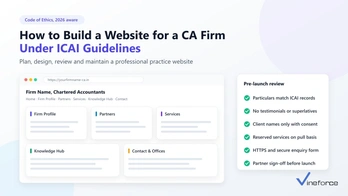
How to Develop a Custom WordPress Website: A Step-by-Step Guide
WordPress powers over 43% of all websites globally, representing the undisputed leader in content management. However, relying on off-the-shelf templates and bloated multi-purpose themes frequently leads to sluggish page load times, security vulnerabilities, and rigid design limitations. Custom WordPress development solves these challenges by engineering a site from the ground up: tailoring every line of code, template layout, and database query to your exact business objectives. > **Quick Summary:** Custom WordPress development allows businesses to build high-performance, secure, and fully scalable web applications tailored to exact technical and branding requirements. By bypassing bloated pre-built themes in favor of clean custom themes, headless architectures, REST/GraphQL APIs, and robust security practices, organizations achieve faster page loads, better search rankings, and enterprise-grade extensibility. --- 1. Why Choose Custom WordPress Development Over Pre-Built Themes? While commercial marketplace themes promise quick setup, they carry hidden costs in performance debt and architectural fragility. Custom development approaches web engineering with clean, modular code designed specifically for your workflows. - **Engineered Performance:** Commercial themes bundle dozens of unused scripts, CSS libraries, and sliders. Custom themes load only the assets required for each page, resulting in sub-second load times and superior Google Core Web Vitals scores. - **Tailored Brand Identity:** Custom UI design ensures your digital touchpoints align precisely with your design system and brand identity without compromising layout flexibility. - **Minimized Attack Surface:** Over 90% of WordPress vulnerabilities originate in third-party plugins and themes. Developing bespoke components drastically reduces dependency on external plugins, securing your infrastructure. - **Clean SEO Markup:** Clean semantic HTML5, optimized heading hierarchies, and custom JSON-LD schema integration allow search engine crawlers and AI answer engines to index your content effectively. - **Scalable Architecture:** A custom foundation accommodates high-traffic spikes, custom database tables, CRM integrations, and future transitions to headless frontends.  --- 2. Planning Your Custom WordPress Architecture A successful custom WordPress project starts with rigorous architectural planning before writing a single line of code. A. Define Clear Business and Technical Objectives Identify the exact operational purpose of the website. Whether building a high-volume B2B lead generation engine, a customer self-service portal, or a media publication, clear metrics dictate technical requirements. For teams managing multi-faceted technical projects, utilizing structured collaboration tools like the [Vineforce Teams productivity platform](/why-modern-teams-need-vineforce-teams-productivity-platform) helps keep design, engineering, and content teams aligned. B. Traditional vs. Headless Architecture Evaluate whether a monolithic or decoupled architecture suits your needs: - **Traditional Custom Theme:** WordPress handles both content management and the presentation layer (PHP templates, Gutenberg blocks). Ideal for editorial teams needing live previews and native site editing. - **Headless WordPress:** WordPress serves strictly as a headless CMS via REST API or WPGraphQL, while a modern frontend (such as Next.js, React, or Astro) renders the user interface. This pattern delivers maximum security and edge caching performance. C. Technology Stack Selection Modern WordPress engineering extends beyond standard PHP files: - **Languages & Frameworks:** PHP 8.2+, modern JavaScript (ES6+ / TypeScript), SCSS or Tailwind CSS. - **Build Tools:** Vite, Webpack, or Laravel Mix for bundling and tree-shaking assets. - **Database & Object Cache:** MySQL 8.0 or MariaDB with Redis or Memcached for persistent object caching. - **Hosting Environment:** Dedicated cloud infrastructure, such as Azure App Service or enterprise WordPress hosts with automated staging environments. For complex deployments, understanding what skills are required is key; see our breakdown on [what is a full-stack software developer](/what-is-a-full-stack-software-developer).  --- 3. UI/UX Design, Prototyping, and Accessibility A custom website must balance visual aesthetics with intuitive user pathways and accessibility standards. - **Wireframes and Design Systems:** Build design systems in Figma or Adobe XD, mapping UI elements directly to reusable modular blocks. - **Mobile-First Responsiveness:** With mobile accounting for the majority of global web traffic, layouts, navigation patterns, and typography must adapt fluidly across all viewport breakpoints. - **Accessibility Compliance (WCAG 2.1 AA):** Ensure sufficient color contrast ratios, clear keyboard navigation, ARIA landmarks, and descriptive screen-reader tags. Accessible architecture broadens audience reach while avoiding legal liabilities. - **Conversion-Focused Layouts:** Strategically position calls-to-action (CTAs), lead capture forms, and social proof to maximize engagement and visitor conversion.  --- 4. Technical Development: Themes, Plugins, and Infrastructure This stage transforms design prototypes into an engineered, production-ready WordPress environment. A. Modular Theme Development - Start with a lean starter scaffold such as Underscores (`_s`) or Roots Sage. - Leverage the WordPress Template Hierarchy (`front-page.php`, `single.php`, `archive.php`) to create modular template parts. - Build custom Gutenberg blocks using React and the WordPress Block API, or implement structured fields using Advanced Custom Fields (ACF Pro) to give content editors flexible layouts without breaking design guidelines. B. Custom Plugin Engineering Encapsulate critical business logic in custom plugins rather than bloating `functions.php`. Custom plugins handle: - Custom Post Types (CPTs) and custom taxonomies. - Third-party API integrations (CRMs, payment gateways, marketing automation). - Custom REST API endpoints for dynamic frontend data fetching. C. Performance Optimization and Asset Delivery - **Asset Minification & Bundling:** Combine and minify CSS and JavaScript files, eliminating render-blocking resources. - **Image Optimization:** Implement automated WebP/AVIF conversion and native lazy loading (`loading="lazy"`). - **Caching Strategy:** Combine browser caching, server-level page caching (e.g., Nginx FastCGI or Varnish), and Redis database object caching. - **Content Delivery Network (CDN):** Route static assets through Cloudflare or Azure CDN for distributed global delivery. D. Enterprise Security Hardening Securing a WordPress deployment requires defense in depth across all layers: - Configure strict security headers, including [setting up a Content Security Policy (CSP)](/how-to-set-up-a-content-security-policy-csp) to eliminate XSS vectors. - Implement robust infrastructure security and data protection, similar to [how advanced security measures safeguard SaaS applications](/how-advanced-security-measures-can-safeguard-your-saas-application). - Secure communication channels by enforcing modern HTTPS; review our guide on [configuring TLS on Azure Web App](/how-to-configure-the-tls-and-resolve-errors-related-to-this-on-azure-webapp). - Disable file editing in `wp-config.php` (`define('DISALLOW_FILE_EDIT', true);`), disable XML-RPC, and enforce Two-Factor Authentication (2FA) for administrative accounts.  --- 5. Quality Assurance and Testing Rigorous testing guarantees stability, cross-platform compatibility, and optimal performance under real-world traffic conditions. - **Cross-Browser & Device Compatibility:** Verify layouts across Chrome, Safari, Firefox, Edge, iOS, and Android. - **Automated Regression & Functional Testing:** Test all forms, search queries, payment pipelines, and authenticated sessions. - **Lighthouse Performance Benchmarks:** Audit First Contentful Paint (FCP), Largest Contentful Paint (LCP), and Cumulative Layout Shift (CLS) to achieve 90+ Lighthouse performance scores. - **Security & Vulnerability Audits:** Perform static code analysis and run automated vulnerability scanners like WPScan to catch misconfigurations prior to release. --- 6. Launch and Deployment Workflows Deploying an enterprise custom WordPress website requires structured pipelines to prevent downtime and preserve search rankings. - **CI/CD Automation:** Use version-controlled repositories (Git) connected to automated pipelines like GitHub Actions or [Azure CI/CD pipelines](/setup-azure-ci-cd-pipelines-using-visual-studio) to push code changes cleanly across development, staging, and production environments. - **Database & Media Migration:** Use WP-CLI or migration scripts to migrate database records without serialized data corruption. - **301 Redirect Mapping:** Configure server-level 301 redirects for legacy URLs to preserve search engine domain authority and avoid broken links. - **Search Engine Setup:** Submit XML sitemaps to Google Search Console and verify OpenGraph and Twitter Card metadata for social distribution. --- 7. Ongoing Maintenance and Evolution Launching the website is just the beginning. Long-term digital success requires structured governance and continuous maintenance. - **Core & Plugin Updates:** Test security patches in a staging sandbox before applying them to production. - **Automated Disaster Recovery:** Configure automated, encrypted offsite backups for both the database and `wp-content` media library. - **Continuous Monitoring:** Implement 24/7 uptime monitoring, server telemetry tracking, and automated error logging via tools like Sentry or New Relic. - **Content Iteration & GEO Optimization:** Continuously publish authoritative technical content structured for both search engines and generative AI answer engines.  --- 8. Emerging Trends in Modern WordPress Architecture As web technologies advance, custom WordPress continues to evolve into a versatile application framework: - **Decoupled and Headless CMS:** Combining WordPress backend authoring with modern frontend architectures like React and Next.js for high-speed edge rendering. - **AI-Powered Search & Personalization:** Integrating semantic vector search and AI assistants to deliver contextual recommendations to visitors. - **API-Driven Integrations:** Connecting WordPress with cloud services, enterprise ERPs, and microservices through robust REST and GraphQL endpoints. --- Frequently Asked Questions (FAQ) What is the difference between a pre-built WordPress theme and custom WordPress development? Pre-built themes rely on bloated multi-purpose codebases, heavy page builders, and excessive third-party plugins that degrade page load speed and security. Custom WordPress development builds lightweight, tailored themes and custom post types matching exact business logic, ensuring superior speed, tighter security, and complete architectural control. How much does it cost to build a custom WordPress website? Costs typically range from $5,000 to $25,000+ depending on architectural complexity, custom API integrations, e-commerce workflows, and headless requirements. Custom solutions eliminate licensing bloat and ongoing maintenance overhead of brittle plugin stacks. When should an enterprise choose Headless WordPress over standard WordPress? Headless WordPress is ideal when you require ultra-fast omnichannel delivery, modern JavaScript frontend frameworks (like React, Next.js, or Vue), multi-platform content distribution via REST or GraphQL APIs, and decoupled security isolating the CMS backend from public traffic. How does custom WordPress development improve SEO and Core Web Vitals? By removing render-blocking scripts, eliminating unneeded CSS/JS assets, optimizing database queries, and structuring semantic HTML5 markup with schema data, custom WordPress sites score significantly higher on Google Lighthouse and Core Web Vitals metrics. --- Conclusion Custom WordPress development transforms a standard content management system into a robust, secure, and scalable digital platform engineered around your organization's unique requirements. By establishing a solid architectural plan, writing clean modular code, enforcing strict security controls, and optimizing for performance, your business gains a competitive digital asset that grows alongside your goals. Whether you are architecting a custom web application, building a decoupled headless platform, or modernizing an existing web presence, partnering with seasoned engineers ensures clean code, enterprise compliance, and long-term digital authority.
How to Hire ASP.NET Zero Developers?
Are you interested in starting a web development project using ASP.NET Zero, but not sure where to begin? Whether you're a business looking to create an advanced web application or a developer wanting to improve your skills, hiring the right people is essential for success. In this guide, we'll take you step-by-step through the process of hiring ASP.NET Zero developers, covering everything from understanding the framework to making your final hiring decisions. We'll discuss important factors like writing effective job descriptions, using job websites, conducting interviews, and even forming partnerships with companies like Vineforce. By the end, you'll have the knowledge and insights you need to build a great development team or partner with experts to bring your ASP.NET Zero project to life. Explanation of ASP.NET Zero Framework and Its Features ASP.NET Zero is like a toolbox for building websites and applications. It's designed to make the job easier, especially for big projects. It's built on top of some other technologies, which give it a strong foundation. One of the cool things about ASP.NET Zero is that it comes with a bunch of pre-made parts that developers can use. These parts help with things like managing users, making sure only the right people can access certain parts of the site, and handling multiple users or companies using the same app. ASP.NET Zero also follows some good rules and ways of doing things, which make it easier for developers to work with. It plays nicely with popular tools for making the front part of websites, like Angular or React. Besides all the things it already does, ASP.NET Zero can be customized a lot. Developers can tweak how it looks, add new features, or even plug in other tools they like using. So whether you're making a simple website or a huge business application, ASP.NET Zero can handle it. Now, let’s talk about what skills you need to use ASP.NET Zero: 1. Know ASP.NET Zero: This is like the engine that powers ASP.NET Zero. You need to understand how it works, how to make web pages with it, and how to manage different parts of a website. 2. Be good at C#: ASP.NET Zero is mostly written in a language called C#. You should know how to write code in C#, work with different types of data, and handle errors when things go wrong. 3. Understand Entity Framework Core: This is the part that deals with storing and managing data in a database. You need to know how to design databases, write queries to get data, and make sure everything works smoothly. 4. Learn front-end stuff: This means knowing how to make web pages look good and work well. You should be comfortable with HTML, CSS, and JavaScript. Plus, it’s helpful to know how to use popular tools for making the front part of websites, like Angular or React. 5. Get the hang of authentication and authorization: These are big words for making sure only the right people can access certain parts of a website. You need to understand how to set up user accounts, log people in securely, and control who can do what. 6. Know about modular architecture: ASP.NET Zero is built in a way where you can mix and match different parts. You need to understand how to design and build these parts, and how to make sure they all work together nicely.  Defining Your Project Needs Before diving into hiring ASP.NET Zero developers, it's crucial to have a clear understanding of your project goals, objectives, and specific requirements. This initial step lays the foundation for a successful hiring process and ensures that you find developers who are the right fit for your project. A. Clarifying Project Goals and Objectives Start by defining the overarching goals and objectives of your project. What do you aim to achieve with your ASP.NET Zero application? Are you looking to build a new web application from scratch, or do you need to enhance an existing one? Consider aspects such as functionality, user experience, scalability, and time-to-market. Additionally, think about the target audience for your application and what you hope to accomplish by reaching them. B. Identifying Specific Requirements for Your ASP.NET Zero Project Once you've established your project's goals and objectives, it's time to drill down into the specific requirements for your ASP.NET Zero project. This includes both functional and non-functional requirements: 1. **Functional Requirements:** These are the features and functionalities that your ASP.NET Zero application must have to fulfill its purpose. Consider elements such as user authentication and authorization, role-based access control, multi-tenancy support, data management, reporting, and integration with third-party systems. Prioritize these requirements based on their importance to your project's success. 2. **Non-Functional Requirements:** In addition to functional requirements, consider non-functional aspects that impact the overall performance, security, and usability of your ASP.NET Zero application. This includes factors such as performance optimization, security measures (e.g., data encryption, secure authentication), accessibility compliance, and scalability to accommodate future growth. Pay attention to any regulatory or compliance requirements that may apply to your project, such as GDPR or HIPAA compliance. Finding ASP.NET Zero Developers Once you know what you need for your project, it's time to find the right ASP.NET Zero developers. Here are some ways to do it: 1. Online Platforms Websites like Upwork, Freelancer, and Toptal are great for hiring developers. You can post your job, check out developers' profiles, and chat with them. **Advantages:** - You get access to lots of developers with different skills. - You can see their past work and feedback from other clients. - You can choose how you want to pay them, like by the hour or for the whole project. **Considerations:** - There might be a lot of competition, so it could take a while to find the right person. - You'll need to spend time checking out each developer to make sure they're good. 2. Professional Networks Places like LinkedIn, GitHub, and Stack Overflow are full of developers. You can connect with them, join groups, and talk about your project. **Advantages:** - You can find developers who specialize in ASP.NET Zero. - You can chat with them and get recommendations from people you know. **Considerations:** - It might take time to build relationships with developers. - You might not know if they're available for your project. 3. Outsourcing vs. In-house Decide if you want to hire freelancers or build a team in-house. **Outsourcing:** - It can be cheaper and faster for short-term projects. - You can find developers from all over the world. - You can adjust how many developers you need as the project goes on. **In-house:** - You have more control over the project. - Your team can work closely together and learn from each other. - It's a long-term investment in your team's skills and growth.  Partnering with Vineforce Partnering with Vineforce means more than just coding – it's about reaching your project's full potential. With their skills and `ASP.NET Zero` strong foundation, you're not just building a project, you're setting a course for success. Let Vineforce guide you to new heights with your ASP.NET Zero project. Important Things to Think About, Including Working with Vineforce When you're hiring ASP.NET Zero developers, it's not just about their technical skills. Here are some other important things to consider: **A. Good at Talking** It's really important for everyone on the team to be able to talk to each other well. Look for developers who can explain their ideas clearly, listen to others, and talk openly and honestly. This helps avoid confusion and makes sure everyone can work together smoothly. **B. Team Player** Working on an ASP.NET Zero project means working with lots of other people, like designers and project managers. So, it's important to hire developers who can get along with others, share their ideas, and work together to reach goals. **C. Fit in with Your Team and Vineforce** It's not just about skills – it's also about finding developers who fit in well with your team. Look for people who share the same values and work well with others. Plus, teaming up with Vineforce adds something extra to your project. Their expertise and teamwork style match with yours, making it easier to work together. By teaming up with Vineforce, you're not just getting better at the technical stuff – you're also creating a culture of innovation and teamwork. Onboarding Your ASP.NET Zero Developer Bringing a new ASP.NET Zero developer onto your team is an exciting step towards achieving your project goals. However, effective onboarding is crucial to ensure their success and integration into your development team. Here are some recommendations for onboarding your new ASP.NET Zero developer. A. Providing Necessary Resources 1. **Access to Tools and Software:** Ensure that your new developer has access to all the necessary tools and software required for ASP.NET Zero development. This may include IDEs (Integrated Development Environments) like Visual Studio, source control systems, and any proprietary tools or frameworks used in your development environment. 2. **Documentation and Training Materials:** Provide comprehensive documentation and training materials that cover the ASP.NET Zero framework, coding standards, project architecture, and any specific guidelines or best practices followed by your team. This will help your developer get up to speed quickly and understand how your projects are structured. 3. **Access to Support and Mentorship:** Assign a mentor or experienced team member who can provide guidance and support to the new developer during the onboarding process. Encourage open communication and regular check-ins to address any questions or concerns they may have. B. Setting Clear Expectations 1. **Define Roles and Responsibilities:** Clearly define the roles and responsibilities of your new developer within the project team. Provide a detailed overview of their tasks, deliverables, and deadlines to ensure they understand their contribution to the project. 2. **Establish Communication Channels:** Set up communication channels, such as team meetings, email, or project management tools, to facilitate collaboration and information sharing within the development team. Encourage active participation and collaboration among team members to foster a supportive and productive work environment. 3. **Clarify Project Goals and Objectives:** Ensure that your new developer understands the overarching goals and objectives of the project, as well as the specific milestones and targets they are working towards. This will help align their efforts with the broader project vision and ensure that everyone is working towards the same objectives. 4. **Provide Feedback and Evaluation:** Establish a feedback mechanism to provide ongoing feedback and evaluation to your new developer. Encourage regular performance reviews and check-ins to identify areas for improvement and provide support as needed. Conclusion In conclusion, hiring the right ASP.NET Zero developer is crucial for the success of your project. In this guide, we covered important aspects such as technical skills, communication, teamwork, and company culture. Here's a quick recap: - **Technical Skills Matter:** Look for developers who know ASP.NET Core, C#, Entity Framework Core, HTML, CSS, and JavaScript. - **Communication and Teamwork are Key:** Find someone who can communicate effectively and collaborate well with others. - **Consider Company Culture:** It's important to find someone who fits in with your company's values and vibe. - **Consider Partnering with Vineforce:** For extra help or expertise, consider teaming up with Vineforce. They can elevate your ASP.NET Zero project to the next level. By hiring the right developer and fostering a collaborative work environment, you'll be on the path to success. Don't hesitate – start your journey of finding the perfect ASP.NET Zero developer today!
The ABP Commercial and abp.io Advantage by Vineforce?
Welcome, readers! Join us on a journey into the world of SaaS development. It's like opening the door to a space where technology and creativity intertwine. We're excited to have you along as we explore the dynamic landscape of crafting software solutions. This adventure promises insights into the nuts and bolts of SaaS development, explained in a way that's engaging and easy to follow. Let's dive in together! Alright, let's break it down. In our software world, we've got three main players. First up, there's ABP Commercial and abp.io, kind of like the superhero duo. They bring the cool tools and frameworks to make things happen. And then there's Vineforce our go-to guide for crafting awesome SaaS solutions. Together, they're like a dream team, cooking up some serious software magic that's way more than your average tech stuff. Ready to dive into who these key players are and how they're shaping the tech scene? Let's roll!  Alright, let's talk about how these tech things work together to make awesome software. Think of it like puzzle pieces: ABP Commercial and abp.io are the brainy tools that fit just right. Then, you've got Vineforce the mastermind pulling the strings. It's kind of like a well-coordinated dance, where each player brings their best to create software that's not just good but seriously top-notch. Get ready to peek behind the scenes and see how this collaboration magic happens! ABP Commercial and abp.io are like the dynamic duo in the software world. ABP Commercial brings a robust toolkit, acting as a seasoned guide for developers dealing with complex applications. On the other hand, abp.io is the cool, modern sidekick, offering flexibility and a fresh perspective. When these two team up, they create a powerful combo that makes the development journey smoother, providing creators with the tools they need to bring their software visions to life.  ABP (ASP.NET Boilerplate) is an open-source application framework for building modular and maintainable enterprise web applications. `abp.io` is the latest version of this framework. 1. **Modular Architecture:** abp.io maintains a modular structure, allowing developers to organize their applications into modules for better code organization, reusability, and maintainability. 2. **Dynamic Web API:** abp.io generates a dynamic Web API based on the application's domain model. This accelerates the development process by automating API generation. 3. **Multi-Tenancy Support:** Multi-tenancy is a built-in feature, enabling developers to create Software as a Service (SaaS) applications that serve multiple tenants from a single instance. 4. **Entity Framework Core Integration:** Seamless integration with Entity Framework Core simplifies database access and operations, providing a reliable Object-Relational Mapping (ORM) solution. 5. **Authentication and Authorization:** abp.io offers a robust authentication and authorization system, supporting various authentication providers, including JWT. It also facilitates role-based and claims-based authorization. 6. **User and Role Management:** Built-in user and role management features simplify the implementation of user authentication, role-based access control, and user-specific settings. 7. **Dependency Injection:** Leveraging ASP.NET Core's built-in dependency injection system, abp.io makes it easy to manage and inject dependencies throughout the application. 8. **Background Jobs:** Support for background jobs allows developers to schedule and run tasks independently of the main application flow. 9. **Audit Logging:** abp.io includes an audit logging system to track changes to entities, providing a comprehensive record for security and compliance purposes. 10. **Notification System:** Real-time notification system for sending notifications to users, informing them about important events or updates. 11. **Swagger Integration:** Integration with Swagger UI facilitates automatic documentation of the Web API, making it easier for developers to understand and test API endpoints. 12. **Dynamic UI and Form Building:** abp.io allows dynamic UI and form building based on the application's domain model, reducing the need for manual UI development. 13. **Caching:** Support for caching at various levels enhances application performance by reducing redundant data retrieval operations. 14. **Exception Handling:** Centralized exception handling improves application stability and simplifies the logging and management of exceptions. Let's talk about Vineforce they're not just a company; they're your go-to experts for SaaS software development. These guys are like pioneers in the field, known for coming up with super innovative, reliable, and cutting-edge solutions. What sets them apart? Well, they're all about excellence. Vineforce isn't just keeping up; they're leading the charge in crafting SaaS experiences that are anything but ordinary. It's like they have this magical touch, turning your ideas into the real deal. When it comes to thriving in today's digital jungle, Vineforce is the trusted partner you've been looking for. Your success? Yeah, that's right up there on their priority list. Showcase expertise, dedication, and the commitment to delivering exceptional solutions. Vineforce isn't your typical IT crew; they're the experts you can rely on. They don't just understand the industry; they practically breathe it. What makes them stand out is their commitment – they're not just about doing the job; they go above and beyond. Vineforce is all in when it comes to delivering solutions that not only meet but blow your expectations out of the water. If you're on the lookout for an ally in the ever-changing world of IT services, Vineforce has got your back. Ever wondered what makes our digital projects click? It's all in how we use ABP Commercial and abp.io. These aren't just fancy tech terms; they're the tools we rely on to create strong and smart web applications.` ABP Commercial` is like the powerhouse, giving us a sturdy base and some cool premium features. Then there's abp.io, the magic wand that ties everything together seamlessly. It's not just about technology; it's about our commitment to staying on top in the fast-changing digital world. How do we do it? Picture it like a digital symphony – where creativity meets dependability, and we're orchestrating the entire web development show.  ABP Commercial, our digital powerhouse, lays the groundwork for creating robust enterprise web applications. Think of it as the backbone—sturdy, reliable, and equipped with premium features that set the stage for our projects. Now, let's talk about abp.io—the coding maestro in this digital symphony. It seamlessly weaves together various components, orchestrating a development process that's not just smooth but modular and adaptable. At the heart of our journey in crafting awesome SaaS solutions is the dynamic interplay of ABP Commercial and abp.io. Think of ABP Commercial as the bedrock, providing a solid foundation for our SaaS development. It's like the architectural blueprint that lets us tailor our solutions precisely to what our users need, ensuring a personalized and effective experience. Presenting abp.io, the sophisticated operator. This platform seamlessly integrates many components, which makes the process of developing our product seem easy. This is particularly crucial in the SaaS industry as things can change drastically in a heartbeat. Our secret weapon is Abp.io's flexibility, which enables us to easily adjust and fine-tune features and maintain the responsiveness and nimbleness of our SaaS services. Combining abp.io and ABP Commercial with content technologies and SEO practices makes for a robust development strategy. abp.io simplifies application building with a user-friendly platform, complemented by ABP Commercial's premium modules and enterprise support. By integrating dynamic content delivery and responsive design, you ensure a compelling user experience on different devices. Adding SEO best practices and APIs for third-party integrations boosts visibility and functionality, resulting in a comprehensive and effective development approach.  Entering the world of developers at Vineforce is like stepping into a lively space buzzing with creativity and teamwork. Our developers aren't just coding; they're crafting innovative solutions using the latest tech tools. Forget the traditional 9-to-5 routine – here, it's a realm of challenges and collaborative problem-solving. Each line of code we write narrates a story of overcoming hurdles. At Vineforce, we're all about continuous learning and growing together, creating a close-knit community that shares knowledge seamlessly. We're not just a group of developers; we're a team of tech enthusiasts, always exploring new horizons to shape the digital landscape. It's a place where creativity merges with code, teamwork is key, and the anticipation of what's next keeps us excited. Welcome to the developer's haven at Vineforce! - **Modular Development:** ABP Commercial and abp.io excel in modular development, breaking down complex systems into manageable, independent modules for improved code organization, reusability, and maintenance. - **Rapid Prototyping with abp.io:** abp.io facilitates rapid prototyping, enabling quick development and testing of ideas. This agility is particularly valuable in the time-sensitive SaaS space, fostering faster iteration and concept validation. - **Enterprise-Grade Features:** ABP Commercial enriches development with enterprise-grade features, including premium modules and professional support. It streamlines SaaS challenges like authentication, authorization, and multi-tenancy, ensuring a robust foundation for scalable applications. - **Scalability and Multi-Tenancy:** abp.io is designed for scalability, ideal for growing SaaS solutions. Its strong multi-tenancy support allows developers to serve multiple clients with separate databases and configurations, adapting to diverse user needs. At Vineforce, we're all about teamwork and working together to overcome challenges. Think of it like being on a team where we openly talk about our goals, how far we've come, and any obstacles we might face. It's like having a game plan that everyone knows, so we all understand the challenges and can tackle them together. At Vineforce, our strength is teamwork. We gather a bunch of folks with different skills and experiences, all working together to find smart solutions. Imagine our team meetings – it's like a brainstorming party where everyone can share their ideas. And guess what? This teamwork vibe isn't just among us; we see our clients as buddies on this journey. We love hearing what they think and getting their feedback while we're working on things. It's like having a bunch of friends helping out!  At Vineforce, staying ahead in the fast-changing tech world is our game. Here's how we do it, in a language that's easy to understand: 1. **Tech Trends Radar:** Imagine us as your tech trend navigators. We keep a close eye on what's buzzing in the tech world—the cool stuff everyone's talking about. This helps us adapt our strategies so that you, our client, are always riding the wave of the latest and greatest tech trends. 2. **Client-Centric Tech:** Here's the secret sauce – we tailor our tech solutions just for you. We don't do one-size-fits-all. By understanding your unique needs, we customize our approach, making sure you not only keep up with trends but also stay at the forefront of what's happening in your specific industry. **ABP Commercial and abp.io:** These are like super tools for building apps. They make it easy with cool features like modular design and quick testing. Plus, they're big on scalability, meaning your app can grow as big as you want. And they play well with others, so you can connect your app to different things. **Vineforce:** Picture a team that loves working together. That's Vineforce. They don't hide problems; they face them together. Also, they're like tech trend detectives, always keeping an eye on the next big thing. And here's the best part – they don't give you a generic solution. They look at your needs and create a tech strategy just for you. In Conclusion ABP Commercial and abp.io give you awesome tools, and Vineforce takes those tools, mixes in teamwork and trend-watching, and cooks up a custom solution just for you. It's like having a tech-savvy friend who knows exactly what you need!
TypeScript’s 10x Faster Leap:Latest Go Advancements
TypeScript has long been the developer’s favorite for writing robust, type-safe JavaScript. Developed and maintained by Microsoft, it continues to evolve in response to growing codebases, demand for performance, and modern tooling needs. In early 2024, Microsoft announced one of the most ambitious changes to TypeScript since its inception—a native compiler rewrite in Go. The goal? Massive performance boosts, especially for large-scale projects that have faced limitations with the current JavaScript-based compiler. Why the Rewrite? Performance Bottlenecks and Scalability As adoption of TypeScript has surged, projects like Visual Studio Code, Angular, and massive enterprise applications now span millions of lines of code. While the JavaScript-based compiler tsc is battle-tested and feature-rich, it wasn’t built with this kind of scale in mind. Key Challenges with the Original Compiler | Issue | Impact | | ----------------------- | -------------------------------------------------------- | | Slow compile times | Wasted developer hours during build | | High memory consumption | Crashes or hangs in large projects | | Limited concurrency | JavaScript’s single-threaded nature becomes a bottleneck | | CI/CD bottlenecks | Slower release cycles and build queues | | Developer experience | Delayed feedback loops, lower productivity | The limitations were not just a technical concern; they were affecting the developer experience and slowing down team velocity in fast-paced environments. <iframe width="100%" height="450" src="https://www.youtube.com/embed/pNlq-EVld70" title="A 10x Faster TypeScript" frameborder="0" allowfullscreen> </iframe> <Blockquote name="Microsoft Dev Blog"> This is the same TypeScript you know and love, just faster, more scalable, and ready for modern development at scale. </Blockquote> TypeScript Goes Native: The Go Compiler Initiative In January 2024, Microsoft introduced an experimental port of the TypeScript compiler in Go, hosted on GitHub as microsoft/typescript-go. This wasn’t just a proof of concept—Microsoft shared real benchmarks demonstrating 10x faster builds. Core Goals of the Go Compiler * 10x faster builds for large projects * Lower memory footprint to reduce crashes * Scalability across multi-core systems * Compatibility with existing tooling * Future extensibility for enterprise needs Real Benchmark Data: TypeScript vs TypeScript-Go Microsoft tested the Go-based compiler on massive codebases like Visual Studio Code (1.5M+ LOC). Here’s what they found: | Metric | JavaScript Compiler | Go Compiler | | ----------------- | ------------------- | -------------- | | Full build time | 77.8 seconds | 7.5 seconds | | Memory usage | ~4.1 GB | ~512 MB | | Concurrency | Single-threaded | Multi-threaded | | Error diagnostics | Real-time | Real-time | Analysis The Go compiler not only delivered faster builds but significantly reduced the memory footprint, making it ideal for resource-constrained environments and CI/CD pipelines. Real-World Speed Gains Across Popular Codebases Microsoft tested the new Go-based TypeScript compiler across a variety of well-known open-source projects—including Visual Studio Code, Playwright, and TypeORM. The results show consistent, dramatic speed improvements in both build time and memory efficiency. Performance Comparison | Codebase | Size (LOC) | JavaScript Compiler | Go Compiler | Speedup | | ---------------------- | ---------- | ------------------- | ----------- | ------- | | VS Code | 1,505,000 | 77.8s | 7.5s | 10.4x | | Playwright | 356,000 | 11.1s | 1.1s | 10.1x | | TypeORM | 270,000 | 17.5s | 1.3s | 13.5x | | date-fns | 104,000 | 6.5s | 0.7s | 9.5x | | tRPC (server + client) | 18,000 | 5.5s | 0.6s | 9.1x | | rxjs (observable) | 2,100 | 1.1s | 0.1s | 11.0x | Architecture Overview: What Changed? The Go compiler isn’t a full rewrite of TypeScript—it’s a native compiler implementation that reads .ts files, parses them, builds the type graph, and emits .js files just like the original. Notable Architectural Differences * Language: Written in Go instead of JavaScript * Concurrency: Uses Go routines to handle parsing, type checking, and emitting in parallel * Performance: Optimized memory allocation, faster AST handling * Compatibility: Supports most TypeScript config options and APIs (like tsconfig.json) * Build pipeline: Rewritten with focus on CPU efficiency and cache-aware compilation Benefits for Developers Faster Feedback Loops Faster compiles lead to quicker turnaround during development, especially when using strict mode or complex generic types. Lower CI/CD Costs Faster builds = fewer compute hours. This directly benefits companies using cloud-based build agents (GitHub Actions, Azure DevOps, CircleCI). Scalable for Monorepos Monorepos are increasingly popular. The Go compiler handles many sub-projects better in parallel, thanks to its concurrency model. Simple Migration Path Drop-in compatibility allows teams to test and migrate without massive tooling changes. TypeScript Compiler Evolution  Challenges and Limitations Despite the optimism, the Go compiler is still experimental. Microsoft has been transparent about the hurdles. Current Limitations * No watch mode: Cannot yet recompile files on change * Incomplete plugin support: Plugins relying on tsserver may not work * Learning curve: Go devs may need to learn TypeScript internals, and vice versa * Ecosystem maturity: Limited community tools and support compared to tsc * Edge cases: May behave slightly differently with uncommon TS features <Blockquote name="Microsoft Engineering Team"> This is a high-risk, high-reward project. We’re learning as we go. </Blockquote> Community Reactions and Ecosystem Impact Developers on platforms like Dev.to, Reddit, Hacker News, and GitHub have been quick to weigh in. What Developers Are Saying * “Game-changing for enterprise-scale apps.” * “Go’s speed finally gets paired with TS safety.” * “Still rough, but so promising.” Open Source Momentum The GitHub project already has over 3,000 stars and dozens of contributors. It’s an active, fast-moving project with monthly updates. Key Features Comparison | Feature | JavaScript Compiler | TypeScript-Go | | -------------- | ------------------------- | -------------------- | | Build Speed | Slower in large codebases | 10x faster | | Memory Usage | High | Low | | Plugin Support | Full | Partial (WIP) | | Community | Mature ecosystem | Early adoption phase | | Language | JavaScript | Go | | Type Checking | Full | Full | | Watch Mode | Yes | Coming soon | Roadmap: What’s Coming Next? According to the GitHub Roadmap, Microsoft plans to: * Add watch mode support * Improve incremental build performance * Enhance editor services (for IDE integrations) * Reach feature parity with tsc * Expand community documentation and tooling Microsoft also encourages developer feedback and contributions to prioritize improvements based on real-world use cases. Use Cases: Where TypeScript-Go Shines Enterprise Applications Vast codebases like banking, logistics, and healthcare platforms can benefit from significantly faster build times and improved scalability. Monorepos Projects with shared libraries and multiple packages can take advantage of parallel processing and reduced compilation overhead. CI/CD Pipelines Faster builds translate directly into quicker deployments and reduced infrastructure costs. Open Source Projects Maintainers and contributors benefit from shorter feedback loops and a more responsive development experience. A Promising Future for TypeScript The move to Go marks a bold new chapter for TypeScript. While still in its early stages, the Go-based compiler delivers dramatic performance improvements, particularly for enterprise-scale projects. Microsoft’s commitment to maintaining backward compatibility means that most teams will be able to test and adopt this seamlessly. If you’re managing a large codebase, it’s worth keeping a close eye on this project—or even contributing to it. As TypeScript evolves beyond performance limits, this initiative could redefine what’s possible in typed JavaScript development. According to Microsoft.com
What is a Full-Stack Software Developer?
Introduction Definition of a Full-Stack Software Developer A full-stack software developer is a versatile professional capable of handling both client-side and server-side development tasks. Database management, feature implementation, and UI design fall under this category. Importance in the Tech Industry As companies depend more on web apps, the need for full-stack developers is booming. Their ability to manage the whole development process distinguishes them as true diamonds in our technology-driven environment. Core Skills of a Full-Stack Software Developer Proficiency in Front-end Development - Front-end development involves crafting the user interface and user experience. To design visually beautiful and responsive interfaces, a full-stack developer must be fluent in languages such as HTML, CSS, and JavaScript. Back-end Development Expertise - On the flip side, back-end development focuses on server-side operations. Language skills in Node.js, Python, or Java are essential for processing data, guaranteeing security, and controlling server logic. Database Management Skills - A Full-Stack Developer should be comfortable dealing with databases and should be able to ensure effective data storage, retrieval, and administration. SQL or NoSQL database knowledge is required. Version Control - Version control systems like Git enable developers to track changes in their codebase collaboratively. Understanding and using these tools is critical for effective collaboration and code management. Knowledge of Web Servers - It is critical to understand how web servers work and interact with apps. Full-Stack Developers should be familiar with server configurations and deployment processes. Programming Languages for Full-Stack Development Front-end Languages - Front-end development is built on languages such as JavaScript, HTML, and CSS. Full-Stack Developers must be fluent in these languages to create interactive and visually appealing user interfaces. Back-end Languages - Back-end development necessitates knowledge of programming languages such as Python, Ruby, PHP, or Java. The appropriate language is determined by the project's needs and the developer's experience. Understanding Frameworks and Libraries Front-end Frameworks - Frameworks like as React, Angular, and Vue.js make front-end development easier by offering reusable components and fast state management. Back-end Frameworks - Express.js (for Node.js), Django (for Python), and Ruby on Rails (for Ruby) are examples of back-end frameworks that expedite server-side development. Web Development Technologies Responsive Design Developing apps that work across several platforms is important. Full-Stack Developers must grasp responsive design principles to deliver a consistent user experience. APIs and Restful Services Understanding Application Programming Interfaces (APIs) and building RESTful services facilitates seamless communication between different software components. DevOps and Deployment Continuous Integration/Continuous Deployment (CI/CD) Software updates are delivered quickly and reliably when CI/CD techniques are used to optimize the development process. Cloud Computing Platforms Applications may be deployed more easily and scalable when they are hosted on cloud computing platforms like AWS,` Azure`, or Google Cloud. Importance of Soft Skills Communication Skills When working with team members or communicating complicated technical concepts to non-technical stakeholders, effective communication is important. Problem-Solving Abilities Full-Stack Developers often encounter challenging problems. To find and implement successful solutions, strong problem-solving abilities are required. Time Management Balancing multiple tasks and deadlines requires effective time management skills to ensure project success. Staying Updated in the Ever-Changing Tech Landscape Continuous Learning The IT sector is rapidly evolving. To keep up with new technologies and developments, Full-Stack Developers must embrace continual learning. Networking and Community Engagement Building professional networks and participating in the developer community promotes information sharing and career advancement. Challenges Faced by Full-Stack Developers Balancing Front-end and Back-end Demands Striking the right balance between front-end and back-end responsibilities can be challenging but is crucial for overall project success. Coping with Rapid Technological Advancements Staying updated amidst technological advancements poses a constant challenge. Full-Stack Developers must adapt swiftly to remain competitive. The Future of Full-Stack Development Emerging Technologies As technology advances, Full-Stack Developers will need to embrace emerging technologies such as Artificial Intelligence, Blockchain, and the Internet of Things. Evolving Job Market The job market for full-stack developers is expected to grow as businesses continue to digitize operations. Opportunities will abound for those with diversified skill sets. Advantages of Being a Full-Stack Developer Versatility The ability to navigate both front-end and back-end development makes Full-Stack Developers versatile contributors to any project. Job Market Demand The increasing demand for Full-Stack Developers translates into ample job opportunities and competitive salaries. How to Become a Full-Stack Developer Formal Education vs. Self-Learning While formal education provides a solid foundation, self-learning through online resources and hands-on projects is equally valuable. Building a Diverse Portfolio Creating a diverse portfolio showcasing various projects demonstrates practical skills and enhances job prospects. Success Stories of Full-Stack Developers Industry Examples In the exciting world of `.NET technologies`, awesome platforms like Microsoft Azure, SharePoint, DotNetNuke (DNN), Orchard CMS, Umbraco, Sitefinity, and Kentico have been crafted. Imagine checking out the success stories of big players like Netflix rocking React or Airbnb doing magic with Ruby on Rails—it's like a shot of motivation for folks dreaming of becoming full-stack developers! Learning from Accomplished Developers Understanding the journeys of accomplished Full-Stack Developers offers insights into the paths to success and valuable lessons learned. Common Myths About Full-Stack Development Only for Tech Enthusiasts Contrary to popular belief, anyone with dedication and a passion for problem-solving can pursue a career as a Full-Stack Developer. Overwhelming Skill Requirements While the skill set is extensive, breaking it down into manageable steps and continuous learning makes the journey more achievable. Conclusion In conclusion, being a full-stack software developer requires a wide range of skills, a commitment to lifelong learning, and the adaptability to change with the times. Inspiring challenges, professional advancement, and the fulfillment of working on cutting-edge projects are all provided by this industry. The digital world will continue to be shaped by full-stack developers if technology continues to progress.
What's New in .NET 9:Faster, Safer, Smarter Features
.NET 9 brings a bunch of exciting updates that make it faster, safer, and easier to use. It improves performance, handles memory better, and makes working with collections simpler. You'll find helpful features like tools for trimming code, better ways to manage collections, and new LINQ methods. Plus, it adds safer ways to handle cryptography, makes working with time more convenient, and processes data more efficiently. Let's dive in to see how these new features make .NET 9 a great choice for developers! Key Features 1. **Feature Switches with Trimming Support** : FeatureSwitchDefinitionAttribute and FeatureGuardAttribute help reduce app size when trimming by excluding dead code based on feature flags. 2. **UnsafeAccessorAttribute for Generics**: Now supports generic parameters, enabling unsafe access to private members of generic types. 3. **Garbage Collection (DATAS)**: Dynamic Adaptation to Application Sizes automatically adjusts heap size to optimize memory usage and is enabled by default. 4. **Performance Enhancements**: Includes loop optimizations, inlining improvements, PGO enhancements, ARM64 vectorization, and faster exception handling. New Libraries 1. **Base64Url Encoding**: New Base64Url class simplifies working with URL-safe Base64 encoding. 2. **Removal of BinaryFormatter**: Removed to encourage safer serialization practices. 3. **Improved Collections**: New OrderedDictionary<TKey, TValue>, ReadOnlySet<T>, and updated PriorityQueue improve performance and flexibility. 4. **Cryptography**: New KMAC algorithm, improved key management, and OpenSSL provider support. 5. **TimeSpan Enhancements**: New integer-based overloads provide more precise time span creation and avoid floating-point precision issues. 6. **LINQ Enhancements**: New CountBy, AggregateBy, and Index methods streamline collection operations and improve efficiency. 1. Attribute Model for Feature Switches with Trimming Support The Attribute model for feature switches with trimming support in .NET allows you to define feature switches that can enable or disable functionality, helping reduce app size when trimming or compiling with Native AOT (Ahead-of-Time compilation). Key Attributes 1. **FeatureSwitchDefinitionAttribute**: Used to treat a feature-switch property as a constant during trimming, allowing dead code guarded by the switch to be removed. For example, if a feature is disabled in the project settings, related code will be removed: ```csharp if (Feature.IsSupported) Feature.Implementation(); ``` 2. **FeatureGuardAttribute**: Used for guarding code that requires attributes like RequiresUnreferencedCode, RequiresAssemblyFiles, or RequiresDynamicCode. This ensures that feature-related code is properly handled when trimming: ```csharp [FeatureGuard(typeof(RequiresDynamicCodeAttribute))] internal static bool IsSupported => RuntimeFeature.IsDynamicCodeSupported; ``` Example If the feature Feature.IsSupported is set to false in the project file, the corresponding implementation is removed when trimming, optimizing the app size: ```xml <ItemGroup> <RuntimeHostConfigurationOption Include="Feature.IsSupported" Value="false" Trim="true" /> </ItemGroup> ``` 2. UnsafeAccessorAttribute Supports Generic Parameters The UnsafeAccessorAttribute in .NET allows unsafe access to private members (fields or methods) of a class. Initially introduced in .NET 8, this feature lacked support for generic parameters. .NET 9 adds support for generic parameters in both CoreCLR and Native AOT scenarios, enabling more flexibility in accessing generic type members. Example In the following code, the UnsafeAccessorAttribute is used to access private fields and methods of a generic class: ```csharp public class Class<T> { private T? _field; private void M<U>(T t, U u) { } } class Accessors<V> { [UnsafeAccessor(UnsafeAccessorKind.Field, Name = "_field")] public extern static ref V GetSetPrivateField(Class<V> c); [UnsafeAccessor(UnsafeAccessorKind.Method, Name = "M")] public extern static void CallM<W>(Class<V> c, V v, W w); } internal class UnsafeAccessorExample { public void AccessGenericType(Class<int> c) { ref int f = ref Accessors<int>.GetSetPrivateField(c); Accessors<int>.CallM<string>(c, 1, string.Empty); } } ``` In this example, GetSetPrivateField and CallM are used to access and modify private members in a Class<int> object, with support for generic type parameters. 3. Garbage Collection Dynamic Adaptation to Application Sizes (DATAS) is a feature in .NET that automatically adjusts the application's heap size based on its memory requirements, ensuring that the heap size is roughly proportional to the long-lived data size. This improves memory efficiency by preventing excessive heap growth while maintaining performance. DATAS was introduced as an opt-in feature in .NET 8 and has been enhanced in .NET 9, enabling automatic heap size management by default. Example In .NET 9, DATAS is enabled by default, meaning applications will dynamically adjust memory usage based on the amount of long-lived data they manage. This results in more efficient memory usage without requiring manual tuning by developers. For more details, you can refer to the Dynamic Adaptation to Application Sizes (DATAS) documentation. 4. Performance Improvement The following performance improvements have been made for .NET 9: - Loop optimizations - Inlining improvements - PGO improvements: Type checks and casts - Arm64 vectorization in .NET libraries - Arm64 code generation - Faster exceptions - Code layout - Reduced address exposure - AVX10v1 support - Hardware intrinsic code generation - Constant folding for floating point and SIMD operations - Arm64 SVE support - Object stack allocation for boxes What's New in .NET 9 Libraries 1. Base64Url Base64 is an encoding scheme that converts binary data into a text format, using a set of 64 characters. This encoding is commonly used for transferring data, as it's supported by many methods like Convert.ToBase64String. However, Base64 includes characters like '+' and '/', which can conflict with URL encoding because they have special meanings in URLs. To address this issue, the Base64Url scheme was created, which uses an alternate set of characters that are URL-safe. In .NET 9, a new Base64Url class was introduced, making it easier to work with Base64Url encoding and decoding. **Example Code:** ```csharp ReadOnlySpan<byte> bytes = ...; string encoded = Base64Url.EncodeToString(bytes); ``` This example shows how to use the Base64Url.EncodeToString method to encode a byte array into a Base64Url string, suitable for use in URLs. 2. BinaryFormatter In .NET 9, the BinaryFormatter has been removed from the runtime. Although the API still exists, its implementation now always throws an exception, making it unusable. This change encourages developers to migrate to safer and more efficient serialization methods. A migration guide is available to help users transition from BinaryFormatter to alternative approaches. **Example:** If you try using BinaryFormatter in .NET 9, it will throw an exception: ```csharp var formatter = new BinaryFormatter(); formatter.Serialize(stream, obj); // This will throw an exception in .NET 9 ``` Developers are advised to use alternatives like System.Text.Json or Newtonsoft.Json for serialization tasks. 3. Collections The collection types in .NET gain the following updates for .NET 9: - Collection lookups with spans - OrderedDictionary<TKey, TValue> - PriorityQueue.Remove() method lets you update the priority of an item in the queue. - ReadOnlySet<T> Collection Lookups with Spans In high-performance scenarios, spans are used to avoid unnecessary string allocations. In .NET 9, with the new allows ref struct feature in C# 13, it's now possible to perform lookups on collection types like Dictionary<TKey, TValue> using spans. This helps optimize memory usage and performance in lookup-intensive code. **Example:** ```csharp private static Dictionary<string, int> CountWords(ReadOnlySpan<char> input) { Dictionary<string, int> wordCounts = new(StringComparer.OrdinalIgnoreCase); Dictionary<string, int>.AlternateLookup<ReadOnlySpan<char>> spanLookup = wordCounts.GetAlternateLookup<ReadOnlySpan<char>>(); foreach (Range wordRange in Regex.EnumerateSplits(input, @"\b\w+\b")) { ReadOnlySpan<char> word = input[wordRange]; spanLookup[word] = spanLookup.TryGetValue(word, out int count) ? count + 1 : 1; } return wordCounts; } ``` OrderedDictionary<TKey, TValue> The OrderedDictionary<TKey, TValue> allows both ordered storage of key-value pairs and efficient key-based lookups. In .NET 9, a generic version of OrderedDictionary is introduced, improving type safety and efficiency. **Example:** ```csharp OrderedDictionary<string, int> d = new() { ["a"] = 1, ["b"] = 2, ["c"] = 3, }; d.Add("d", 4); d.RemoveAt(0); d.RemoveAt(2); d.Insert(0, "e", 5); foreach (KeyValuePair<string, int> entry in d) { Console.WriteLine(entry); } // Output: // [e, 5] // [b, 2] // [c, 3] ``` PriorityQueue.Remove() Method .NET 6 introduced PriorityQueue<TElement, TPriority>, but it lacked efficient priority updates. The new PriorityQueue<TElement, TPriority>.Remove() method in .NET 9 allows emulating priority updates, making it suitable for algorithms like Dijkstra's algorithm in certain contexts. **Example:** ```csharp public static void UpdatePriority<TElement, TPriority>( this PriorityQueue<TElement, TPriority> queue, TElement element, TPriority priority ) { queue.Remove(element, out _, out _); // Remove the element queue.Enqueue(element, priority); // Re-enqueue with new priority } ``` ReadOnlySet<T> .NET 9 introduces ReadOnlySet<T>, a read-only wrapper for mutable sets (ISet<T>), complementing ReadOnlyCollection<T> and ReadOnlyDictionary<TKey, TValue> for other collections. **Example:** ```csharp private readonly HashSet<int> _set = new(); private ReadOnlySet<int>? _setWrapper; public ReadOnlySet<int> Set => _setWrapper ??= new ReadOnlySet<int>(_set); ``` 4. Cryptography The advancement of cryptography in .NET 9 strengthens data security by enhancing encryption algorithms and improving key management processes. CryptographicOperations.HashData() Method The CryptographicOperations.HashData() method in .NET 9 allows for one-shot hashing or HMAC operations using a specified HashAlgorithmName. This simplifies hashing operations, as it eliminates the need for conditional logic based on the algorithm, improving performance and reducing allocations. **Example:** ```csharp static void HashAndProcessData(HashAlgorithmName hashAlgorithmName, byte[] data) { byte[] hash = CryptographicOperations.HashData(hashAlgorithmName, data); ProcessHash(hash); } ``` KMAC Algorithm .NET 9 introduces the KMAC (KECCAK Message Authentication Code) algorithm, as specified by NIST SP-800-185. KMAC is a pseudorandom function based on KECCAK, supporting both one-shot and accumulated MAC generation. It's available on Linux (OpenSSL 3.0 or later) and Windows 11 (Build 26016 or later). **Example:** ```csharp if (Kmac128.IsSupported) { byte[] key = GetKmacKey(); byte[] input = GetInputToMac(); byte[] mac = Kmac128.HashData(key, input, outputLength: 32); } else { // Handle scenario where KMAC isn't available. } ``` X.509 Certificate Loading .NET 9 introduces the X509CertificateLoader class to replace older, less secure certificate loading methods. This class provides a more secure, one-method-one-purpose design for certificate loading, supporting two widely compatible formats. OpenSSL Providers Support .NET 9 enhances support for OpenSSL providers, including the ability to use SafeEvpPKeyHandle.OpenKeyFromProvider for interacting with providers such as TPM2 or PKCS11. This allows for secure key management with hardware security modules (HSM). **Example:** ```csharp byte[] data = [ /* example data */ ]; // Using a TPM provider using (SafeEvpPKeyHandle priKeyHandle = SafeEvpPKeyHandle.OpenKeyFromProvider("tpm2", "handle:0x81000007")) using (ECDsa ecdsaPri = new ECDsaOpenSsl(priKeyHandle)) { byte[] signature = ecdsaPri.SignData(data, HashAlgorithmName.SHA256); // Use signature created by TPM. } ``` This method improves performance during the TLS handshake and interaction with RSA private keys using ENGINE components. 5. TimeSpan Class Enhancements in .NET 9 The TimeSpan class in .NET 9 introduces new overloads for creating TimeSpan objects from integers. This is particularly useful to avoid precision issues that can arise when using double values, as the floating-point format can lead to slight inaccuracies. For example, TimeSpan.FromSeconds(101.832)` might result in a time span that isn't exactly 101 seconds and 832 milliseconds but instead a slightly imprecise value. The new overloads allow you to directly specify days, hours, minutes, seconds, milliseconds, and microseconds using integer values, providing a more accurate and efficient way to create TimeSpan objects. **Example:** ```csharp TimeSpan timeSpan1 = TimeSpan.FromSeconds(value: 101.832); Console.WriteLine($"timeSpan1 = {timeSpan1}"); // Output: timeSpan1 = 00:01:41.8319999 TimeSpan timeSpan2 = TimeSpan.FromSeconds(seconds: 101, milliseconds: 832); Console.WriteLine($"timeSpan2 = {timeSpan2}"); // Output: timeSpan2 = 00:01:41.8320000 ``` In this example, timeSpan1 shows the floating-point imprecision, whereas timeSpan2 demonstrates the new integer-based overload, providing a precise value. 6. LINQ LINQ (Language Integrated Query) has received enhancements in .NET 9, making querying collections even easier and more powerful, particularly with the introduction of new query operators and better async LINQ support. .NET 9 introduces new methods CountBy, AggregateBy, and Index to streamline collection operations and avoid unnecessary intermediate groupings, offering more efficient ways to process data. **1. CountBy:** This method allows you to quickly calculate the frequency of each key in a collection, similar to GroupBy, but without allocating intermediate groupings. **Example: Find the most frequent word in a text:** ```csharp string sourceText = """ Lorem ipsum dolor sit amet, consectetur adipiscing elit. Sed non risus. Suspendisse lectus tortor, dignissim sit amet, adipiscing nec, ultricies sed, dolor. Cras elementum ultrices amet diam. """; KeyValuePair<string, int> mostFrequentWord = sourceText .Split(new char[] { ' ', '.', ',' }, StringSplitOptions.RemoveEmptyEntries) .Select(word => word.ToLowerInvariant()) .CountBy(word => word) .MaxBy(pair => pair.Value); Console.WriteLine(mostFrequentWord.Key); // Output: amet ``` **AggregateBy:** This method lets you perform custom aggregation by key, replacing the need for GroupBy when you need to aggregate values in a more general-purpose manner. **Example: Aggregate scores by ID:** ```csharp (string id, int score)[] data = [ ("0", 42), ("1", 5), ("2", 4), ("1", 10), ("0", 25), ]; var aggregatedData = data.AggregateBy( keySelector: entry => entry.id, seed: 0, (totalScore, curr) => totalScore + curr.score ); foreach (var item in aggregatedData) { Console.WriteLine(item); } // Output: // (0, 67) // (1, 15) // (2, 4) ``` **Index:** This method provides a quick way to obtain the index of each item in a collection. It simplifies the process of iterating through elements with their indices. **Example: Iterate through lines in a file with their line numbers:** ```csharp IEnumerable<string> lines2 = File.ReadAllLines("output.txt"); foreach ((int index, string line) in lines2.Index()) { Console.WriteLine($"Line number: {index + 1}, Line: {line}"); } ``` These methods enhance data manipulation efficiency and readability in common workflows like counting occurrences, aggregation, and indexing.
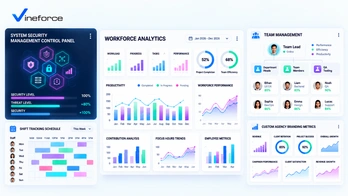
Why Modern Teams Need Vineforce Teams Productivity Platform
The landscape of modern business has changed fundamentally over the last decade. With the widespread adoption of remote, hybrid, and distributed teams, employees execute complex workflows across multiple cities, time zones, and dozens of SaaS applications. > **Quick Summary:** A team productivity software platform is an essential tool for modern hybrid and remote organizations. Unlike manual timesheets, it combines automatic time tracking, application and website usage insights, and activity analytics to help organizations understand how work happens, resolve workflow bottlenecks, and secure digital assets. Learn more about [Vineforce Teams](https://vineforce.net/teams/). --- The Modern Workplace Productivity Challenge While remote and hybrid models offer unprecedented flexibility, they introduce key operational challenges. Without physical proximity, business owners and managers struggle to understand how daily work actually unfolds. Traditional output measurement often fails due to: - **Application Fragmentation**: Switching between chat, email, code repositories, and project boards dilutes focus and hides actual time allocation. - **Distraction & Alert Fatigue**: Constant notifications interrupt deep focus sessions for knowledge workers. - **Manual Reporting Friction**: Spreadsheet timesheets waste valuable hours and yield inaccurate, retrospective data. - **Lack of Objective Insights**: Relying on assumptions leads to micromanagement or missed signs of team burnout. - **Shadow IT Security Risks**: Working outside corporate networks increases exposure to unapproved software and data compliance risks. --- What Is a Productivity Intelligence Platform? Unlike basic time trackers that only log static hours (e.g., "4 hours on coding"), modern **productivity intelligence** provides real-time activity context during working hours. It maps out active working hours, application and website usage, continuous task timelines, and focus ratios. This approach provides **workforce analytics** that reveal *how* work gets done, fostering operational transparency rather than rigid oversight. --- Key Capabilities of Vineforce Teams To bridge the gap between team activity and operational visibility, [Vineforce Teams](https://vineforce.net/teams/) offers a robust suite of workforce intelligence features designed for modern company owners, administrators, and growing teams: 1. [Zero-Click Mode](https://vineforce.net/teams/features/zero-click-mode/) Eliminates manual timer management by automatically logging active work sessions when team members start their day, ensuring zero friction and seamless background operation. 2. [App & URL Tracking](https://vineforce.net/teams/features/app-url-tracking/) Categorizes application usage and visited websites into productive tools versus potential distractions, helping optimize SaaS license usage and establish focus guidelines. 3. [Screenshots Monitoring](https://vineforce.net/teams/features/screenshots-monitoring/) Provides optional visual context with privacy-first configurations, including customizable capture intervals and blurring options for transparent client verification. 4. [Offline Time Tracking](https://vineforce.net/teams/features/offline-time-tracking/) Ensures continuous activity recording even during network outages or travel, automatically synchronizing data once internet connectivity is restored. 5. [Smart Idle Detection](https://vineforce.net/teams/features/smart-idle-detection/) Detects periods of keyboard and mouse inactivity to pause tracking automatically, preventing inflated hours and maintaining clean, accurate billing metrics. 6. [User Attentiveness & Analytics](https://vineforce.net/teams/features/user-attentiveness/) Analyzes focus distribution and engagement trends, providing actionable reports that help managers identify workflow bottlenecks and prevent employee burnout. 7. [System Management](https://vineforce.net/teams/features/system-management/) Centralizes administrative controls and policy settings across corporate endpoints, giving IT directors complete authority over tracking rules, permissions, and security compliance. 8. [Shift Tracking](https://vineforce.net/teams/features/shift-tracking/) Simplifies workforce scheduling with automated shift monitoring, overtime tracking, and multi-timezone attendance verification across distributed teams. 9. [Team Management](https://vineforce.net/teams/features/team-management/) Streamlines organizational hierarchies, group-level permissions, and project resource assignments to keep managers aligned with individual and team output. 10. [Custom Branding](https://vineforce.net/teams/features/custom-branding/) Enables agencies and enterprises to apply white-label branding, customized domain links, and branded client reports for a polished professional experience. --- Vineforce Teams vs. Traditional Timesheets | Traditional Timesheets | Vineforce Teams Platform | | :--- | :--- | | **Manual Entry**: Relies on memory, causing inaccuracies. | **Automated Tracking**: Captures active sessions automatically with [Zero-Click Mode](https://vineforce.net/teams/features/zero-click-mode/). | | **No Context**: Records only raw hours without detail. | **Rich Context**: Maps out app usage, visited URLs, and active timelines via [App & URL Tracking](https://vineforce.net/teams/features/app-url-tracking/). | | **Retrospective**: Compiled at end of week. | **Real-Time Insights**: Provides live timelines, [Shift Tracking](https://vineforce.net/teams/features/shift-tracking/), and [User Attentiveness](https://vineforce.net/teams/features/user-attentiveness/) metrics. | | **No Security Value**: Blind to shadow software installations. | **Security & System Control**: Enforces endpoint policies via [System Management](https://vineforce.net/teams/features/system-management/). | --- Enhancing Security and Enterprise Alignment Beyond productivity, operational visibility plays a vital role in modern security and remote team cohesion: 1. **Detecting Shadow IT**: Flags unauthorized cloud software installations through centralized [System Management](https://vineforce.net/teams/features/system-management/) before they create data vulnerabilities. 2. **Auditing Sensitive Access**: Verifies access times to critical portals (such as Azure consoles or databases) against standard working windows. 3. **Empowering Distributed Teams**: Supports multi-timezone tracking and asynchronous workflows via [Shift Tracking](https://vineforce.net/teams/features/shift-tracking/) and [Team Management](https://vineforce.net/teams/features/team-management/) without requiring constant status check-in meetings. --- Frequently Asked Questions (FAQ) What is team productivity software? Team productivity software is a modern intelligence platform that combines time tracking, application usage, website analytics, and activity timelines to provide organizations with visibility into how working hours are spent and where workflows can be optimized. How does Vineforce Teams differ from traditional time tracking? Unlike traditional timesheets that rely on manual entry, Vineforce Teams offers automated tracking features like [Zero-Click Mode](https://vineforce.net/teams/features/zero-click-mode/) and [App & URL Tracking](https://vineforce.net/teams/features/app-url-tracking/) for continuous, contextual activity insights. Can Vineforce Teams track offline work? Yes, with [Offline Time Tracking](https://vineforce.net/teams/features/offline-time-tracking/), work sessions are recorded locally during internet disconnections and synced automatically when back online. How does Vineforce Teams protect employee privacy? Features like [Screenshots Monitoring](https://vineforce.net/teams/features/screenshots-monitoring/) are optional and customizable, allowing administrators to enable image blurring and set transparent tracking policies. How can activity insights improve workplace security? By monitoring application and website usage in real-time with [System Management](https://vineforce.net/teams/features/system-management/), administrators can detect unauthorized software installations (Shadow IT), identify compliance violations, and assist in incident investigations. --- Related Resources If you are setting up secure application infrastructure or automating deployment tasks for your SaaS platforms, explore our technical guides: - **CI/CD Pipelines**: [Setup Azure CI/CD Pipelines Using Visual Studio](/setup-azure-ci-cd-pipelines-using-visual-studio/) - **App Service Restarts**: [Restart Azure Web App Using Azure Logic App](/restart-azure-web-app-using-azure-logic-app/) - **Security Safeguards**: [How Advanced Security Measures Can Safeguard Your SaaS Application](/how-advanced-security-measures-can-safeguard-your-saas-application/) - **Key Vault Configurations**: [Fix keyVaultReferenceIdentity in Azure App Service](/2026-07-24-fix-keyVaultReferenceIdentity-azure-app-service/) --- Conclusion Achieving operational efficiency in the modern hybrid workplace requires moving beyond outdated manual timesheets. By implementing a specialized platform like [Vineforce Teams](https://vineforce.net/teams/), business owners and managers gain the objective data needed to streamline workflows, secure digital assets, and support remote employees ethically. Experience smarter workforce management with [Vineforce Teams](https://vineforce.net/teams/) today.