Common Website Mistakes CA Firms Should Review
- Harsh Gupta
- 11 Sep, 2026
- 11 Mins read
- Development , Web Design
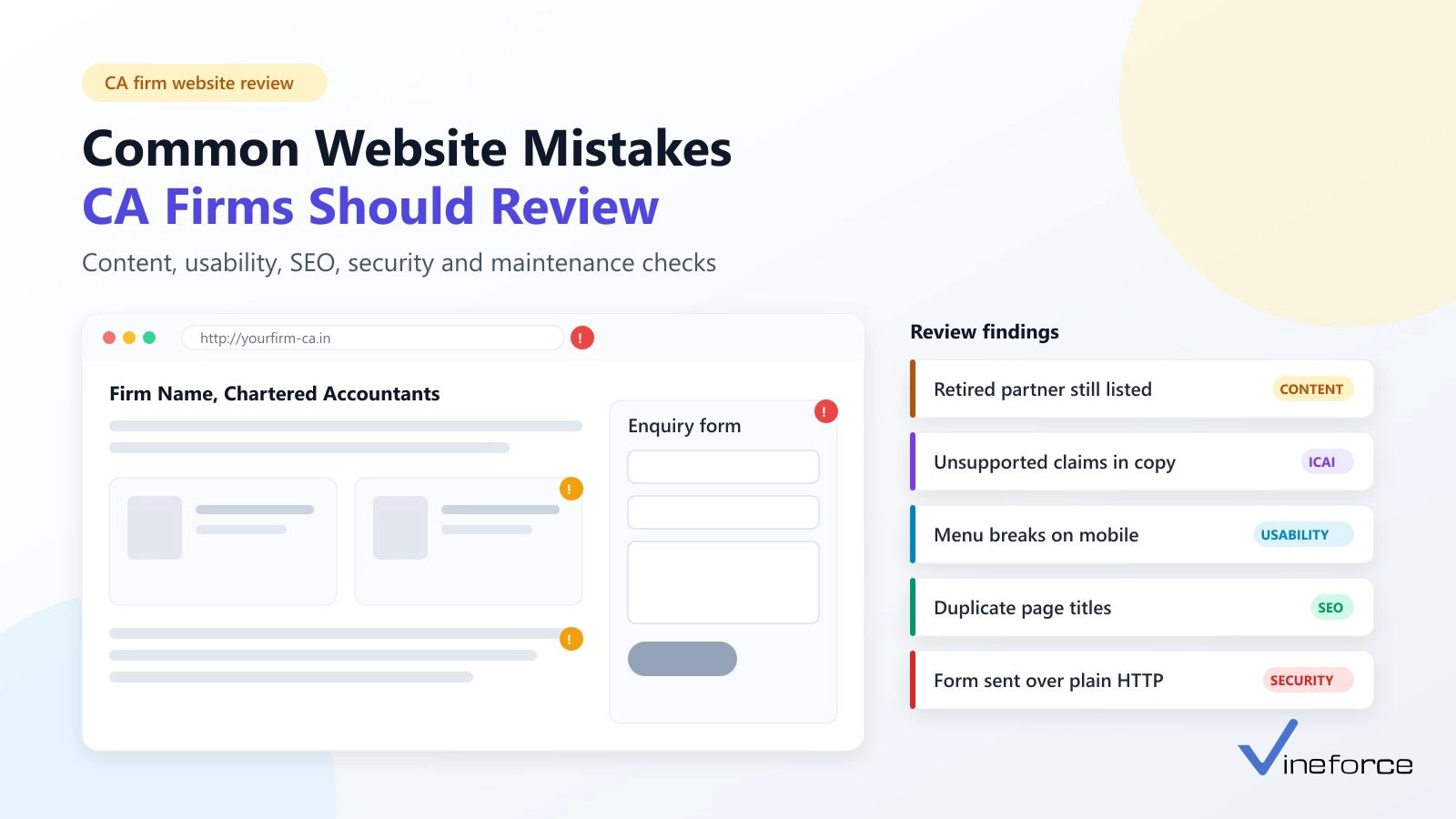
The most common CA firm website mistakes are not dramatic. A retired partner still listed on the team page. A branch address that changed two years ago. A “Why choose us” section copied from a template. An enquiry form that fails on mobile phones. None of these is obvious from the home page, which is why a website can look professional and still need work.
Quick Summary: Review your CA firm website in seven areas: professional information, content that needs ICAI review, mobile usability, performance, SEO foundations, security, and maintenance. Fix inaccurate particulars and unreviewed promotional content first, then broken forms and security gaps, then usability and SEO. Not every mistake is an ICAI issue; this guide labels which items come from the ICAI Code of Ethics, 2026 and which are general website best practice.
If you are planning a new site from scratch, start with our companion guide on how to build a website for a CA firm under ICAI guidelines. This article is for firms that already have a website and want to find and prioritise what is wrong with it.
This is general information, not legal advice or an official ICAI interpretation.
How Should a CA Firm Prioritise Website Fixes?
A website review is a structured pass over every page, form and setting to find problems before visitors or regulators do. Prioritise findings by risk, not by how visible they are:
- Professional accuracy and content review. Wrong particulars and unreviewed promotional content carry professional risk.
- Security and client data. Plain HTTP forms or unprotected uploads put client information at risk.
- Broken forms and contact details. People cannot reach you.
- Mobile usability and accessibility. People struggle to use the site.
- Performance and SEO. People and search engines find the site slow or unclear.
Mistake 1: Outdated or Inaccurate Professional Information
This is the most common problem, and the easiest to fix. Check:
- Firm name, registration details and the “Chartered Accountants” suffix
- Head office and branch addresses, phone numbers and email addresses
- Partner and employee profiles, including people who have left
- Qualifications and designations
- Service descriptions that no longer match what the firm does
- Old articles that refer to repealed sections or past due dates
- Links to government portals and downloadable PDFs that have moved
Why it matters professionally: Paragraph 3.3.21 of the website guidelines says the website should not contain information at material variance from ICAI’s records. The guidelines sit in the Council Guidelines for Advertisement, 2008, reproduced in Volume I of the ICAI Code of Ethics, 2026. A wrong partner list or address is the clearest example.
An outdated tax article is a different matter. It is not a variance from ICAI records, but it can mislead readers. Add a “last reviewed” date to articles, and update or archive anything that refers to superseded law.
Set up a simple process: give one partner ownership of the website, and add “update the website” to the firm’s checklist for partner changes, office moves and new services.
Mistake 2: Content That Skipped Professional Review
Many CA websites are built from generic business templates. Those templates come with testimonial sliders, client logo walls, “trusted by” counters and “Why choose us” blocks. Under ICAI’s guidelines, a website is a form of “write-up”, so these sections need review.
The 13th Edition of the Code became applicable from 1 April 2026, according to ICAI’s announcement. Some items listed in ICAI’s 2020 website advisory now read differently, so review against the current text.
| Content found on many CA websites | What the current Code says | Source (Code of Ethics, 2026, Vol. I) |
|---|---|---|
| Client testimonials or review widgets | Write-up should not contain testimonials or endorsements | Para 3.1.3(E) |
| “Best”, “leading”, “No.1” or similar claims | No exaggerated claims about services, qualifications or experience | Para 3.1.3(B) |
| Comparisons with other firms | No disparaging references or unsubstantiated comparisons | Para 3.1.3(C) |
| Client names | Allowed with client permission, along with nature of assignment; for reserved services, name only | Para 3.3.7(xiii) |
| Fees or “free consultation” offers | Fees cannot be given, except disclosure required by a regulator | Para 3.3.7(xiii) |
| Awards, rankings, accreditations | Only awards from Central or State Governments or regulatory bodies; no accreditations granted by any organisation | Para 3.1.3(F) |
| Firm logo or monogram, slogans | Monograms and catchwords not permitted; the CA India logo may be used | Para 3.1.3(G), 3.2.1; para 2.14.1.7(xvii), (xviii) |
| Stock photos or event galleries | Passport-style photos, and galleries of professional events, are permitted | Para 3.3.9, 3.1.3(H) |
| Third-party banner ads | Not permitted on the website | Para 3.3.16 |
| “Follow us” or “Like our page” prompts | Social page links allowed; soliciting likes or visits is not | Para 3.3.12 |
| Outbound links | Links to ICAI, its Regional Councils and Branches, Government, regulators and other professional bodies are permitted | Para 3.3.18 |
Items that need a professional view, because the current text does not settle them:
- Client logos. They are not among the items permitted in para 3.3.7, and the 2020 advisory listed them as prohibited.
- Stock imagery. Generic office or meeting photos are not addressed directly.
- Credit links. Footer links such as “Website by [developer]” or “Powered by [plugin]” point to commercial organisations outside the para 3.3.18 list.
- Labels such as “ICAI Compliant” or “Compliance Verified”. ICAI states in para 3.1.1 that it does not approve write-ups. Labels like these could be read as an endorsement ICAI never gave.
- Call-to-action wording. Pop-ups, urgency language and repeated “Book now” prompts may conflict with para 3.3.14, which says the site should not amount to soliciting clients or professional work.
The firm is responsible for its own content. A developer can point out likely issues, but partners should approve the final text and seek guidance where a provision is unclear.
Mistake 3: Poor Mobile Experience and Confusing Navigation
Google indexes the mobile version of a website, and many visitors will first see your site on a phone.
Check these on your own phone:
- Can you read body text without zooming?
- Does the menu open, close and reach every page?
- Can you fill and submit the enquiry form with the on-screen keyboard?
- Can you find an office address and phone number within two taps?
- Do tables, such as compliance calendars, scroll sideways instead of breaking the layout?
- Do pop-ups or chat widgets cover the content?
Navigation on CA websites often grows over time: six service categories, each with ten sub-items, in one long dropdown. Group services into a few clear categories and give each one a page of its own.
Mistake 4: Slow Pages and Heavy Resources
Common causes:
- Large, uncompressed hero images and photo sliders
- Several analytics, chat and social scripts loading on every page
- Page-builder themes that load styles and scripts the page never uses
- Shared hosting with no caching or content delivery network (CDN)
How to check: run your main pages through PageSpeed Insights. It reports Google’s Core Web Vitals: Largest Contentful Paint (loading), Interaction to Next Paint (responsiveness) and Cumulative Layout Shift (visual stability). Test the home page, a service page and an article page separately, on mobile.
Fixes usually start with modern image formats such as WebP, removing unused scripts, and enabling caching. Static site builds, such as the Astro setup this blog runs on, avoid much of this by serving pre-built HTML.
Mistake 5: Weak SEO Foundations
Technical SEO is about making pages easy for search engines to crawl and understand. It is different from promoting the firm. Common problems:
| Problem | What to check |
|---|---|
| Missing or duplicate page titles and meta descriptions | Every page needs a unique, factual title and description |
| Unclear headings | One H1 per page; H2 and H3 headings that describe the sections |
| Thin or duplicated service pages | Same paragraph repeated across ten services |
| Broken internal links | Links to deleted pages or old URLs |
| Poor URLs | /page?id=17 instead of /services/gst-advisory |
| Wrong or missing canonical tags | Duplicate versions (with and without www, http and https) competing |
| Crawling or indexing errors | Check Google Search Console for excluded pages |
| Missing alt text | Partner photos and diagrams without descriptions |
| Invalid structured data | Schema markup claiming reviews, ratings or facts not visible on the page |
Use Google’s SEO Starter Guide as a plain-language reference. SEO cannot guarantee rankings or enquiries.
Paid search ads, sponsored listings and outbound email campaigns are a separate question. The Code does not address search advertising specifically. Para 3.3.5, however, bars material that solicits people to visit the website, and Clause (6) of Part I of the First Schedule to the Chartered Accountants Act, 1949 prohibits soliciting work “by any other means”. Take professional advice before using them.
Mistake 6: Missing or Inadequate Security
A CA firm website often handles enquiries that mention tax matters, finances or business plans. Check:
- HTTPS everywhere. Every page, including forms, should load over HTTPS, and HTTP should redirect. Our guide on TLS configuration for Azure Web Apps covers common errors.
- Admin access. Separate accounts per person, strong passwords, multi-factor authentication, and removal of former staff and agencies.
- Updates. CMS core, themes and plugins kept current; unused plugins removed.
- Backups. Automatic, stored off the server, and actually tested by restoring.
- Spam and attack protection. Form spam protection, rate limiting, and security headers such as a Content Security Policy.
- Enquiry data. Submissions go to a firm-controlled mailbox, not a personal or developer’s inbox.
Do not collect sensitive documents through an ordinary enquiry form. PAN cards, bank statements and financial records need a proper client portal with authentication and encryption. The ICAI guidelines permit a document management facility with distinct login and password (para 3.3.11), and para 3.3.15 requires adequate secrecy of client matters handled through the website. Personal data collection also brings in the Digital Personal Data Protection Act, 2023; see the MeitY data protection framework and take legal advice on what applies.
No single feature makes a site fully secure. Security is a set of practices kept up over time. For a deeper look at layered controls, see how advanced security measures safeguard applications.
Mistake 7: Accessibility and Readability Problems
Accessible websites are easier for everyone to use, including older clients and people on small screens or slow connections. Common problems:
- Light grey text on white backgrounds (aim for at least 4.5:1 contrast for body text under WCAG 2.2)
- Form fields that rely on placeholder text instead of visible labels
- Menus that cannot be used with a keyboard
- Partner photos and diagrams without useful alt text
- Long, dense paragraphs of statutory text with no headings or lists
A quick test: try to use the site with only the Tab and Enter keys, and zoom the browser to 200 percent.
Mistake 8: Broken Forms, Links and Contact Details
Test these after every update, and at least monthly:
- Submit the enquiry form and confirm the email arrives at the right mailbox.
- Check that validation messages are clear and that a confirmation message appears.
- Tap every phone number (
tel:) and email (mailto:) link on a phone. - Open every office map link.
- Download each PDF and form.
- Click every menu item and every button.
Broken forms often fail silently. The visitor sees “Thank you”, but the message never reaches anyone.
Mistake 9: No Maintenance Process
Most of the mistakes above come back because nobody owns the website. This schedule is a recommendation, not an ICAI requirement:
| Frequency | Task |
|---|---|
| Monthly | Test forms, contact links and backups; apply security updates |
| Quarterly | Review partner, office and service content; check broken links and Search Console |
| Annually | Full review against the current ICAI Code of Ethics; performance and accessibility audit; renew domain and certificates |
| On change | Update the site whenever partners, offices, services or ICAI guidance change |
A Practical CA Firm Website Review Checklist
Labels: [ICAI] an official ICAI source supports the item. [Review] a content judgement for the firm or a professional. [Best practice] general web engineering guidance.
This checklist is a review aid. It is not a legal opinion or a guarantee of compliance.
1. Professional information and content
- Particulars match ICAI records [ICAI, para 3.3.21]
- Former partners and staff removed [ICAI, para 3.3.21]
- Articles dated and current [Best practice]
2. ICAI-related review
- No testimonials or endorsements [ICAI, para 3.1.3(E)]
- No exaggerated claims, catchwords or monograms [ICAI, para 3.1.3(B), (G)]
- Client names only with permission; no fees shown [ICAI, para 3.3.7(xiii)]
- Awards limited to Government or regulator awards [ICAI, para 3.1.3(F)]
- No banner advertisements [ICAI, para 3.3.16]
- Client logos, stock images, credit links and CTA wording reviewed [Review]
3. Mobile usability and accessibility
- Menus, forms and tables work on phones [Best practice]
- Contrast, labels and keyboard navigation checked [Best practice]
4. Performance and technical SEO
- Core Web Vitals checked on key pages [Best practice]
- Unique titles and descriptions; no indexing errors [Best practice]
- Structured data matches visible content [Best practice]
5. Security and privacy
- HTTPS, updates, MFA and tested backups [Best practice]
- Adequate secrecy of client matters on any portal or chat [ICAI, para 3.3.15]
- Privacy notice and data handling reviewed [Review]
6. Forms, links and contact details
- Forms deliver to a firm mailbox; links and downloads work [Best practice]
7. Maintenance
- Named owner and review schedule in place [Best practice]
When Should a CA Firm Consider a Website Redesign?
Not every problem needs a new website. Fixing a few pages, compressing images or tightening security settings is often enough. A redesign is worth considering when:
- Staff cannot update content without calling a developer
- Mobile layouts are broken across most of the site
- The platform, theme or plugins no longer receive security updates
- The structure no longer reflects the firm’s services or offices
- The same technical problems keep coming back after fixes
- The firm needs a client portal or other features the current platform cannot support securely
If you are weighing a rebuild against targeted fixes, Vineforce’s website development solutions for CA firms page explains how we plan both.
How Vineforce Can Help
Vineforce is a software engineering company that builds and operates its own products, including Vineforce Teams. We bring the same engineering practices to client websites: planning, responsive development, content organisation, technical SEO, performance tuning, security configuration and maintenance. Our quality assurance services cover the testing side of a review.
For a CA firm, that work starts with mapping each page to the current ICAI website guidelines and flagging items for the partners to decide. We are not affiliated with or endorsed by ICAI, we do not give legal advice, and we cannot certify compliance. Your firm reviews and approves all professional content.
Frequently Asked Questions (FAQ)
What are the most common CA firm website mistakes?
The most common problems are outdated partner and office details, promotional wording that has not been reviewed against the ICAI Code of Ethics, menus and forms that break on mobile phones, slow pages, duplicate page titles, missing HTTPS, and no one at the firm responsible for maintenance. Most of these can be found in a few hours with a structured review.
How often should a CA firm review its website?
A practical rhythm is a monthly check of forms, links and backups, a quarterly review of content and software updates, and a full annual review that includes the current ICAI Code of Ethics. Review the site immediately when partners, offices or services change, because paragraph 3.3.21 of the ICAI website guidelines says website information should not be at material variance from ICAI’s records.
Is every website mistake an ICAI violation?
No. Slow pages, broken links or poor contrast are usability and engineering problems, not breaches of the Code of Ethics. Content issues such as testimonials, exaggerated claims or client names shown without permission are addressed in the Council Guidelines for Advertisement, 2008, and should be reviewed by the firm or a qualified professional.
Why should a CA firm avoid collecting documents through a normal enquiry form?
A basic enquiry form usually sends data by email and stores it in places the firm does not fully control. Client documents such as PAN, bank statements or financial records need authenticated access, encryption and a clear retention process. The ICAI guidelines permit a client document facility with distinct login and password, and paragraph 3.3.15 requires adequate secrecy of client matters handled through the website.
When should a CA firm redesign its website instead of fixing it?
Consider a redesign when the site cannot be updated without a developer, when mobile layouts are broken across most pages, when the platform no longer receives security updates, or when the structure no longer matches the firm’s services. If the problems are limited to a few pages, targeted fixes are usually enough.
Conclusion
Start with the items that carry the most risk: particulars that match ICAI records, promotional content reviewed against the current Code, and forms that are secure and actually deliver. Then work through mobile usability, performance and technical SEO. Finally, assign an owner and a schedule so the same problems do not return.
If your firm wants help with a review, a set of targeted fixes or a full rebuild, you can explore our approach to CA firm website development.
This article is general information based on the ICAI Code of Ethics, 2026 as published on icai.org. It is not legal advice or an official ICAI interpretation. Verify the current provisions and consult a qualified professional before making changes to professional content.