How to Add an AI Assistant to Your Existing SaaS Application Using MCP
- Harsh Gupta
- 11 Sep, 2026
- 05 Mins read
- SaaS , Product Management , AI
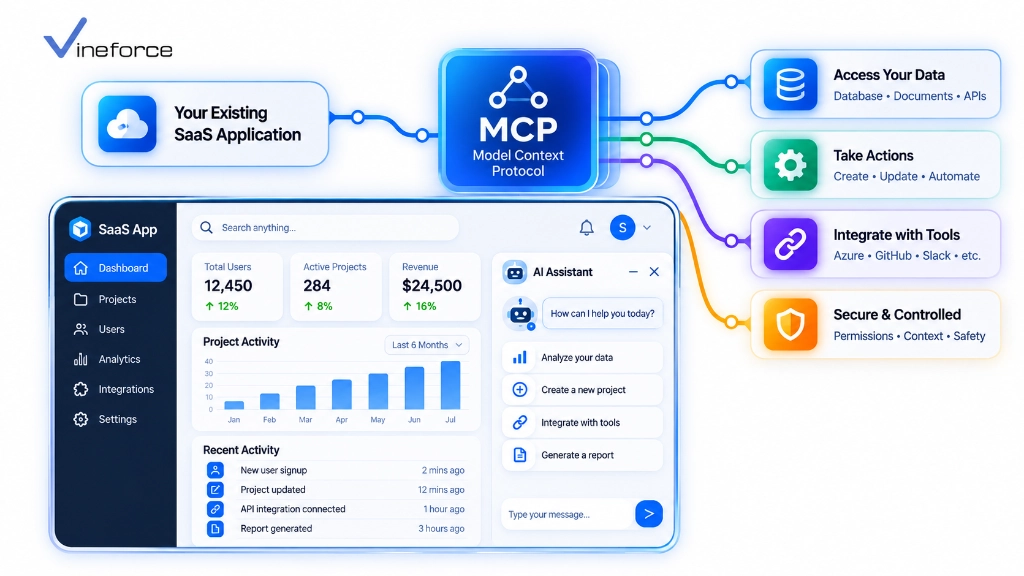
Adding AI to a live SaaS product is one of those situations where the obvious solution — rebuild the backend to support it — is also the most expensive and risky one. Most production SaaS platforms have years of business logic, access control, and multi-tenant data rules baked in. You cannot responsibly throw that away to chase an AI feature. The Model Context Protocol (MCP) gives engineering teams a way to layer AI capability on top of what already exists, using Microsoft SQL Server and REST APIs the application already owns.
Quick Summary: Adding an AI assistant to a live SaaS platform does not require replacing your existing technology stack. By implementing a lightweight MCP server layer that bridges your front-end chat widget, Azure OpenAI, and existing backend REST APIs, you can deliver natural-language data queries and automated workflows while maintaining existing user permissions, multi-tenant isolation, and business logic.
The Challenge of Retrofitting AI into Production SaaS
Shipping AI features onto a production SaaS platform without breaking anything comes down to three hard requirements:
- Production stability: AI features cannot touch core application databases or microservices in ways that could destabilize them.
- Security and multi-tenancy: The AI assistant must respect the same role permissions and tenant boundaries that the rest of the application enforces.
- Speed: Product teams need working AI in weeks, not a quarter-long re-architecture project.
[ Traditional Approach (High Risk) ]
Re-architect whole app ---> Rewrite APIs for LLM ---> Re-implement Auth ---> 6-12 Months Delay

[ MCP Adapter Approach (Low Risk) ]
Existing SaaS UI + APIs ---> Add MCP Microservice Adapter ---> Azure OpenAI ---> 3-4 Weeks Deployment
For a primer on MCP’s protocol mechanics before planning the integration, our overview on what Model Context Protocol (MCP) is is a good starting point.
Target Retrofit Architecture: The MCP Layer Pattern
Rather than touching existing backend controllers, you insert a lightweight MCP adapter service between the frontend AI chat UI and the APIs that already work:
[ User Browser / SaaS UI ]
       |
       +---> 1. Sends Natural Language Query ("Show overdue accounts")
       v
[ AI Chat Widget / Agent Host ]
       |
       |  2. Sends Prompt + User JWT Token
       v
[ Azure OpenAI Service ]  <===>  [ ASP.NET Core MCP Server ]
                                      |
                                      | 3. Executes Tool via HTTP (Passes JWT)
                                      v
                        [ Existing SaaS REST API Layer ]
                                      |
                                      v 4. Applies Existing DB Rules
                        [ SQL Server / Azure SQL DB ]
Step-by-Step Implementation Roadmap
Step 1: Audit Existing APIs & Identify High-Value Tools
Go through your SaaS application’s REST API endpoints and pick 5 to 10 that would deliver the most value as AI tools. Start narrow — you can expand later:
- 📊 Reporting & Analytics:
GET /api/v1/reports/sales-summary-> Tool:get_sales_summary - 🔍 Search & Lookup:
GET /api/v1/customers/search-> Tool:search_customers - 📑 Document Retrieval:
GET /api/v1/invoices/{id}-> Tool:fetch_invoice_details
Step 2: Build the ASP.NET Core MCP Adapter Layer
A lightweight .NET 9 MCP service forwards tool calls to your production REST APIs, passing the user’s auth token through so existing access controls fire:
public class SaasCustomerMcpTools
{
    private readonly HttpClient _apiClient;

    public SaasCustomerMcpTools(IHttpClientFactory httpClientFactory)
    {
        _apiClient = httpClientFactory.CreateClient("SaaSBackendApi");
    }

    [McpTool("search_customers", "Searches customer accounts by partial name or account code.")]
    public async Task<CustomerSearchResponseDto?> SearchCustomersAsync(string query, HttpContext httpContext)
    {
        // Extract original User Bearer Token from HTTP request headers
        var authHeader = httpContext.Request.Headers["Authorization"].ToString();

        var request = new HttpRequestMessage(HttpMethod.Get, $"/api/v1/customers/search?q={Uri.EscapeDataString(query)}");
        request.Headers.Add("Authorization", authHeader); // Propagate user identity!

        var response = await _apiClient.SendAsync(request);
        response.EnsureSuccessStatusCode();

        return await response.Content.ReadFromJsonAsync<CustomerSearchResponseDto>();
    }
}
For detailed architectural code examples on the MCP server side, our guide on building an MCP server with .NET covers the full stack setup.
Step 3: Connect to Azure OpenAI Service
Configure your host agent application to send user prompts to Azure OpenAI, passing your MCP server’s tool definitions in the API call. For cloud architectural patterns around this, our guide on Azure OpenAI + MCP enterprise integration walks through the deployment topology.
Step 4: Integrate Front-End Chat Widget & Authentication
Embed an AI assistant slide-out panel into your existing SaaS web frontend — React, Angular, or Vue all work. When the user opens the panel, pass their current session token to the AI backend. This is what keeps the AI operating within the same permissions as the user who triggered it.
Managing User Context, Permissions, and Multi-Tenancy
CRITICAL SAAS SECURITY PRINCIPLE: The AI assistant must never have elevated privileges beyond the user interacting with it.
By passing the authenticated user’s JWT token through the MCP tool handler to your underlying REST APIs, your existing RBAC and multi-tenant filters run automatically. If an unprivileged user asks the AI to view payroll data, the underlying API returns 403 Forbidden, and the AI cleanly informs them they lack authorization — no special-casing required.
For multi-tenant specific guidance, our deep dive on MCP for multi-tenant SaaS: keeping customer data isolated covers this in full.
Handling Read vs. Write AI Actions (Human-in-the-Loop)
Data queries can run automatically — there’s no risk in fetching information the user already has access to. State-changing actions are different. Sending emails, approving refunds, or deleting records should require explicit user confirmation before executing:
[ AI Assistant ] -> "I generated a draft refund of $150 for Customer X. Do you approve?"
[ User Clicks ]  -> [ ✅ Approve & Execute ]  |  [ ❌ Cancel ]
This prevents accidental modifications triggered by LLM misunderstandings and gives users confidence that the AI won’t act without them.
Monitoring, Auditing, and Rate Limiting
Track usage patterns, token costs, and tool invocation latency per tenant — this data matters for capacity planning and cost control:
{
  "Timestamp": "2026-09-11T11:05:00Z",
  "TenantId": "tenant_corp_771",
  "UserId": "usr_9912",
  "ToolInvoked": "search_customers",
  "BackendApiStatusCode": 200,
  "LatencyMs": 142
}
For SaaS founders thinking through the full MVP build timeline, our analysis on how long it takes to build a SaaS MVP is worth reading alongside this guide.
To accelerate your AI assistant rollout without risking production stability, explore Vineforce AI Database Integration Solutions.
Frequently Asked Questions (FAQ)
Do I need to rewrite my SaaS backend to add an AI assistant using MCP?
No. The main advantage of Model Context Protocol (MCP) is that it acts as a lightweight middleware layer. You can expose existing REST APIs, database queries, and microservices as MCP tools without modifying core backend application code.
How does user authentication work when an AI assistant calls MCP tools?
The AI assistant chat component passes the current user’s authenticated OAuth 2.0 / Entra ID JWT Bearer token to the MCP server. The MCP server validates the token and enforces the user’s existing permissions before executing any tool.
Can an AI assistant execute actions (like creating invoices or updating tickets) via MCP?
Yes. MCP supports read tools (fetching data) and write tools (executing actions). For write tools, best practice involves adding human-in-the-loop confirmation prompts in the UI before executing state-changing API calls.
How long does it typically take to retrofit an AI assistant into an existing SaaS app using MCP?
Because MCP reuses existing APIs and authorization pipelines, prototyping an initial MCP assistant for a production SaaS platform can be achieved in a few weeks rather than months of ground-up development.
Conclusion
The instinct to rebuild from scratch when adding AI is understandable — but it’s rarely necessary. MCP gives you a structured way to put an AI layer in front of your existing APIs without touching the code that’s already in production. Your security model stays intact. Your multi-tenant rules still run. The AI just gets a new entry point into business data it can actually use to answer user questions.
If your team needs help scoping which APIs to expose first, designing the adapter layer, or handling the Azure OpenAI integration, Vineforce has done this for existing .NET SaaS platforms and can help you ship faster without the risk.